
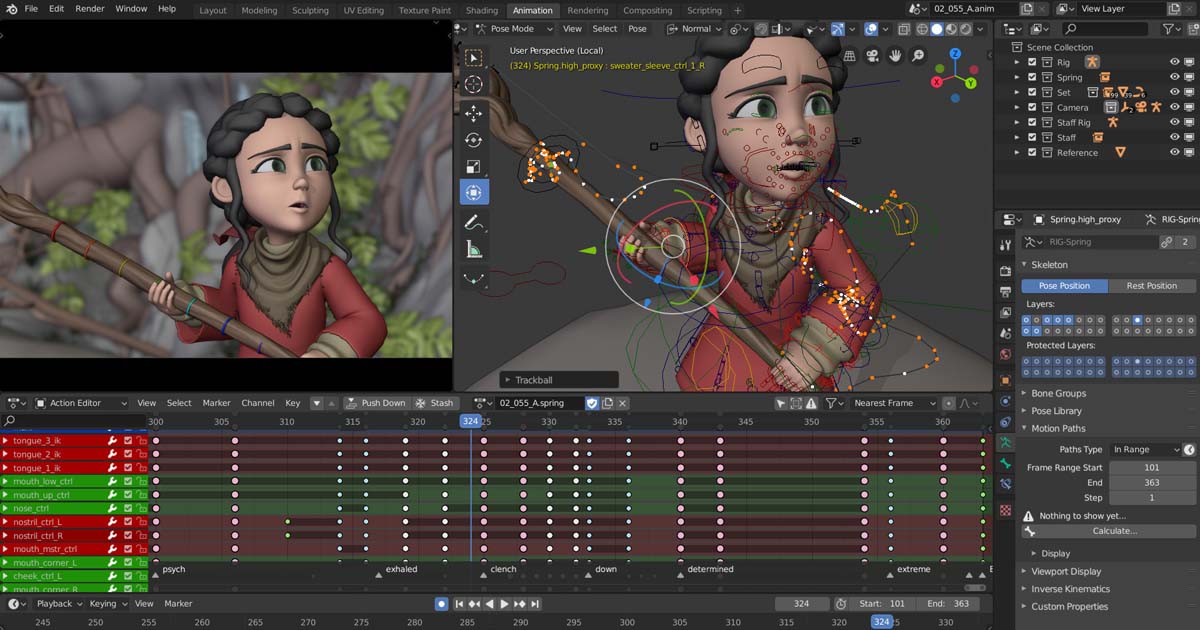
The popular and versatile software Blender is a free and open-source application widely used in 3D computer graphics for 3D animation, 2D animation, compositing, visual effects, 3D printing, motion graphics, various simulations, virtual reality, and video game development. Blender was created by Ton Roosendaal, who was born on March 20, 1960.
The main development is managed by the Blender Foundation, along with a diverse community of contributors from around the world. Blender was first released on January 2, 1994, 29 years ago. The software is primarily written in C, C++, and Python, and continues to be actively developed. Its official website, where you can access and download the software, is www.blender.org.
Blender was originally designed as a specialized internal tool for a Dutch company called NeoGeo, which focused on commercial animation. The first major professional project to use Blender was Spiderman 2, where it was primarily employed to bring characters and various elements to life before they appeared in the storyboard. The short films Friday and Another Day were among the first 35mm films to use Blender for all their visual effects, which were created entirely on GNU/Linux, and these films went on to win awards at the Locarno International Film Festival.
In my personal opinion, Blender has the most elegant and attractive user interface among all CG and computer graphics software. I am not a regular Blender user, yet I always follow its developments and updates and am consistently amazed by the incredible work created with it. Its color scheme, layout, icon design, spacing, margins, and overall interface are extremely appealing and user-friendly.
Blender’s features include rendering, modeling, sculpting, rigging, animation, digital painting, texturing, smoke, fire, fluid, cloth, hair, and rigid body simulations, particle systems, video editing, motion graphics, and compositing. Initially, Blender was developed in 1995 by Ton Roosendaal for internal use at NeoGeo. Its name was inspired by a song by Yello. On September 7, 2002, after raising €100,000, Blender was released as an open-source software. In 2010, during the production of the short film Sintel, Blender 2.5 was released with a completely redesigned user interface, shaping the software into the form we know today. In 2011, during the “Peach” project, many new features for visual effects in films were added to Blender.
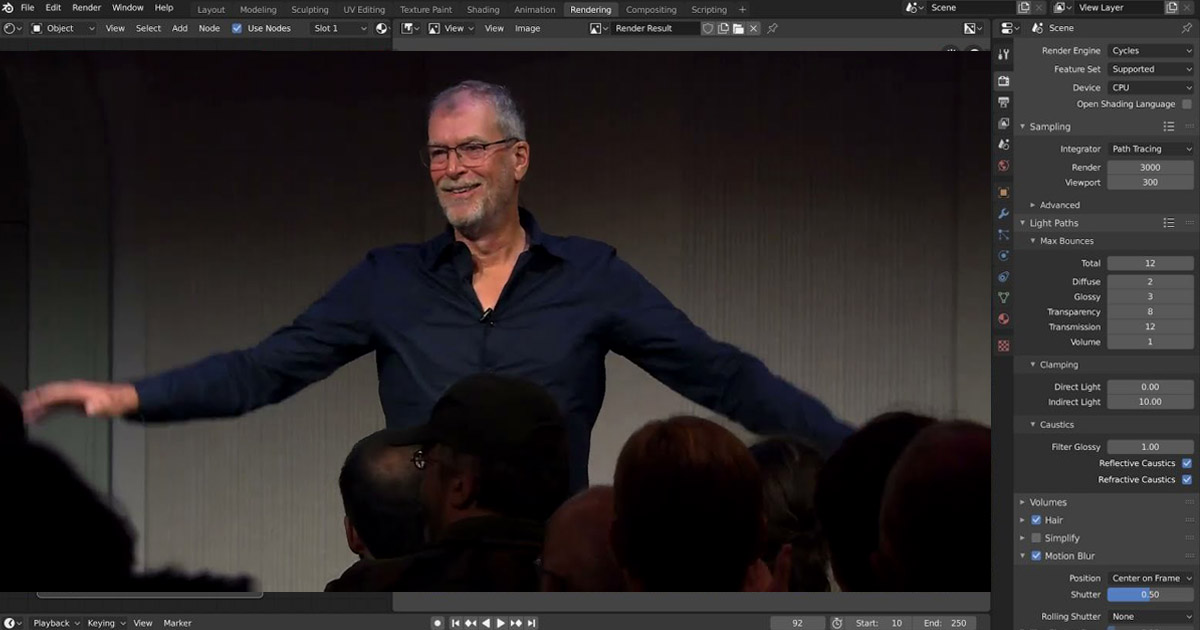
Below is an image of Blender’s creator, Ton Roosendaal.
Several key factors make Blender both popular and one of the most widely used software in computer graphics and VFX:
1 Free & Open Source
-
Blender is completely free, allowing anyone to use it without paying.
-
It is open-source, meaning developers can modify the code, create new tools, and expand its capabilities. This has fostered a large, global community of contributors and users.
2 All-in-One Solution
-
Blender is a comprehensive CG software that covers nearly every aspect of content creation:
-
3D modeling and sculpting
-
Animation and rigging (character rigging, keyframe animation)
-
Physics simulation (fluids, smoke, fire, cloth, particles)
-
Rendering (Cycles, EEVEE)
-
Compositing and video editing
-
2D animation & Grease Pencil
-
Motion graphics and VFX pipeline
-
-
This versatility eliminates the need to switch between multiple programs.
3 Large Community & Learning Resources
-
Blender has a huge, active community, producing thousands of free tutorials, plugins, and scripts.
-
This community support helps beginners get started quickly and allows professionals to build specialized tools for their workflows.
4 Continuous Development & Frequent Updates
-
Every year, new versions are released with advanced features, UI improvements, and rendering engine enhancements.
-
Projects like Sintel, Big Buck Bunny, and Tears of Steel demonstrate that Blender is reliable for professional production pipelines.
5 Customizable & Flexible User Interface
-
Blender’s interface is highly flexible, allowing users to customize layouts and tools to fit their workflow.
-
Shortcuts and panels enable professionals to work faster and more efficiently.
Summary: Blender’s popularity comes from its free availability, all-in-one capabilities, strong global community, frequent updates, and flexible UI.
summarizing why Blender is popular along with example projects and key features:
Blender’s 2D Animation Capabilities
Blender offers powerful tools for creating 2D animations, going far beyond a typical CG software. Here are the main features and capabilities for 2D animation:

1 Grease Pencil – The Core 2D Tool
-
Grease Pencil is Blender’s primary tool for 2D drawing and animation.
-
It allows users to draw directly in a 3D space, enabling seamless integration of 2D and 3D elements.
-
Supports layers and masks for complex drawings and animations.
2 Layering and Organization
-
Multiple layers for organizing elements such as backgrounds, characters, and effects.
-
Supports parenting and linking layers for synchronized movement of characters or objects.
3 Keyframe Animation Tools
-
All elements can be animated with keyframes.
-
Interpolation curves allow precise control over timing and movement.
-
Onion skinning lets animators see previous and next frames for smooth animation.
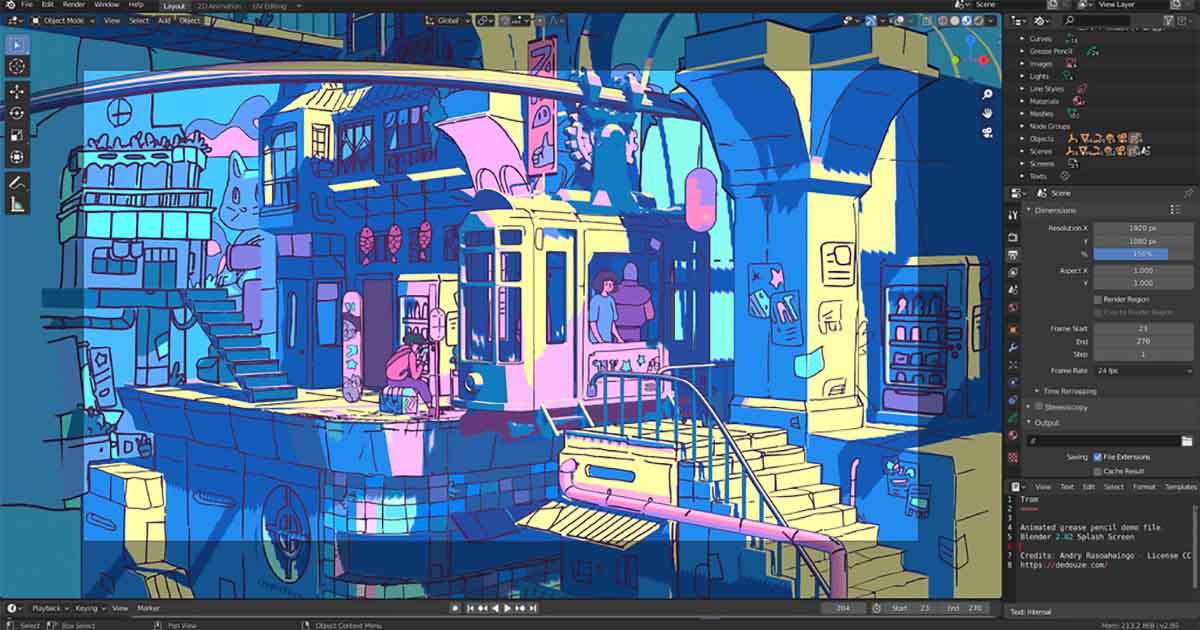
4 2D-to-3D Integration
-
2D animations can be placed within a 3D environment.
-
Supports adding lighting, cameras, and 3D effects to 2D animations.
5 Coloring and Texturing Tools
-
Professional painting tools with various brushes, opacity, and pressure sensitivity.
-
Supports colors, gradients, textures, and masks for detailed work.
6 Rigging and Bones for 2D
-
Create armatures (bones) for 2D characters to enable natural movements.
-
Weight painting controls bending and movement of different body parts.
7 Compositing and Effects
-
Blender includes built-in compositing and video effects.
-
Add effects such as motion blur, glow, shadows, and particles to 2D animations.
8 Professional Output
-
Export in standard video formats (MP4, AVI, MOV) or as image sequences (PNG, EXR).
-
Supports render layers and passes for advanced post-production editing.
Summary:
With Grease Pencil and its 2D/3D hybrid capabilities, Blender is one of the most powerful professional tools for 2D animation. Its main advantage is the ability to easily integrate 2D animation with 3D effects and VFX, making it ideal for both artists and studios.
Blender’s Features
Latest Version of Blender
-
The current stable release is Blender 4.5 LTS, published July 15, 2025.
-
As LTS (Long-Term Support), this version will be supported until July 2027.
-
Meanwhile, Blender 5.0 is in beta / development, and expected to introduce more major changes.
What’s New in Blender 4.5 LTS
With Blender 4.5, many new features, improvements, and optimizations have been added. Some of the most important are:
-
Full support for Vulkan — now the graphics backend is on par with older OpenGL, improving viewport performance and rendering.
-
Faster startup, faster texture loading, and quicker shader compilation — overall snappier performance when opening the program and working with scenes.
-
EEVEE & viewport improvements — better real‑time rendering, improved shading, shadow handling (especially for low‑poly meshes), GPU‑based subdivision, and fixes for depth/shadow artifacts.
-
Geometry Nodes enhancements — new nodes for handling strings and attributes, more flexible node tools, ability to import sequences with drag‑and‑drop, faster attribute domain interpolation, better performance and new operations in procedural workflows.
-
Improved Compositor — procedural texture nodes (noise, gradient, checker, etc.) now available in compositor; compositing workflows are more powerful; better compatibility between shader, geometry and compositing nodes.
-
Better 2D/Grease Pencil support — integrations with geometry nodes and compositor, new render pass for GP strokes/fills, improved line‑quality (SSAA), more flexibility in layering / effects for 2D & hybrid 2D‑3D workflows.
-
UV and modeling workflow improvements — UV visibility across all modes (not only Edit Mode), improved mesh editing tools, better booleans & snapping & retopology overlays.
-
Video Sequencer and I/O updates — faster video editing, HDR support in sequencer; improved import/export (e.g. faster FBX importer, better OBJ export smooth‑group handling, support for modern image / codec formats).
-
Stability and bugfixes — about 500 bugs fixed in this release; lots of internal refactoring for stability, performance, and compatibility.
Looking Ahead - What to Expect from Blender 5.0
Blender 5.0 (now in beta/alpha) is planned to bring major under‑the‑hood changes, including:
-
New blend‑file format supporting larger datasets and modernized data storage (geometry attributes storage changes, longer data‑block name lengths, better support for large projects) that means better handling of heavy scenes and professional pipelines.
-
More restructuring and modernization of core systems; but also some backward‑compatibility breaks (so blend‑files made in 5.0 might not open in older versions).
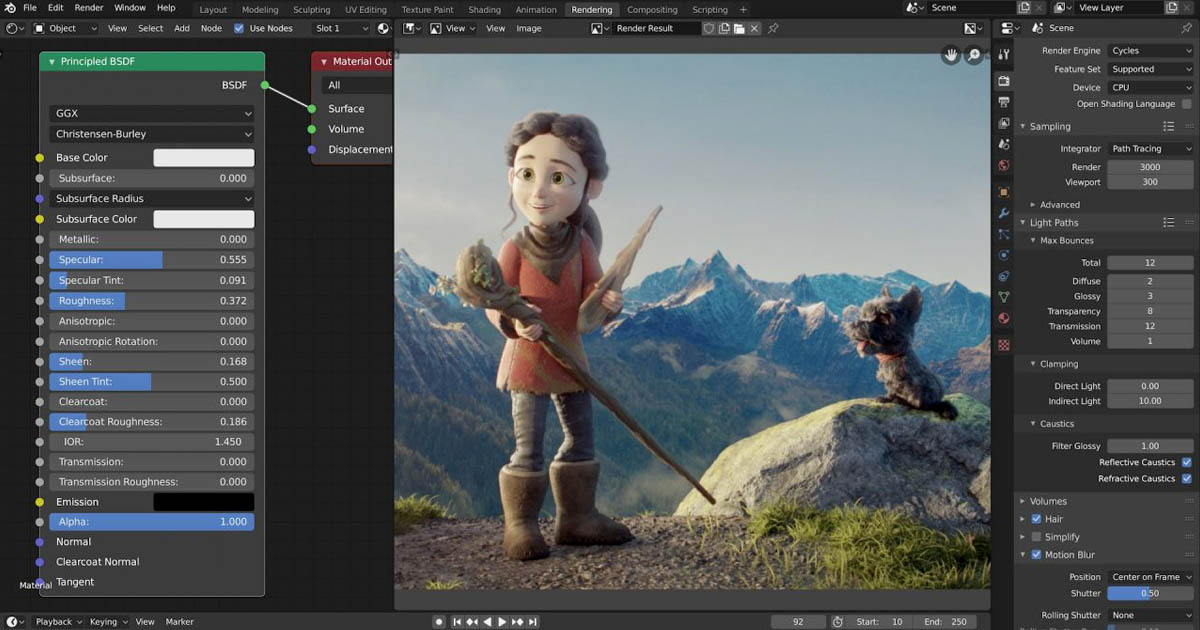
Compared to other graphics software, Blender is lightweight, installs quickly, and runs at high speed. It is compatible with multiple operating systems, including GNU/Linux, Microsoft Windows, IRIX, NetBSD, OpenBSD, and Solaris. Blender offers a wide range of modeling capabilities. Key features include support for various geometric primitives such as polygon meshes, accelerated subdivision surface modeling, Bezier curves, NURBS surfaces, metaballs, digital sculpting, fonts, and more. It also provides full internal rendering capabilities and integrates with YafRay (a ray-tracing software).
Blender’s keyframed animation tools allow for logical motion adjustments of scene elements, corrections, armor and weapon creation, character rigging, shape-based curves and networks, and the creation of special effects in games and multimedia such as morphing one image into another. It supports non-linear animation, vertex weight-based grouping, soft body creation and simulation, fluid simulations (like rivers), attention markers for key elements, and detailed work on specific parts, such as hair, using the particle system. These tools allow modifications and visualizations without damaging the underlying structures.
Blender also includes Python scripting for tool creation and prototyping, game logic, importing/exporting formats like OBJ, FBX, DXF, COLLADA, and automatic adjustments with specialized tools. It supports audio and video editing with non-linear compositing capabilities. Being open-source, Blender has a rich ecosystem of plugins. One notable plugin, popular among Flash developers, exports 3D files to AS3 format for the Papervision engine, significantly enhancing 3D performance in Flash. Blender can create extremely high-resolution models along with high-quality previews.
One limitation that is still being addressed is the lack of full support for OpenCL.
Blender’s User Interface
It is often said that learning Blender can be challenging for users who are accustomed to other 3D graphics software. However, nearly every function in Blender has a direct keyboard shortcut, and individual buttons can have different shortcuts depending on the context. Being an open-source program, Blender includes comprehensive textual menus designed to make the workflow logical and linear. Additionally, significant efforts have been made to enhance the visual interface, including color themes, transparent and floating widgets, an improved overall layout, and smaller refinements such as widget color customization.
Blender’s interface is built around several key concepts:
-
Editing Modes: Blender primarily has two main modes Object Mode and Edit Mode, which can be toggled with the Tab key. Object Mode is used to manipulate entire objects (move, scale, rotate), while Edit Mode allows precise editing of the object’s actual data, such as adjusting individual vertices of a mesh. Other specialized modes include Vertex Paint, Weight Paint, and Sculpt Mode, each providing different editing capabilities.
-
Hardware Requirements: Blender is less demanding on hardware compared to other 3D software. Nevertheless, a faster system is recommended for working with advanced effects and high-quality models.
Blender Foundation and Blender Studio
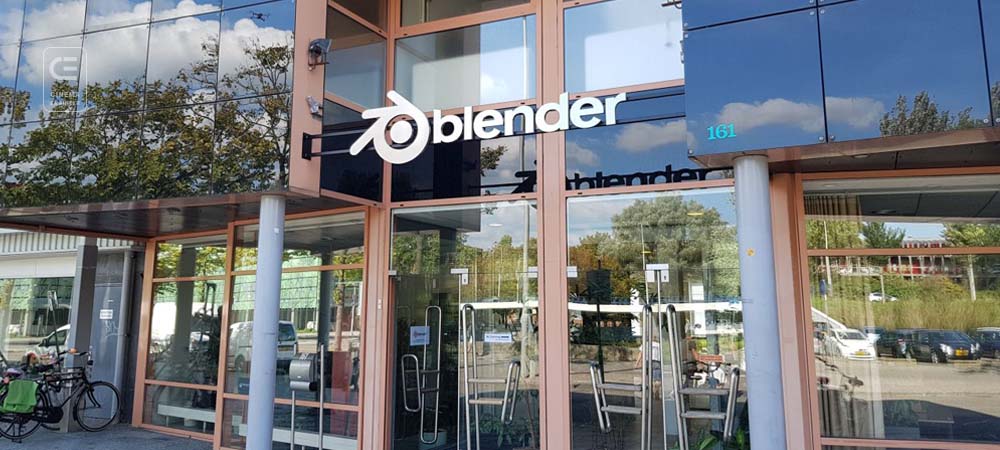
The Blender Foundation is a non-profit organization founded in 2002 by Ton Roosendaal, the creator of Blender. The foundation is responsible for the development and release of the free and open-source Blender software, which is widely used in 3D design and animation. Its headquarters are located in Amsterdam, Netherlands. Over the years, the foundation has produced and released several animated films using Blender, including Sintel, Big Buck Bunny, and Elephants Dream. The current director of the foundation is Ton Roosendaal. More information is available on their website: http://www.blender.org/foundation.
Blender Studio: Since 2005, the Blender Foundation has launched an annual creative project through Blender Studio, a subdivision of the foundation, aimed at fostering innovation and development within Blender.
Definition of Free Software
The concept of free software was defined by Richard Stallman and published by the Free Software Foundation. In free software, the focus is on freedom, not price. The first definition appeared in February 1986, and the official reference is now available in the philosophy section of the GNU Project website, which has been translated into 39 languages since April 2008. The Free Software Foundation also maintains a list of licenses that comply with this definition.
The original 1986 definition emphasized two main points:
-
The word “free” refers to freedom, not cost. The first freedom is the ability to copy and distribute the software so that neighbors and friends can also use it.
-
The second freedom is the ability to modify a program, allowing you to control the software instead of being controlled by it. To exercise these freedoms, access to the source code is essential.
The modern definition outlines four essential freedoms, numbered 0 to 3, which every recipient of free software inherently has:
-
Freedom 0: The freedom to run the program for any purpose.
-
Freedom 1: The freedom to study how the program works and modify it to suit your needs.
-
Freedom 2: The freedom to redistribute copies of the program, helping others.
-
Freedom 3: The freedom to improve the program and release those improvements publicly, so the whole community benefits.
Access to the source code is necessary to exercise freedoms 1 through 3, as it is impractical to learn or modify a program without it.
Free Software Foundation (FSF)
The Free Software Foundation (FSF) is a non-profit organization founded in October 1985 by Richard Stallman to support the free software movement, particularly the GNU Project. From its inception until the mid-1990s, most of the foundation’s resources were devoted to hiring programmers to develop free software.
The FSF was established as a non-profit organization to promote free software development. It continued GNU projects, including selling manuals and magnetic storage media, and employed programmers for free software systems. Over time, the FSF has continued these activities alongside its mission to promote free software.
The FSF also publishes several free software licenses and has the authority to revise them when necessary. It holds the copyright for various components of the GNU Project, such as GCC (GNU Compiler Collection). As the copyright holder, the FSF can enforce the copyleft requirements of the GNU General Public License (GPL) when copyright violations occur.
The GNU Project was launched in 1984 by Richard Stallman with the goal of creating a complete, free, Unix-like operating system. GNU stands for "GNU’s Not Unix." Today, the most widely used operating system based on GNU software is GNU/Linux, which combines the GNU system with the Linux kernel. The original GNU operating system, GNU Hurd, is still under development and is not widely used.
The GNU General Public License (GPL) is the most common free software license, with version 3 released in 2007 and the previous version 2 in 1991. The FSF has also published other licenses, including the Lesser GPL (LGPL) and the GNU Free Documentation License (GFDL).
The Correct Concept of “Free”
In English, the adjective “free” is commonly used with two distinct meanings:
-
“Without cost” (gratis) – meaning something is available at zero price.
-
“Without restrictions” (libre) – meaning something is provided with freedom or minimal limitations.
This ambiguity can create confusion, especially in contexts where the distinction is important, such as copyright, patent law, and other legal frameworks involving information usage. In the free software movement—and more broadly in the free culture movement—the terms gratis and libre are used to differentiate between mere price-free software and software that is genuinely free in terms of user freedoms. For example, gratis indicates software is available at no cost, while libre indicates software respects the user’s freedom. Richard Stallman famously summarized the distinction with the phrase:
"Think of 'free' as in freedom, not as in free beer."
-
Gratis: This term comes from Romance and Germanic languages and ultimately from the Latin grātia (in the accusative plural form), meaning “without payment” or “at zero cost.” A gratis item has value but is provided without charge.
-
Libre: This term, pronounced /ˈliːbrə/, comes from various Romance languages and ultimately from the Latin lībere, closely related to the English word liberty, signifying a state of freedom or having freedom. According to the Oxford English Dictionary (OED), libre is largely archaic but has returned in limited usage. Unlike gratis, there is no other single English adjective that exclusively conveys the concept of freedom without implying “no cost.”
Open Source Initiative (OSI)
The Open Source Initiative (OSI) is a non-profit organization dedicated to promoting open-source software. It was founded in February 1998 by Eric Raymond and Bruce Perens. Netscape helped establish the organization to release the source code of its flagship product, Netscape Communicator.
As a campaign, the term “open source” was introduced in 1998 by Jon “Maddog” Hall, Larry Augustin, Eric Raymond, Bruce Perens, and others. The group adopted the Open Source Definition for software based on the guidelines of free software. They also established OSI as a governing body for the movement. However, their attempt to trademark the term “open source” and control its usage was ultimately unsuccessful.
In 2008, OSI publicly invited 50 people to join a “Board of Directors” to help reform the organization’s management. By July 26, 2008, 42 invitees had accepted. The full membership of the board was never publicly disclosed, and communication among members occurred through a private mailing list called “Open Source Initiative Discussion”, which was not publicly archived.
In 2012, under the leadership of OSI and Simon Phipps, the organization began transitioning toward a member-based governance structure. OSI launched an internal membership program for recognized non-profit charities, industrial associations, and academic institutions worldwide, later adding an individual membership program and listing several sponsoring organizations. On November 8, 2013, Patrick Masson was appointed as OSI’s Executive Director.
Relationship with the Free Software Movement
Both the modern free software movement and the Open Source Initiative (OSI) share a common history rooted in Unix, free Internet software, and hacker culture, but their fundamental goals and philosophies differ. The OSI adopted the term “open source” based on Michael Tiemann’s suggestion to “leave behind the ethical and ideological approach associated with free software and instead promote open source ideas that are pragmatic, realistic, and business-friendly.”
Around 1999, Bruce Perens, a founder of OSI, expressed concern about growing tensions between supporters of the Free Software Foundation (FSF) and OSI due to these differing philosophies. Perens hoped OSI would serve as an “introduction” to FSF principles for non-hackers. Meanwhile, Richard Stallman, founder of FSF, strongly criticized OSI for focusing on operational concerns and for what he saw as ignoring the moral imperative and violating the freedoms defined in free software.
Despite these philosophical differences, Stallman described the free software movement and open source as two separate camps that often coexist, noting that supporters from both movements frequently collaborate on real-world projects.
Projects
Among the projects entirely created with Blender by Blender Studio, notable examples include:

Sadjad Jahangiri 




Add comment