
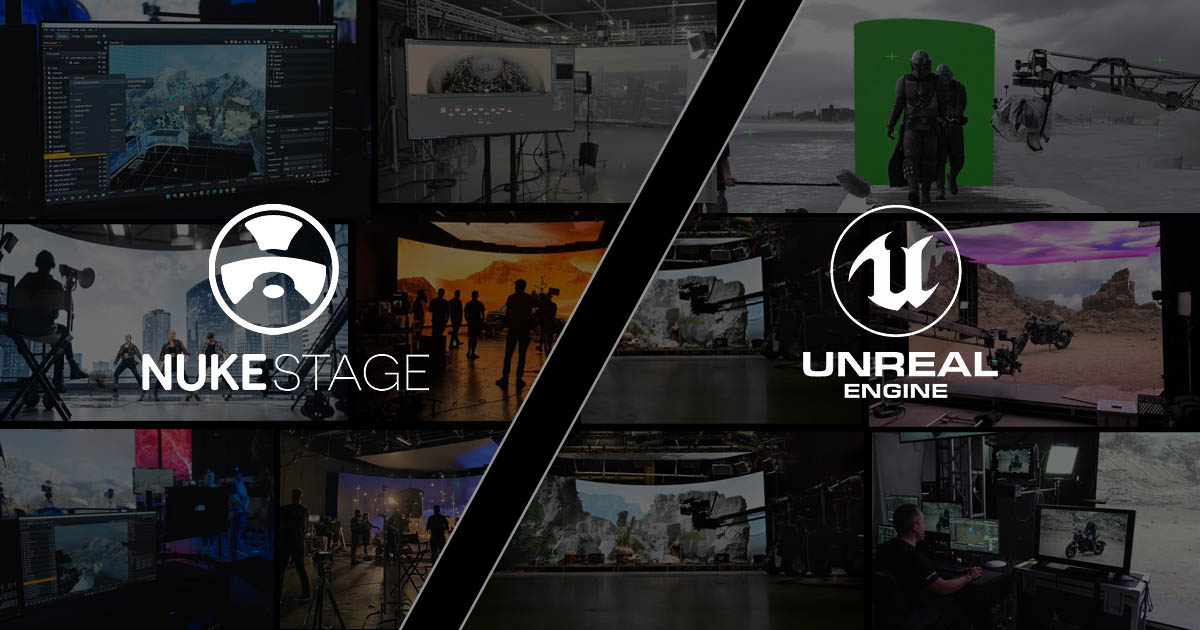
Virtual production has brought real-time rendering, LED stages, and digital environments into modern filmmaking, creating new ways for filmmakers and VFX teams to collaborate. Unreal Engine is widely associated with real-time environment creation and in-camera visual effects, but it is not the only option for bringing digital content onto a virtual production stage.
Foundry’s Nuke Stage offers a different approach, connecting VFX-oriented scene workflows with on-set playback, compositing, and adjustment. Understanding how it differs from Unreal Engine—and where the two applications can complement each other—is important when choosing a workflow for a production.
This article examines Nuke Stage and Unreal Engine from the perspective of VFX artists, supervisors, and filmmakers, focusing on their practical roles in virtual production, LED wall workflows, scene interchange, and post-production integration.
Why Nuke Stage Matters in Virtual Production
Virtual production has changed how filmmakers, visual effects teams, and virtual art departments collaborate. LED volumes and Realtime rendering allow filmmakers to view digital environments through the camera during principal photography, helping them evaluate composition, lighting, and the relationship between performers and virtual surroundings on set.
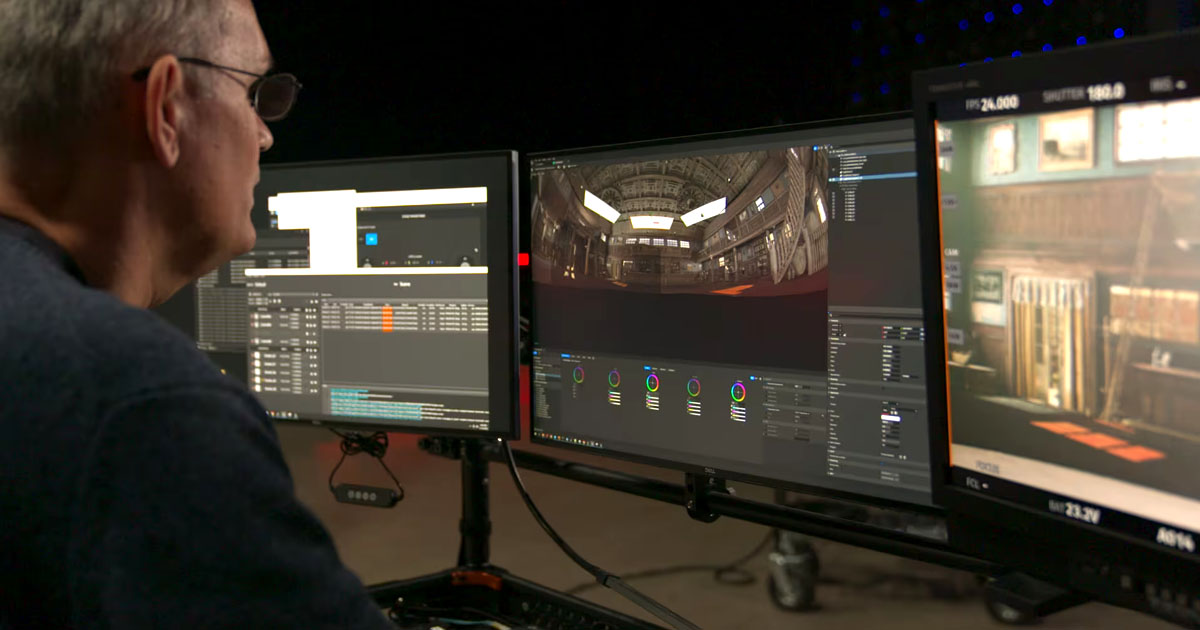
Unreal Engine has become an important part of this workflow, particularly for creating and rendering interactive 3D environments. However, virtual production is not limited to a single rendering engine or a single way of preparing visual content. Different productions have different requirements for image quality, creative control, asset preparation, playback, and integration with the wider VFX pipeline.
Nuke Stage, developed by Foundry, approaches virtual production from a VFX-oriented perspective. It is designed to bring digital environments and other supported content onto LED walls while providing tools for stage configuration, playback, scene adjustments, and on-set compositing.
For a broader look at how LED stages bring digital environments into live-action filmmaking, see our article on Stagecraft Technology in VFX: Integrating Real and Virtual Scenes, which explores the relationship between physical production environments and virtual imagery in modern visual effects workflows.
Understanding the distinction between Nuke Stage and Unreal Engine is therefore less about deciding which application is universally better and more about identifying the role each tool can play in a production. Their capabilities overlap in some areas, but their workflows and intended uses are not identical.
What Is Nuke Stage?
Nuke Stage is a standalone virtual production application developed by Foundry. It is designed to connect visual effects workflows with on-set production, enabling teams to prepare, play back, adjust, and composite supported content for LED stages.
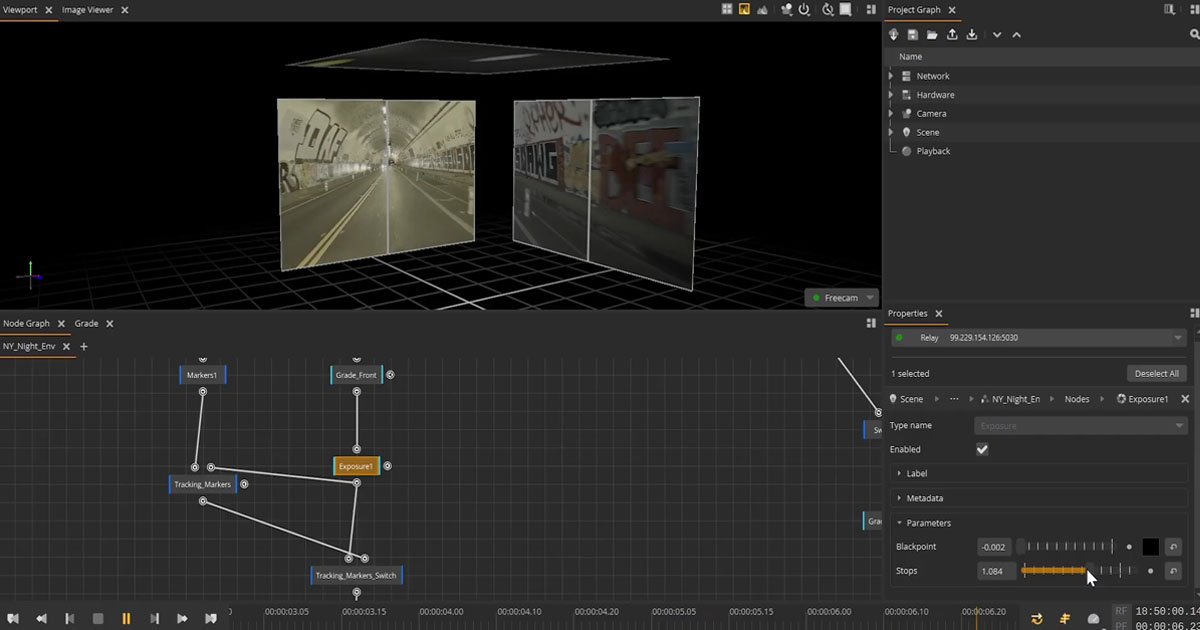
Its workflow combines stage configuration, camera tracking, scene management, playback, sequencing, and a node-based compositing environment. It also supports formats and color-management workflows relevant to VFX production, including USD, B44-encoded EXR, NotchLC, ACEScg, and OpenColorIO, subject to the capabilities of the version and workflow being used.
Although its interface and node-based approach will be familiar to many Nuke users, Nuke itself is not a requirement for using Nuke Stage. The application is designed as a standalone solution that can work with existing virtual production hardware and content prepared in other supported tools.
High-resolution playback
Nuke Stage supports B44-encoded EXR and NotchLC playback formats. These serve different production needs: B44 EXR can preserve the image and color characteristics associated with OpenEXR, including HDR workflows, while NotchLC offers a more compact format that can reduce storage and data-transfer demands.
The choice between them depends on the required image fidelity, color-management needs, disk throughput, and playback performance. A smaller file is not automatically the best choice for every shot, and high-resolution playback still depends on the capabilities of the complete system.
Sequencer and keyframing
The Nuke Stage Sequencer allows artists to organize sequences and animate supported properties using keyframes, clips, cues, curve editing, and interpolation. This can be useful when a production needs timed changes to scene elements or coordinated playback during a shot.
Rather than treating the LED wall as a static background, teams can use sequencing to control how supported content changes over time. The available controls depend on which properties and elements can be animated in the relevant workflow.
Feed mapping and display configuration
Nuke Stage provides tools for configuring outputs and displays and mapping rendered output to the physical LED stage. Its feed-mapping workflow helps determine how content is distributed across display surfaces and how different outputs relate to the stage configuration.
This is an important distinction between creating a digital environment and preparing that environment for a physical production stage. The content must not only look correct in the scene; it must also be delivered to the intended displays with the correct dimensions, mapping, and synchronization.
Camera tracking and synchronization
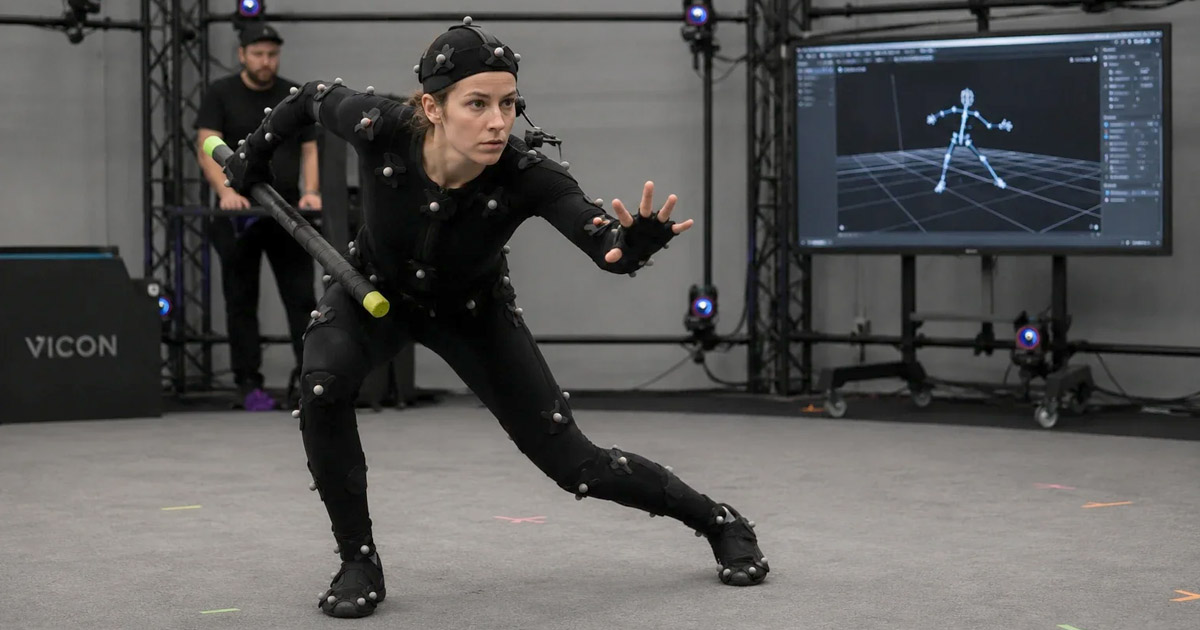
Nuke Stage supports integration with camera-tracking systems, including systems from Vicon, Mo-Sys, and OptiTrack. Tracking data allows the virtual camera representation to respond to the position and movement of the physical camera.
Camera tracking is only one part of the process. The tracking system, rendering nodes, display outputs, timecode, and synchronization hardware must work together correctly. The specific requirements depend on the production setup and the equipment being used.
Live compositing and color management
Nuke Stage includes a node-based compositing workflow designed for real-time performance. Supported USD scene content can be imported and adjusted, allowing teams to combine or refine virtual elements as part of the on-set workflow.
Color management is equally important. Foundry describes support for ACEScg, OpenColorIO (OCIO), and HDR workflows, helping production teams manage the relationship between virtual imagery and the image captured by the physical camera.
These capabilities do not mean that every complex compositing operation or every Nuke node can run in real time inside Nuke Stage. Artists should validate the operations, assets, and performance requirements relevant to their particular production.
On-set metadata and continuity
Nuke Stage provides a metadata Vault intended to preserve information about creative and technical decisions made during production. Depending on the workflow, this can include scene data, camera-tracking information, lens metadata, timecode, scene settings, and color decisions.
Preserving these details can help post-production teams understand how a shot was configured on set and reproduce relevant decisions later. The value of the recorded data depends on the production's handoff process and how effectively downstream departments can use it.
How Nuke Stage Fits into a VFX Pipeline
A virtual production pipeline involves more than rendering an environment. Assets must be prepared, reviewed, delivered to the stage, evaluated through the camera, and sometimes revised while filming is underway. The resulting production data must also remain useful during post-production.
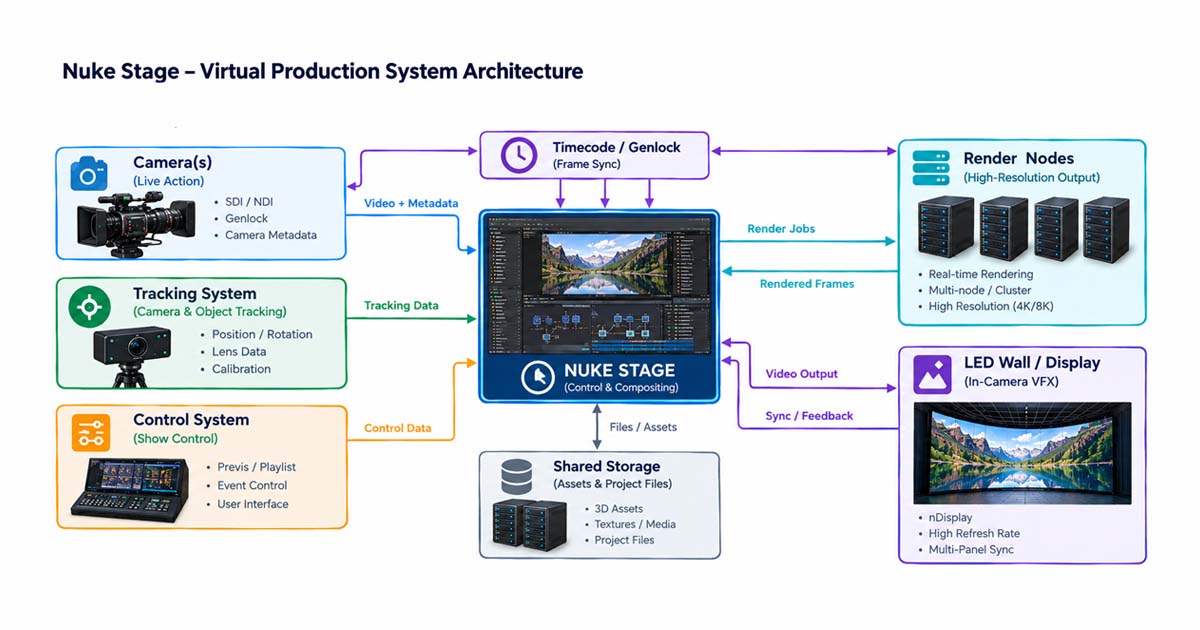
Nuke Stage is designed to support this continuity between content preparation, on-set playback, and subsequent VFX work.
Preparing and transferring content
Digital environments can be prepared in suitable DCC and VFX applications and transferred to Nuke Stage using supported formats. USD provides a way to exchange scene structure and supported scene data, while image-based content such as EXR can be used where appropriate to the intended workflow.
The exact result depends on how the source application exports the scene and which data, materials, textures, and features are supported by the receiving workflow. A successful USD transfer should not be interpreted as a guarantee that every application-specific shader, effect, or behavior will be reproduced identically.
Adjusting content on set
Once a scene is loaded, Nuke Stage provides controls for adjusting supported scene elements and working with a node graph. Artists can make appropriate changes to transforms, scene properties, and supported effects without necessarily returning to the original content-creation application for every adjustment.
Nuke Stage is not intended to replace a full 3D content-creation package. Foundry's Nuke Stage 1.1 workflow documentation, for example, describes loading USD scenes, transforming geometry, and creating effects through the node graph, while noting that complex geometry cannot be built directly in the application. Available capabilities should always be checked against the version being used.
Maintaining continuity into post-production
Virtual production decisions can affect later compositing and VFX work. Camera information, tracking data, lens metadata, timecode, scene settings, and color decisions may be important when recreating or refining shots after principal photography.
Foundry describes Nuke Stage as supporting the capture of on-set metadata to help maintain continuity between stage work and post-production. The practical benefit depends on the data recorded, the production's handoff procedures, and how effectively downstream departments can use that information.
For VFX supervisors and artists, this connection matters because an LED-wall shot is not necessarily a finished shot. Additional compositing, environment work, cleanup, integration, and other post-production tasks may still be required.
Unreal Engine: Building and Rendering Virtual Environments
Unreal Engine is a real-time 3D engine used to create and render interactive environments. In virtual production, it can provide the digital world displayed on LED walls, with the rendered perspective updated in response to the tracked physical camera.
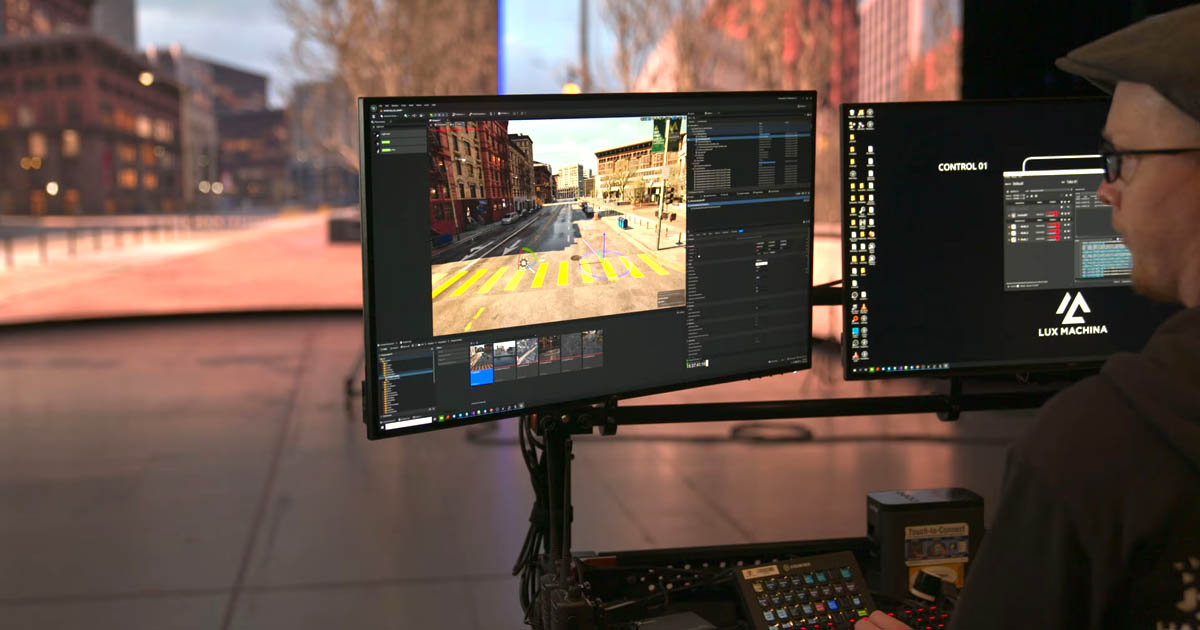
Unreal Engine supports workflows for In-Camera VFX (ICVFX), including camera tracking, perspective-correct rendering, and multi-display configurations using nDisplay. These capabilities allow the virtual environment to respond to camera movement during photography, helping the background appear spatially consistent with the camera's position.
Environment creation and real-time rendering
Unreal Engine is well suited to building interactive 3D worlds, assembling environments, working with materials and lighting, and iterating on visual elements while observing the results in Realtime. This makes it a strong option when a production requires an environment that changes dynamically in response to camera movement, animation, interaction, or other scene inputs.
Its rendering workflow is particularly useful when the production needs the engine to generate the final view continuously during filming. The resulting performance and image quality depend on factors such as scene complexity, lighting, materials, hardware, rendering settings, and the required frame rate.
LED volumes and camera tracking
In an LED-volume workflow, Unreal Engine can render the appropriate camera perspective for the physical camera's tracked position. Systems such as nDisplay help distribute and map the rendered output across the required displays, while camera-tracking and synchronization systems connect the physical production setup to the virtual environment.
Successful operation requires coordination between tracking, rendering, display configuration, camera settings, and system synchronization. LED stages also introduce image-capture considerations such as moiré, refresh behavior, brightness, color reproduction, and the relationship between the physical camera and the display. Camera-to-wall distance, viewing angle, exposure, and shutter settings can also affect the captured result, so these should be tested with the intended camera and representative content rather than assumed from a preview on a monitor.
These are production-wide concerns rather than problems that can be solved by choosing a particular application alone.
Where Unreal Engine fits in the wider VFX pipeline
Unreal Engine can be used alongside DCC applications, asset-management systems, and conventional VFX tools. A production may use it to create and render an environment while using other applications for asset preparation, compositing, shot finishing, or additional visual effects.
Unreal Engine and Nuke therefore do not have to be competing choices. For example, Nuke's UnrealReader node provides a way to bring supported Unreal Engine image data and utility passes into Nuke, with workflows that can also provide synchronized camera information and access to updated Unreal content. This is a separate workflow from loading an exported USD scene into Nuke Stage.
Nuke Stage vs. Unreal Engine: The Practical Differences
Nuke Stage and Unreal Engine can both participate in LED-wall virtual production, but they approach the work from different starting points. Unreal Engine is a real-time 3D engine with extensive environment-creation and rendering capabilities. Nuke Stage is a purpose-built virtual production application focused on playing back and managing VFX-oriented content on set.
| Production requirement | Nuke Stage | Unreal Engine |
|---|---|---|
| Primary role | On-set playback, scene management, and supported compositing workflows | 3D environment creation and Realtime rendering |
| Complex environment creation | Not its primary purpose; works with supported imported content | One of its central strengths |
| LED-wall workflow | Stage configuration, display mapping, playback, and supported scene adjustments | Real-time rendering and ICVFX workflows, including nDisplay |
| Sequencing | Sequencer with keyframes and supported animated properties | Sequencer for cinematic and real-time scene workflows |
| USD interchange | Loads supported USD scenes | Supports USD import and export workflows, subject to version and feature support |
| Post-production integration | On-set metadata and supported content handoff | Integration through rendered outputs, scene data, and other supported workflows |
This table compares the applications' typical roles rather than ranking their image quality or overall capabilities. The best choice depends on the production's requirements, the content being used, and the way the complete stage and post-production pipeline are configured.
Environment creation
Unreal Engine: Provides extensive tools for building and assembling interactive 3D environments, developing materials, configuring lighting, and preparing scenes for Realtime rendering.
Nuke Stage: Focuses on loading supported scene content and making appropriate adjustments for stage use. It is not intended to replace the full environment-modeling and content-creation capabilities of a general-purpose 3D application.
Rendering and playback
Unreal Engine: Can render a live camera perspective from a 3D environment, updating the image as the tracked camera moves. This is a central part of many ICVFX workflows.
Nuke Stage: Supports real-time playback and rendering of supported content for virtual production. Its rendering architecture uses Hydra from OpenUSD with supported renderer delegates. Foundry's Nuke Stage 1.1 workflow documentation specifically identifies HdStorm for that documented version; renderer support should be verified against the version in use.
The distinction is not simply that one application is real-time and the other is not. The more useful question is how the content is represented, prepared, rendered, and delivered to the stage in a particular production.
For example, a sequence built around a carefully prepared environment with limited changes during filming may be well suited to playback of pre-rendered content, provided the camera and display requirements are met. A shot that needs the environment to respond continuously to tracked camera movement, interactive elements, or changing scene conditions may benefit from a live Unreal Engine rendering workflow. These are practical tendencies rather than fixed rules: the right approach depends on the shot, the content, and the stage system.
Performance, image quality, and stage constraints
Performance should be evaluated across the complete stage system, not by the application name or a workstation specification alone. Relevant factors include the output resolution and frame rate, the number and resolution of display surfaces, scene complexity, materials and lighting, storage throughput for playback, rendering hardware, and the latency and synchronization requirements of the production.
Playback of pre-rendered imagery shifts much of the rendering workload to the preparation stage, but it still requires enough storage bandwidth, decoding capacity, and output performance to deliver the required frames reliably. Live rendering instead has to generate each frame within the available frame-time budget while maintaining the required image quality and camera response. Neither approach is automatically more reliable or better-looking in every situation.
Image quality must also be judged through the physical camera. LED-wall results can be affected by viewing angle, camera-to-display distance, exposure, shutter settings, display refresh behavior, moiré, brightness, color reproduction, and the interaction between the wall and practical lighting. A scene that looks convincing on a workstation or to the naked eye may behave differently when photographed. Test representative shots on the actual stage, using the intended camera, lens, frame rate, shutter settings, display configuration, and content.
VFX integration
Unreal Engine: Can serve as the environment-creation and rendering component of a wider VFX workflow. Its output can be used in other applications, depending on the chosen export or render-pass workflow.
Nuke Stage: Is designed to bring VFX-oriented content into the on-set process, using supported formats and workflows familiar to artists working with node-based tools and color-managed pipelines.
For a team already producing assets in a VFX pipeline, Nuke Stage may provide a useful route to stage playback and iteration. For a team that needs to build and continuously render a complex interactive world, Unreal Engine may remain central to the workflow.
Data exchange and interoperability
Unreal Engine: Supports USD workflows for exchanging supported scene data with other applications. The details depend on the Unreal Engine version, exporter or importer, and the content being transferred.
Nuke Stage: Can load supported USD scenes, including scenes exported from Unreal Engine. However, USD is an interchange format, not a guarantee that all materials, procedural effects, lighting behavior, or application-specific features will transfer without modification.
A production should validate the actual assets it intends to exchange, including geometry, transforms, textures, materials, animation, and color-management assumptions. A representative test scene is more informative than assuming that format compatibility guarantees complete visual equivalence.
On-set operation
Unreal Engine: Offers an established workflow for configuring real-time rendering and LED-wall output, including nDisplay-based configurations and integrations used in ICVFX productions.
Nuke Stage: Provides its own stage configuration, output and display controls, camera setup, scene management, and playback tools. Foundry describes it as hardware-agnostic, subject to the application's published hardware and system requirements.
The right choice depends on the stage configuration, content requirements, operator experience, rendering needs, and the systems already used by the production. Both approaches require appropriate planning, testing, synchronization, and on-set technical support.
Can Nuke Stage Replace Unreal Engine?
Nuke Stage should not be treated as a direct, universal replacement for Unreal Engine. The applications have overlapping uses in virtual production, but they are designed around different workflows.
Unreal Engine is a powerful choice when a project depends on building complex interactive environments and rendering them continuously in response to tracked camera movement. Nuke Stage is relevant when a production wants to bring supported VFX-oriented scene content into a dedicated stage playback and adjustment workflow.
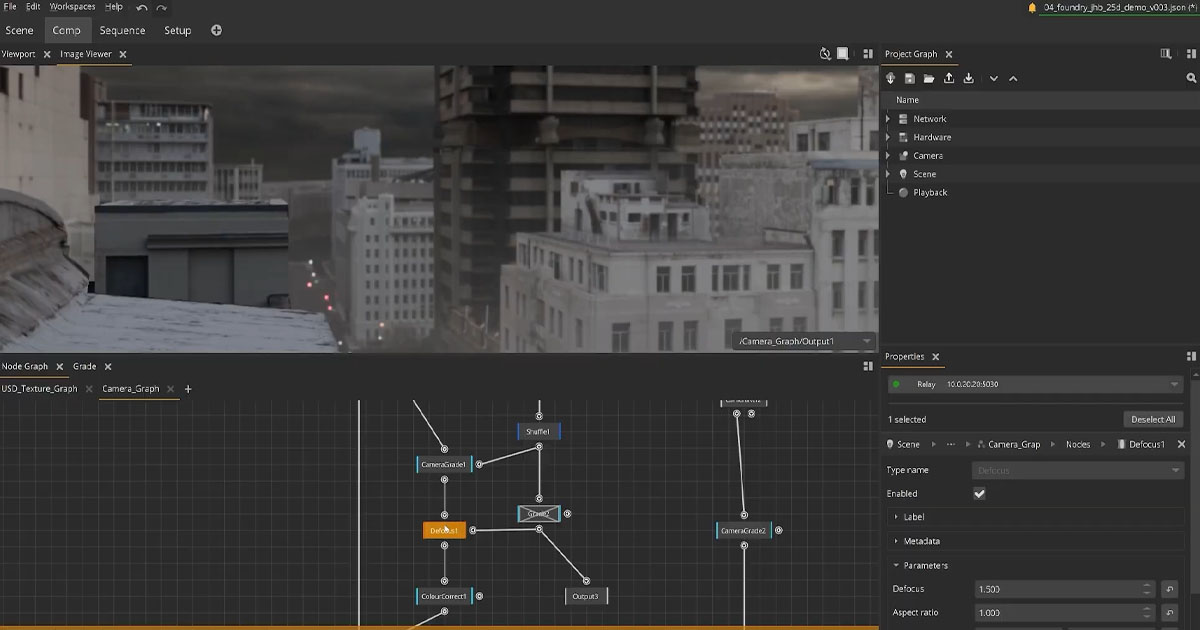
Foundry's documented workflow allows an Unreal scene to be exported to USD and then loaded into Nuke Stage, subject to the content and features supported by the export and import paths. This is a transfer of scene data, not a live connection that makes Nuke Stage use Unreal Engine as its renderer.
There is also a separate option for productions that use Unreal Engine for rendering but need to finish or composite its output in Nuke. Nuke's UnrealReader node can bring supported Unreal image data and utility passes into Nuke. That workflow should not be confused with running the same Unreal scene inside Nuke Stage.
In practical terms, the choice is not necessarily one application or the other. A production may use Unreal Engine for environment creation and rendering, Nuke Stage for a suitable stage playback workflow, and Nuke for compositing and post-production. Whether that combination is worthwhile depends on the creative brief, technical requirements, asset pipeline, and stage setup.
A Practical Virtual Production Workflow
Consider a production filming a scene in a digital city environment. The team needs the background to appear correctly through the camera, respond appropriately to camera movement, and remain usable for any required post-production work.
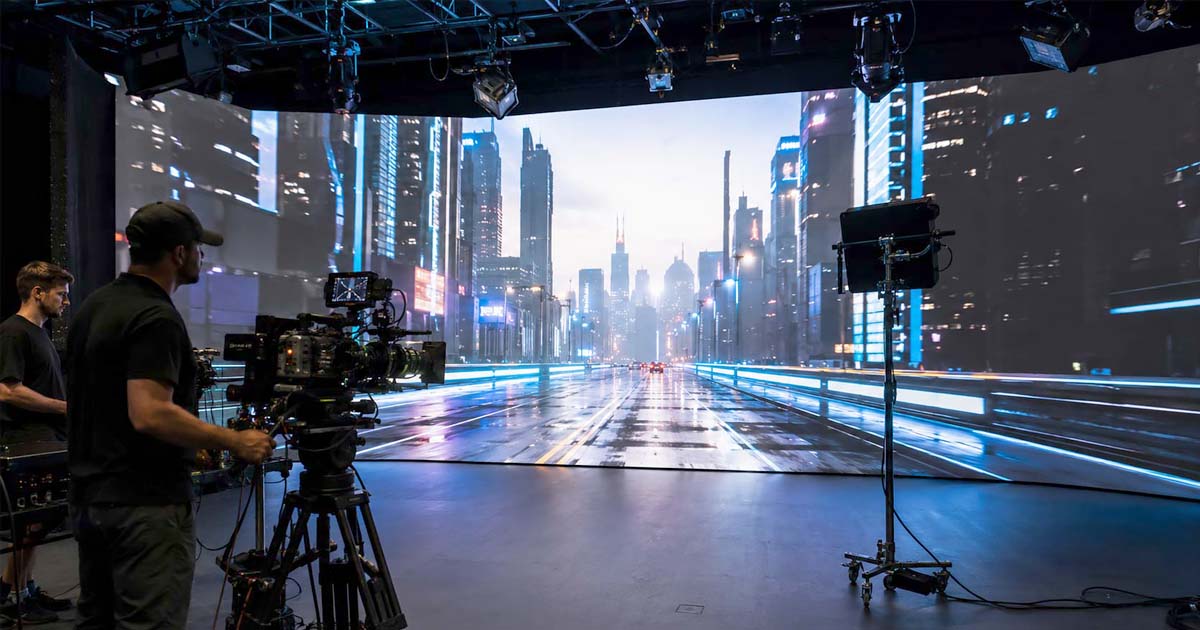
- Create the environment: Artists build and prepare the city environment in a suitable 3D application. Unreal Engine may be used when interactive environment creation and Realtime rendering are required.
- Choose the stage workflow: The production determines whether the environment will be rendered directly in Unreal Engine or prepared for playback in Nuke Stage. The choice depends on the creative requirements and technical setup.
- Transfer and validate content: If the chosen workflow uses USD interchange, the team exports and loads supported scene data, then checks geometry, materials, textures, transforms, and other required properties.
- Configure the stage: The team sets up displays, output mapping, camera information, tracking, and synchronization as required by the selected system.
- Review and adjust: The director, cinematographer, and VFX team evaluate the image through the physical camera and make the necessary creative and technical adjustments.
- Prepare for post-production: The production preserves the relevant scene information, camera data, color decisions, and other required elements for any later compositing or VFX work.
This is an illustrative workflow, not a mandatory sequence for every production. Some projects may render directly in Unreal Engine; others may use Nuke Stage with content prepared in a different tool. A combined workflow is useful only when each application serves a clear purpose and the data transfer has been validated.
What the Choice Means for Artists and Filmmakers
For artists, the most important difference is where the work happens and which skills are most relevant to each stage of production.
Artists working in Unreal Engine may spend much of their time assembling environments, developing materials, lighting scenes, optimizing performance, and preparing content for real-time rendering. They may also work with the technical requirements of camera tracking, display mapping, and ICVFX.
Artists working with Nuke Stage may focus more directly on preparing supported scene content for the stage, adjusting scene elements, managing playback, and making production-oriented changes through its available tools. Familiarity with node-based workflows and color management can be useful, although the application is not restricted to users of Nuke.
For VFX supervisors, the choice affects how visual decisions move between departments. A workflow that preserves the necessary scene data, camera information, and color-management decisions can help artists understand what happened on set and continue the work in post-production.
For directors and cinematographers, the practical goal is to evaluate the image in camera and make creative decisions while filming. The underlying software matters because it affects what can be changed quickly, how accurately the environment responds to the camera, and how reliably the stage operates—but the best workflow is the one that supports the needs of the production.
USD and Hydra: Why Interoperability Matters
Universal Scene Description (USD) is an open framework for representing, assembling, and exchanging 3D scene data. It is used across many production tools to help teams transfer scene structure and supported content between applications.
In virtual production, USD can provide a bridge between environment creation and stage playback. A scene prepared in one application may be exported and loaded into another, reducing the need to recreate every element manually. The degree of continuity depends on the data represented in the file and on the capabilities of the applications involved.
USD should not be mistaken for a universal conversion layer that automatically makes every application behave identically. Materials, shaders, procedural systems, lighting models, and application-specific features may require adjustments or may not be supported by the receiving workflow. Teams should test their specific content before committing to a pipeline.
What Hydra does
Hydra is an imaging framework within the OpenUSD ecosystem. Broadly speaking, it connects scene data supplied by a scene delegate to a rendering implementation known as a render delegate. This architecture allows applications to work with different rendering implementations without treating Hydra itself as a single renderer.
Foundry identifies Hydra as the rendering system used by Nuke Stage. Its Nuke Stage 1.1 workflow documentation specifically names HdStorm as the renderer used in that version's workflow. This version-specific detail is important: the available renderer implementations and their capabilities should be confirmed in the documentation for the software version being deployed.
For artists and production teams, the main point is practical rather than architectural. USD and Hydra can help connect scene content to a stage-rendering workflow, but they do not eliminate the need to check asset compatibility, image quality, lighting behavior, color management, and performance on the target system.
Does Virtual Production Reduce the Need for VFX?
Virtual production can change when and where some visual decisions are made, but it does not eliminate the need for visual effects. An LED wall can provide a convincing environment during photography, help establish lighting and reflections, and reduce the need for certain traditional background-compositing tasks. The extent of those benefits varies from shot to shot.
Some elements may still need to be replaced, extended, cleaned up, or enhanced in post-production. Productions may also require digital set extensions, CG elements, simulations, wire removal, screen cleanup, and integration work. In other cases, the LED environment may be used mainly for interactive lighting or reflections while the final background is created or revised later.
The choice between an Unreal-based workflow, a Nuke Stage workflow, or a combination of tools does not determine whether a shot will require additional VFX. That decision depends on the creative brief, what was captured on set, the quality and limitations of the available assets, and the final image required.
Virtual production is best understood as another way to bring digital environments into filmmaking—not as a universal replacement for conventional VFX or post-production.
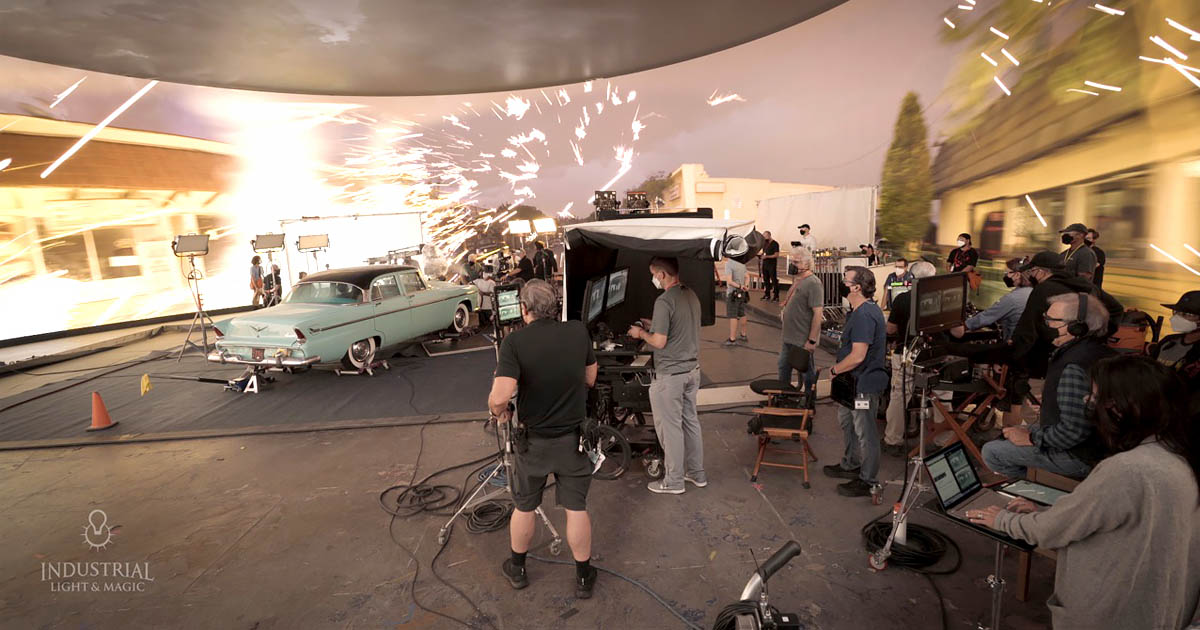
How to Choose the Right Workflow
The most suitable workflow depends on the production's creative and technical requirements. Before choosing an application, teams should evaluate how the environment will be created, how it needs to respond to the camera, what must be displayed on the LED wall, and how the content will move into post-production.
Before committing to a pipeline, use the following questions as a practical check:
- Does the shot need the environment to change interactively during filming, or can the required imagery be prepared in advance?
- Have representative assets been tested in the intended workflow, including geometry, materials, textures, animation, and color management?
- Can the stage system maintain the required frame rate, image quality, camera response, and synchronization with the intended camera and display setup?
- Which camera, lens, tracking, scene, color, and render data must be retained for continuity and post-production?
The answers help define the requirements; they do not replace a technical test on the target stage.
- Choose an Unreal Engine-centered workflow when extensive interactive environment creation and Realtime rendering are core requirements, particularly when the virtual world must respond continuously to tracked camera movement.
- Consider Nuke Stage when the production benefits from a dedicated virtual production application for playing back and adjusting supported VFX-oriented content, using formats and workflows that fit the existing pipeline.
- Evaluate a combined workflow when Unreal Engine, Nuke Stage, and Nuke each serve a distinct purpose—for example, environment creation and rendering, stage playback, and post-production compositing.
- Validate content interchange: Test the actual USD assets before committing to the workflow. Confirm that the required geometry, materials, textures, animation, lighting assumptions, and color management behave as expected.
- Check stage requirements: Evaluate tracking, synchronization, display configuration, hardware, disk throughput, and frame-rate requirements using representative production content.
- Plan for post-production: Decide which metadata, camera information, render passes, scene files, and color decisions must be retained to support downstream work.
The best workflow is not necessarily the one with the largest feature set. It is the one that delivers the required image reliably, supports the team's skills, fits the stage's technical constraints, and preserves the information needed for the rest of the production.
Conclusion
Nuke Stage and Unreal Engine address different but related needs in virtual production. Unreal Engine provides extensive tools for creating interactive 3D environments and rendering them in Realtime, while Nuke Stage is designed to bring supported VFX-oriented content into a dedicated on-set playback, compositing, and adjustment workflow.
Nuke Stage's Sequencer, feed mapping, high-resolution playback, camera-tracking integrations, color-management capabilities, and metadata tools help explain its role in the virtual production pipeline. These capabilities do not make it a universal replacement for Unreal Engine, whose environment-creation and Realtime-rendering tools remain important for many ICVFX workflows.
USD can help transfer scene data between applications, but it does not guarantee that every material or feature will behave identically after transfer. An Unreal scene can be exported to USD for use in Nuke Stage, while Nuke's UnrealReader offers a separate route for bringing supported Unreal render data into Nuke.
For VFX artists, supervisors, and filmmakers, the key question is how each application contributes to the production as a whole. Understanding their differences makes it easier to choose a workflow that supports creative control on set while maintaining continuity through post-production.
 References & Further Reading
 Foundry — Nuke Stage: Virtual Production Solution Foundry — Nuke Stage FAQs Foundry — Introduction to Nuke Stage Foundry — Nuke Stage Workflows for Unreal Users Foundry — Nuke Stage Virtual Production Operator Manual Foundry — Nuke Features and UnrealReader Epic Games — In-Camera VFX Overview Epic Games — Universal Scene Description (USD) in Unreal Engine OpenUSD — Introduction to USD

Sadjad Jahangiri 




Add comment