From expressive hand-drawn characters to complex animated worlds, modern 2D animation is shaped by a combination of artistic vision and increasingly sophisticated technology. Behind many professional productions are tools that help artists bring their ideas to life while managing the technical demands of animation at scale.
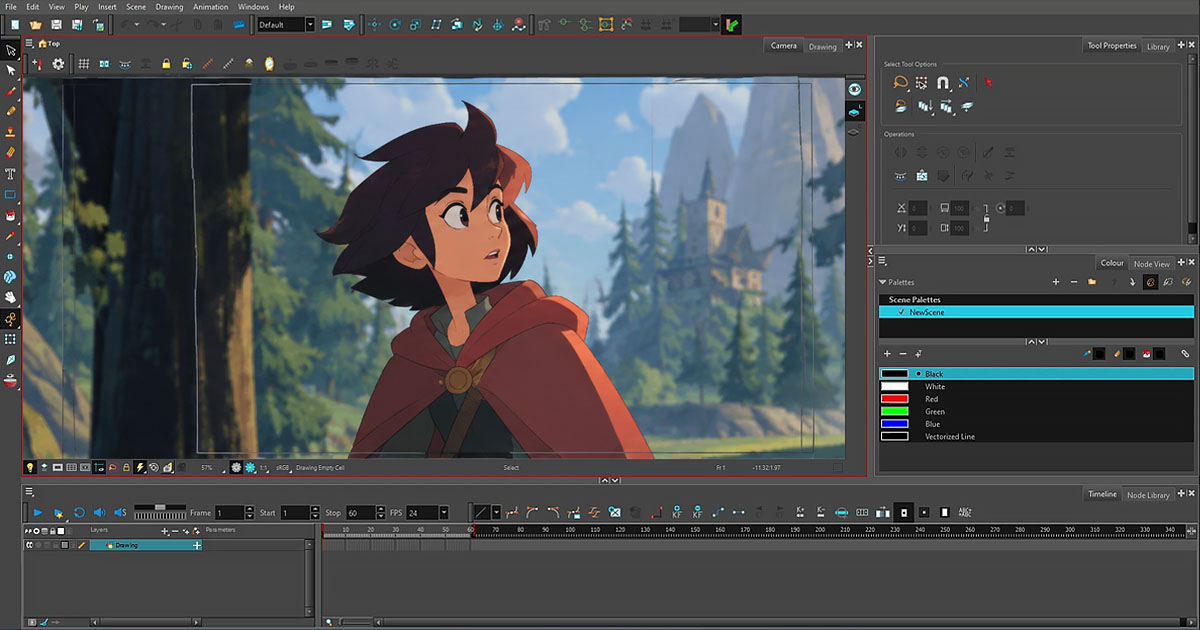
Toon Boom Harmony has become an important part of this landscape, bringing drawing, character rigging, animation, compositing, and selected 3D workflows into a versatile production environment. Used across television and feature animation, it supports a range of artistic approaches, from traditional frame-by-frame techniques to complex, rig-based workflows.
But what makes Harmony stand out is not simply the breadth of its features. It is how those capabilities work together, how they fit into professional production pipelines, and how continued development helps artists tackle real production challenges. To understand its place in the 2D animation Industry, it is worth looking beyond the tools themselves and exploring what they make possible.
More Than One Way to Animate
One of Harmony’s defining strengths is its support for different animation techniques. Artists can create frame-by-frame animation, draw digitally without relying on paper, or build character rigs for cut-out animation. These approaches can also be combined when a project calls for different methods of movement or visual expression.
Frame-by-frame animation remains essential when a scene depends on expressive drawings, distinctive timing, or subtle changes in shape. Cut-out animation, on the other hand, allows artists to animate characters through reusable body parts, rig controls, deformers, and drawing substitutions. A well-designed rig can help maintain a character’s proportions and reuse established poses across multiple scenes.
Neither method replaces the other. The right approach depends on the artistic style, the complexity of the scene, and the production requirements. Harmony’s flexibility allows artists to combine techniques rather than forcing every project into a single animation method.
This flexibility is particularly valuable in productions where efficiency and artistic consistency must coexist.
The Technology Behind Professional Production
A professional animation package must do more than make individual shots look good. It also needs to support the repeated, interconnected tasks involved in producing an entire episode or feature film.
Harmony brings together drawing, animation, rigging, painting, camera tools, effects, and compositing capabilities within a shared production environment. This integration can reduce the need to move constantly between applications for everyday tasks, although specialized software may still be necessary for particular effects, rendering requirements, or studio workflows.
Character rigging is one of the clearest examples of how this approach can help. Instead of redrawing every body part for every frame, an animator can work with a prepared character structure, adjusting poses and movements through controls and deformers. Drawing substitutions can provide additional expressions or hand-drawn poses when a simple transformation is not enough.
Harmony Premium also provides a Node View for advanced rigging and effects workflows. Rather than treating a scene only as a stack of layers, artists can organize connections between elements and operations through a node-based structure. This can offer greater control over complex rigs and compositing setups.
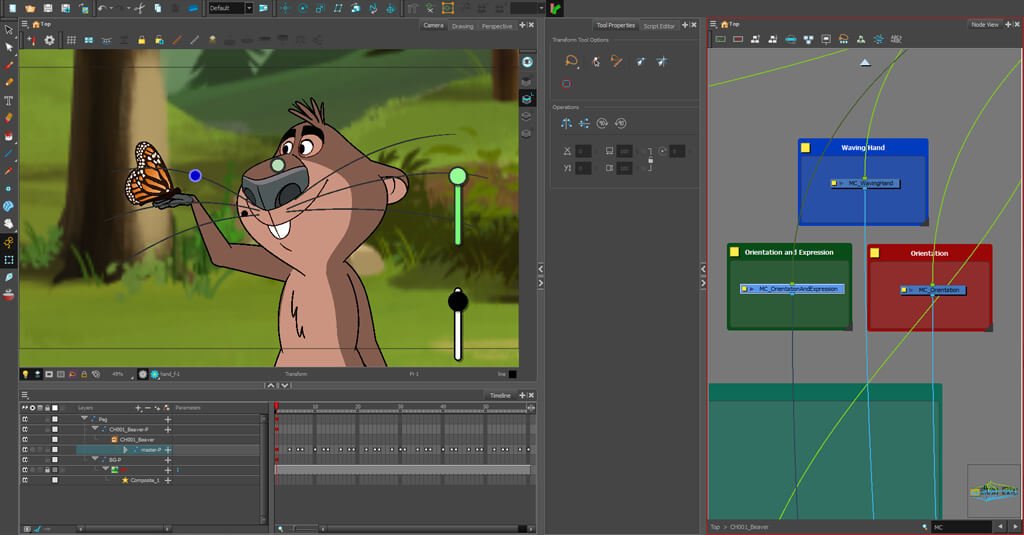
Harmony also supports scripting, allowing technical artists and pipeline developers to automate selected repetitive tasks and create custom tools. In larger productions, this kind of customization can help teams adapt their software to established workflows instead of relying entirely on manual operations. The precise scripting options available depend on the Harmony edition.
These capabilities do not automatically make animation faster or better. Their value comes from giving artists and technical teams more ways to organize, control, and refine their work.
From Storyboard to Final Animation
One of Harmony’s most useful strengths becomes apparent when it is considered as part of a complete production pipeline rather than as an isolated application.
Animation usually begins long before the final drawings are created. Storyboards establish the visual sequence, while an animatic helps define timing, camera movement, and the relationship between shots. These decisions provide the foundation for the animation department.
Toon Boom Storyboard Pro is designed for this pre-production stage. Its integration with Harmony allows storyboard and animatic material to be transferred into animation scenes, helping artists continue from the planning stage into layout and animation without rebuilding every element from scratch.
This connection is particularly useful when a production contains many scenes and multiple artists need to work from a consistent visual plan. It can preserve important information and reduce unnecessary repetition, although the exact workflow depends on how a studio organizes its projects.
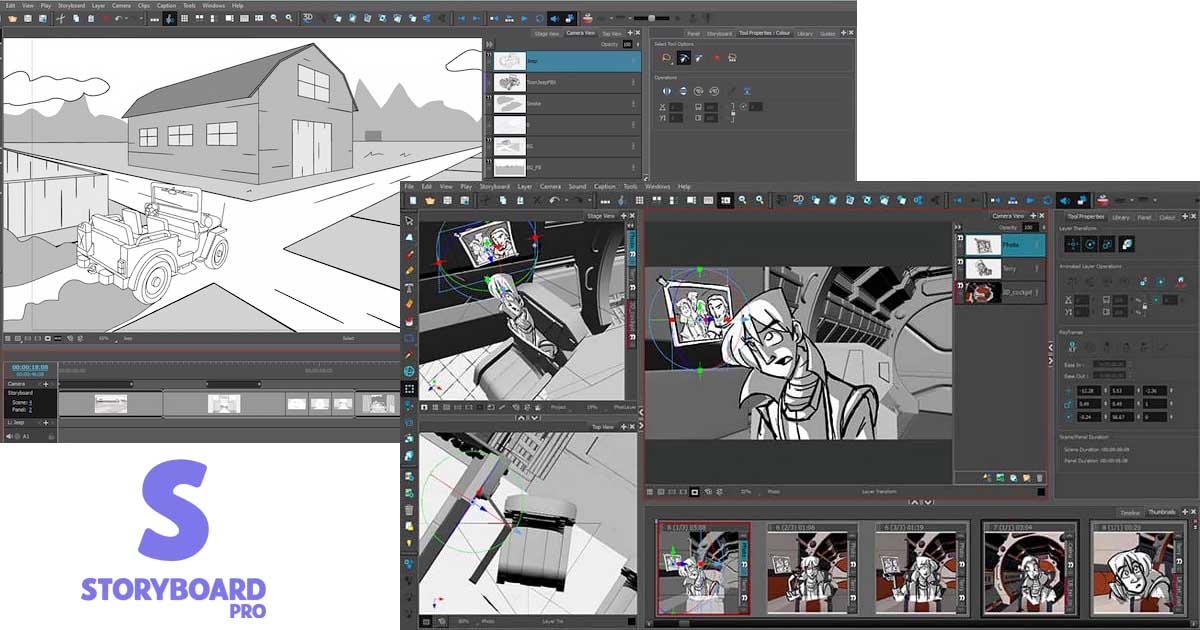
Harmony can also work with other applications through supported import and export formats. A studio may therefore use it as a central part of its 2D animation workflow while relying on other tools for specialized tasks.
The important distinction is that an integrated workflow does not mean every stage must happen inside one application. It means the tools can work together in a way that supports the production as a whole.
Why Harmony Matters in Series and Anime Production
The demands of a television series are different from those of a single short animation. Characters must remain consistent across many scenes, assets need to be organized, and production teams must coordinate their work while meeting deadlines.
Reusable rigs, shared drawings and templates, consistent color palettes, and integrated production tools can help address these challenges. Harmony Database, available in supported editions and configurations, also provides network-based management of scenes and shared production assets. This can help teams collaborate across a production rather than treating every scene as an isolated file.
These capabilities make Harmony relevant to professional series production: it offers tools for creating animation and for managing some of the work surrounding it.
Its use in Japanese animation provides a concrete example. Japanese Animation Co. has documented its use of Harmony on SHIBUYA♡HACHI and KICKS AND PUNK. The studio’s experience illustrates how a shared environment can support different stages of animation, from key animation and in-betweening to finishing, while also highlighting the importance of training and production support.
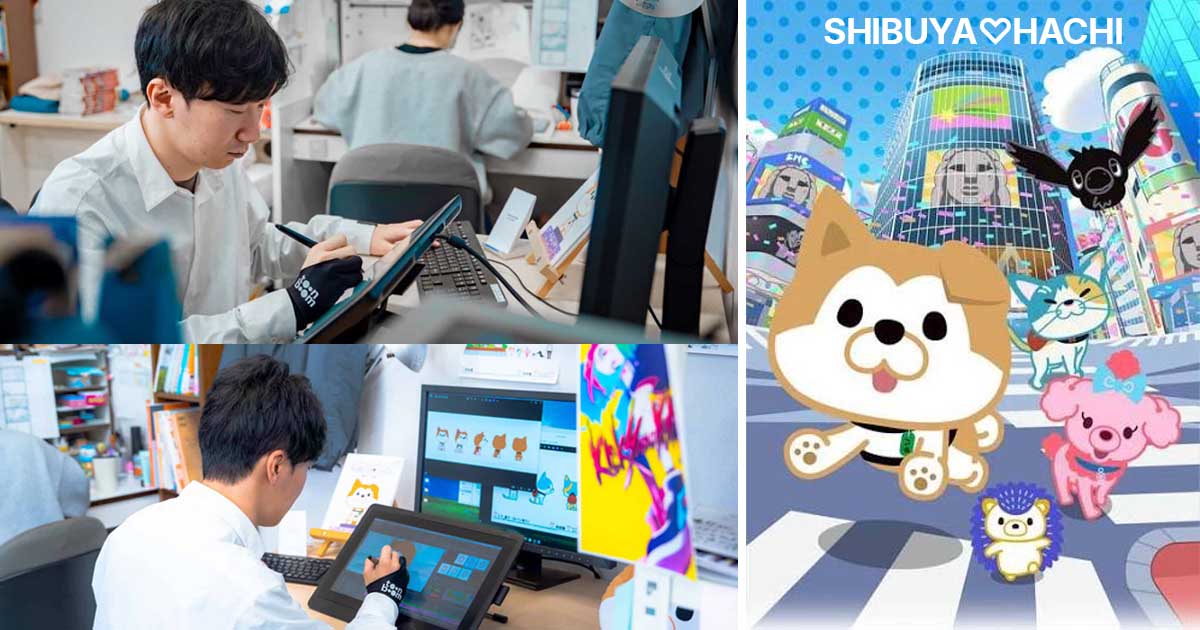
This does not mean every anime studio uses Harmony, or that it is the only suitable solution for Japanese animation. Studios work with different pipelines, and the best choice depends on their production methods, artistic requirements, and existing technical infrastructure. These projects nevertheless demonstrate that Harmony can be used in real animation production environments, including projects in Japan.
Hybrid Animation: Expanding the Possibilities of 2D
Another interesting aspect of Harmony is its ability to integrate 3D elements into a 2D production workflow.
In Harmony Premium, artists can import supported 3D models, manipulate their position and rotation, and work with compatible animated elements where the model and file format permit. These elements can be combined with 2D drawings and other scene components.
Consider a scene featuring a hand-drawn character moving through a complex environment. A 3D model could provide a reusable vehicle, prop, or architectural element, while the character remains traditionally drawn. A camera move around a 3D object may also help establish perspective or reduce the need to recreate certain elements from scratch.
This is one form of hybrid 2D/3D animation. The broader term hybrid animation can also describe combinations of different 2D techniques, such as frame-by-frame and cut-out animation.
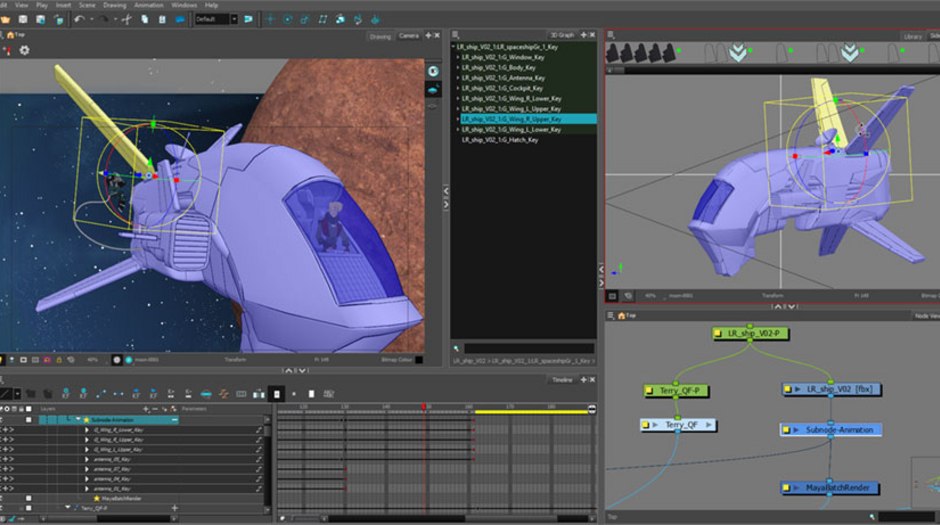
There are limitations, however. Harmony’s 3D integration does not turn it into a complete 3D modeling and rendering package. Depending on the project, artists may need external applications such as Maya or Blender to create models, develop materials, or achieve the required rendering quality.
The goal is not to replace every other tool, but to make different techniques work together within a production.
Klaus: When Technology Serves Artistic Vision
Few examples illustrate the relationship between animation technology and artistic ambition as clearly as Klaus, the animated feature directed by Sergio Pablos and produced by SPA Studios.
The film attracted attention for its distinctive hand-drawn appearance and its sophisticated use of light and shadow. Rather than relying on the flat look often associated with traditional 2D animation, Klaus developed a visual approach in which characters appeared to respond convincingly to the lighting and colors of their environments.
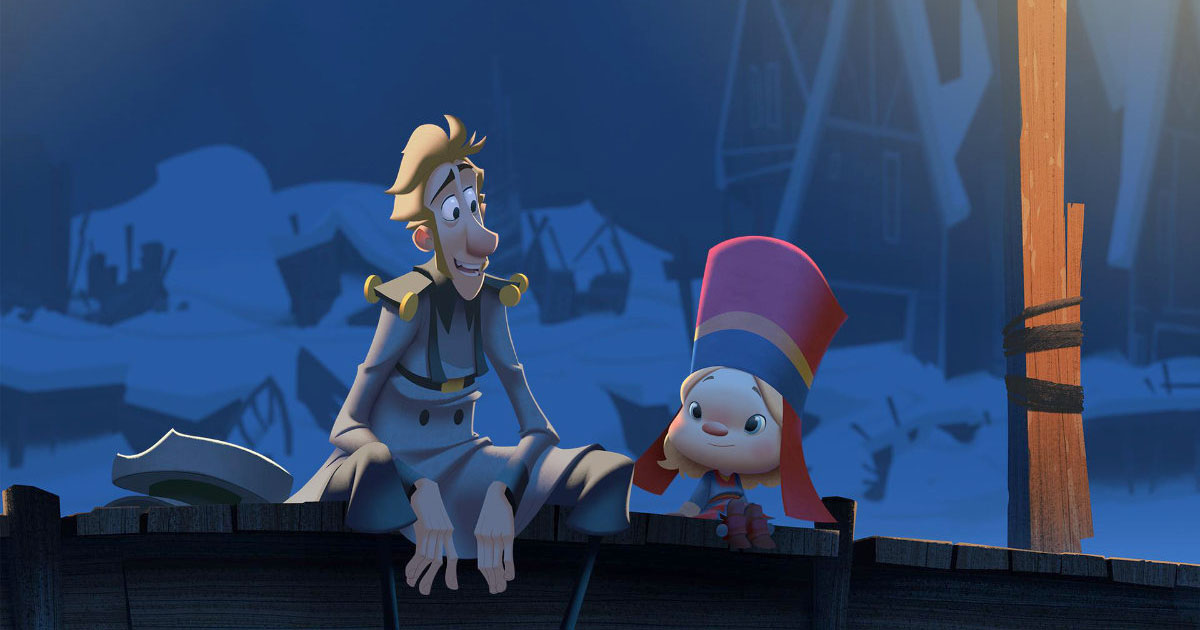
Harmony played an important role in the film’s animation workflow. According to Toon Boom’s interview with Sergio Pablos, the production benefited from a workflow that connected Storyboard Pro with Harmony through ink and paint. Toon Boom also provided production support and solutions for animators and cleanup artists as the film progressed.
However, the film’s lighting and shading achievements should not be attributed to Harmony alone. Klaus relied on specialized technology and workflows developed to achieve its particular visual goals. Its distinctive lighting system was not simply a built-in Harmony feature used to produce the final look.
That distinction makes Klaus an even more interesting case study. The film demonstrates how an animation platform can form part of an ambitious production pipeline, while specialized tools, technical development, and close collaboration help artists achieve results beyond the capabilities of any single application.
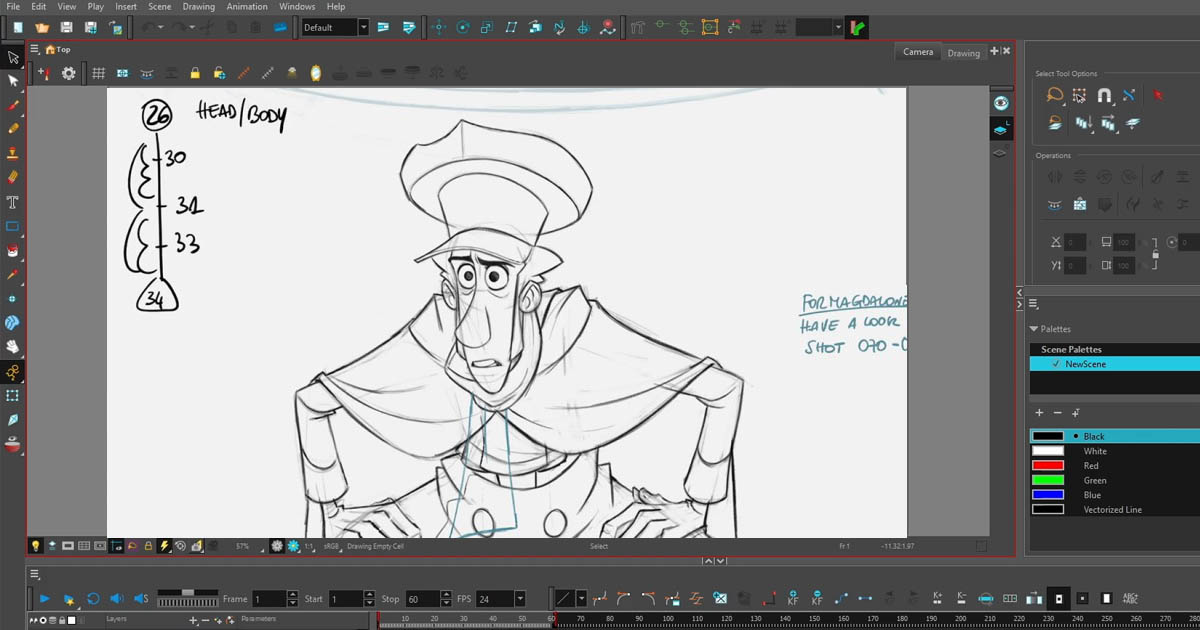
The real lesson is not that Harmony created the film’s visual style by itself. It is that the right combination of animation tools, technical innovation, and artistic direction can expand what a 2D production can achieve.
A Software That Continues to Evolve
Professional animation software must respond to more than new creative trends. It also needs to address the practical problems artists encounter while drawing, rigging, animating, and managing complex scenes.
Harmony’s ongoing development offers examples of this process. Harmony 27 introduced Attribute Controllers in the Premium edition. These controllers allow artists to create and blend custom rig poses using non-destructive offsets, preserving existing animation on the timeline while adding new controls over a character’s movement.
The release also introduced a mirror tool for reference drawings and a Selection Lock Node to help protect complex layered artwork from accidental selection.
These may sound like small improvements compared with major new animation systems, but they address everyday production concerns. Better control over rigs, fewer accidental changes, and more convenient pose management can make a meaningful difference in a demanding workflow.
Not every update transforms the way animation is produced. Useful development often happens through solving specific problems, refining established tools, and responding to the needs of artists and production teams.
Choosing the Right Harmony Edition
Harmony is available in three main editions: Essentials, Advanced, and Premium. They are designed for different levels of complexity and different production needs.
Essentials provides core tools for drawing and animation, making it a starting point for individuals and smaller projects. Advanced adds capabilities suited to more demanding professional workflows. Premium provides the broadest feature set, including more sophisticated rigging and advanced production tools for complex projects.
This distinction matters because not every feature discussed in an overview of Harmony is available in every edition. Advanced rigging, particular compositing options, supported 3D workflows, and some pipeline capabilities may depend on the version and edition being used.
The best choice therefore depends on the work being produced. An artist focused on hand-drawn animation may have different requirements from a studio building reusable character rigs for a long-running series. For larger productions, collaboration, pipeline integration, and the ability to customize workflows may be just as important as the drawing tools themselves.
Harmony’s breadth is a major strength, but choosing the appropriate edition and understanding its limits are essential parts of building an effective workflow.
A Powerful Tool, Not the Only Answer
Harmony’s range of capabilities makes it a compelling option for many professional 2D productions, particularly when character animation, reusable rigs, drawing, and compositing need to work together.
Nevertheless, no single application is ideal for every project. Some artists may prefer a drawing-focused workflow, while others may need specialized tools for particular styles or production requirements. Software such as TVPaint, for example, remains relevant to artists whose work is strongly centered on hand-drawn animation.
The distinction is not simply between a powerful application and a less capable one. It is about choosing the right tool for the intended result, the team’s experience, and the demands of the production.
Harmony’s significance comes from the breadth of its workflow, its support for different animation techniques, its role in documented productions, and its continued development—not from a claim that it can replace every other tool.
Conclusion: Where Art Meets Technology
Toon Boom Harmony represents more than a collection of drawing and animation tools. Its real strength lies in bringing different techniques, production processes, and technical capabilities together in an environment designed to support the demands of professional 2D animation.
From frame-by-frame drawing and character rigging to hybrid 2D/3D workflows and pipeline integration, Harmony gives artists and studios multiple ways to approach creative and technical challenges. Productions such as Klaus also demonstrate an important principle: ambitious animation depends not on a single software package, but on the collaboration between artistic vision, specialized technology, and a well-designed production pipeline.
Ultimately, Harmony’s significance in the 2D animation Industry comes from its ability to connect creative freedom with production efficiency. It does not eliminate the need for other tools, nor can it replace the skills and judgment of experienced artists. Instead, it provides a flexible foundation on which different techniques and technologies can work together to bring distinctive animated worlds to life.
 References & Further Reading
 Toon Boom — Harmony Official Product Overview Toon Boom — Differences Between Harmony Editions Toon Boom — Harmony 27 Premium Documentation Toon Boom — Harmony 27 Official Documentation Toon Boom — Importing 3D Objects in Harmony Toon Boom — What’s New in Harmony 27 Toon Boom — Sergio Pablos on the Creative Process Behind Klaus Toon Boom Japan — Harmony in Japanese Animation: SHIBUYA♡HACHI and KICKS AND PUNK
Sadjad Jahangiri 




Add comment