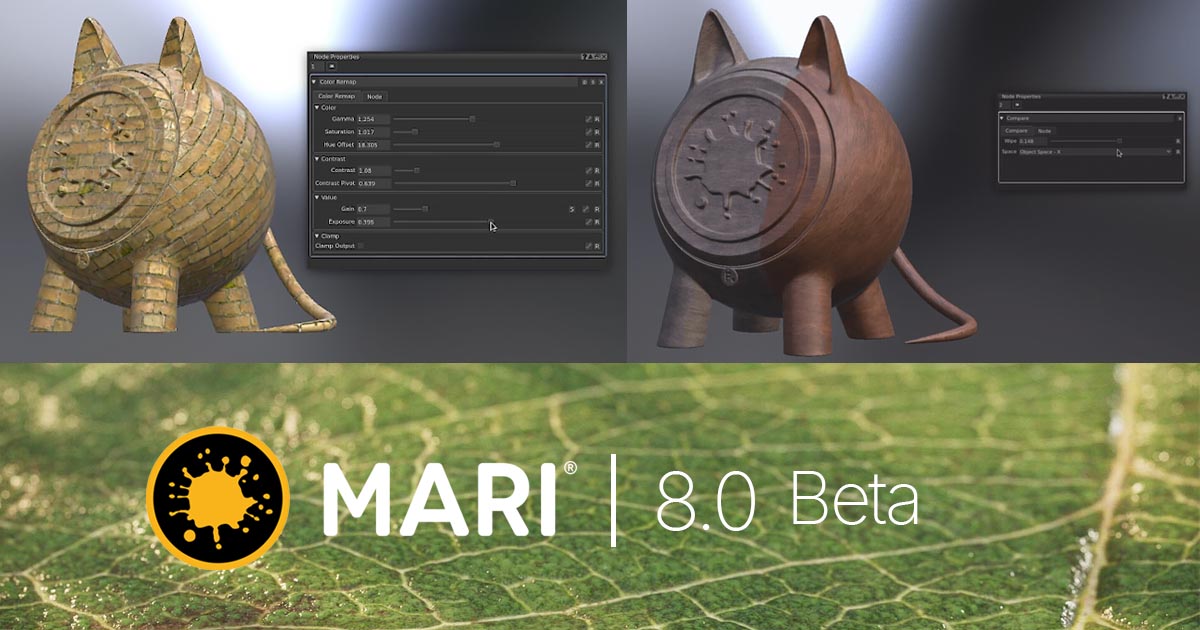
Foundry has released the experimental Mari 8.0v1 Beta 2 for testing and feedback. Rather than focusing on a single major feature, this release introduces a broad set of practical improvements aimed at making the everyday workflow of Mari artists simpler, faster, and more intuitive.
The main focus of Mari 8.0v1 is on areas such as Node Graph, Texturing, Masking, Asset Management, Project Management, and Navigation. The release also introduces new Nodes that provide greater control over Procedural Texturing and Shading workflows.
Node Graph Improvements
One of the main areas of development in Mari 8.0v1 is the Node Graph. The new tools are primarily designed to reduce repetitive tasks and make complex workflows easier to manage.
Key additions include Compare, Hex Tile, Color Remap, and 49 new Math Nodes.
Compare Node
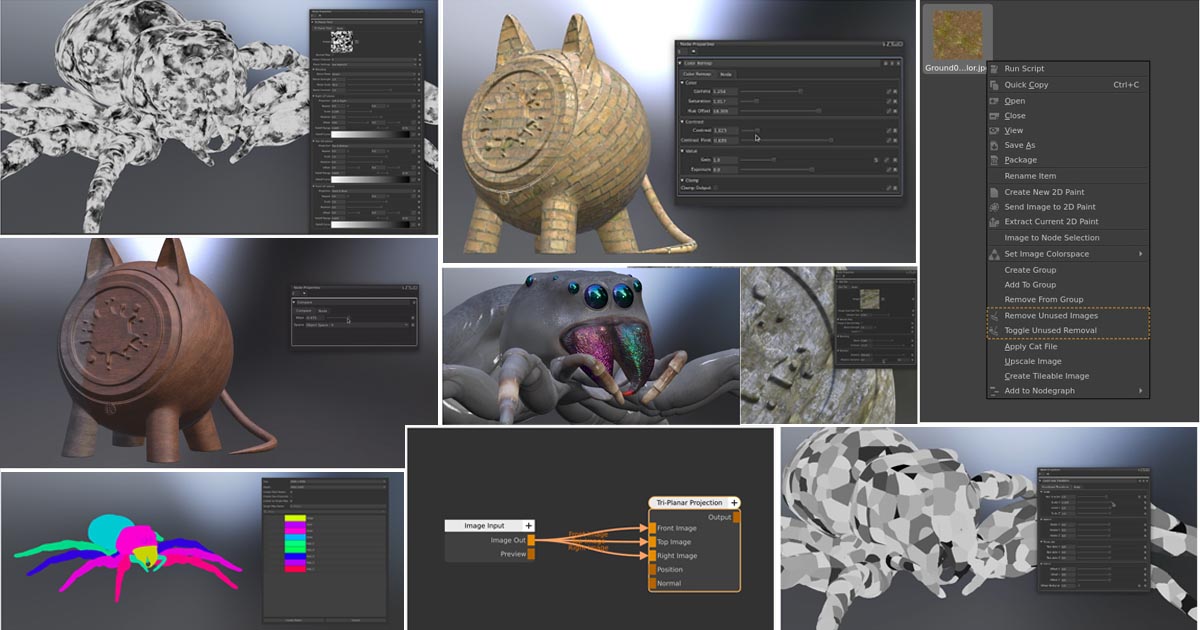
The new Compare Node allows artists to compare two visual streams within the Node Graph. Two outputs can be reviewed side by side using a customizable Wipe.
It provides three modes: Screen Space, Object Space, and Object Bound Screen Space. This makes it easier to evaluate everything from subtle Texture changes to larger shifts in the color and appearance of an Asset directly in the Viewport.
Hex Tile Node
The Hex Tile Node is designed to reduce visible repetition in Textures. It randomly distributes Textures across the UV plane, helping break up obvious Tiling patterns and producing a more natural result.
It also supports non-tiling Assets and can transform a single image into a broad natural surface. Sampling Area, Randomized Rotation, Blend Width, and Blend Contrast controls provide additional control over how samples are distributed and combined. Dedicated controls for Normal Maps are also available.
Color Remap and 49 New Math Nodes
Color Remap brings controls for Hue, Saturation, Exposure, Gamma, and Contrast directly into the Workflow, reducing the need to move between multiple Nodes for common color adjustments.
Mari 8.0v1 also includes 49 new Math Nodes, covering areas from basic arithmetic and Trigonometry to Randomization, Conditional Logic, Gradients, and Anti-Aliasing. These Nodes can be used for precise pixel-level control and for creating non-destructive effects in Procedural Texturing and Shading workflows.
Simplified Node Graph and Texture Management
Mari 8.0v1 adds more control over Node insertion in the Graph. The Auto Insert Width and Auto Insert Height parameters can be adjusted under Edit > Preferences > Node Graph.
The Image Manager also receives new tools for managing Textures. Image to Node Selection can locate where an Image is being used in the Active Node Graph and select the related Nodes.
Remove Unused Images can identify and remove Images that are no longer referenced by Nodes, Brushes, the Multi-Paint Palette, Environment Light, the Image Color Picker, or the Canvas Background. Images generated through Image Write in 2D Paint mode are automatically preserved, while Toggle Unused Removal can protect selected Textures or Reference Materials.
Transformation and Tri-Planar Tiled
Mari 8.0v1 introduces a new suite of Transformation Nodes that provides greater mathematical and spatial control for Procedural Materials and 3D data.
Coordinate Transform provides Scale, Translate, and Rotate controls for Nodes with Position Inputs. Locator Transform allows transformations to be manipulated using Locator Handles, while UV Radial Transform provides radial Spin, Scale, and Warp controls for UV coordinates.
The new Tri-Planar Tiled Node projects a 2D Texture across a 3D model along the X, Y, and Z axes. This approach reduces dependency on UVs and helps avoid common UV Distortion and Seam placement issues.
The Node includes Smart Blend, Noise-driven blending, and customizable Falloff controls. Scale, Rotation, Offset, and Repeat can be adjusted globally or independently for each Plane, while dedicated Normal Map and Noise inputs can further refine the transitions.
Image Input and Centralized Texture Management
The new Image Input Node acts as a centralized hub for Textures. An Image can be loaded once and then routed to multiple locations in the Node Graph.
Its output is a specialized Image Out Token that connects to the new Image Inputs on Nodes such as Tiled, Projection, Tri-Planar, Hex Tile, and Camera Projection. This means that replacing the source Texture can propagate the change across all connected locations.
The Token can also pass through Group and Teleport Nodes, but it cannot be processed as standard pixel data or connected to standard Color Inputs, Image Writes, or Bake Points. To view the Texture on the model, the Viewer should be connected to the dedicated Preview output.
Advanced Masking
Mari 8.0v1 expands its Masking system with dedicated Mask Ports, automated ID Mask generation from Selection Groups, and a new Color Mask Workflow.
Mask to Node
Add Mask to Node allows a dedicated Mask Port to be added to Nodes. Mari wraps the selected Nodes in a Group and creates a Mask Input, providing more precise control over different parts of a setup.
Masks from Selection Groups
Create ID Masks from Selection Groups converts existing Selection Groups into Color ID Maps, reducing the need for manual polygon painting or baking.
With Create Mask from Selection, artists can also create a Mask directly from an active Canvas Selection or a Selection Group. The Mask creation tools are available through Selection > Mask, the Canvas right-click menu, and the Node Graph right-click menu.
The Selection Groups Palette also provides Create Mask from Selection Group for generating a Mask directly from a selected Group.
Color Mask
The new Color Mask Workflow provides more precise procedural control for color-based Masking on Baked ID Maps, painted Color Blocks, and Layered Textures.
Two new Nodes are included: Color Mask for isolating a specific color and Multi Color Mask for multi-toned areas and multiple target colors.
The system uses HSV-based color comparison with dedicated Mask Strength and Tolerance controls. Built-in Gain and Bias controls are also available for Color Correction and Contrast adjustment.
Improved Shelf Search
Shelf Search now supports Logical Operators. Required terms can be entered separated by spaces, terms separated by | are treated as alternatives, and - can be used to exclude a term. Exact matches can be searched using quotation marks.
For example, "bricks | plaster -cracked" matches items containing bricks or plaster while excluding items containing cracked.
Improved Archived Project Management
Mari now identifies Archived Projects with a visual indicator on their Thumbnails. Hovering over a Project also reveals information such as the exact timestamp of the last Backup and the current Project Directory path.
Trackball Rotation for Navigation
Trackball Rotation introduces a new Navigation method for the Canvas. Using a Virtual Trackball, artists can rotate the Canvas Camera and access more complex angles while Painting.
The feature can be configured under Edit > Shortcuts by searching for Trackball. A Mouse Button input is required for the Shortcut to register successfully.
VFX Reference Platform CY2025 Update
Mari's Third-Party Libraries have also been upgraded to match the VFX Reference Platform CY2025.
The Library versions in Mari 8.0 and Mari 7.5 are compared below:
| Library | Mari 8.0 | Mari 7.5 |
|---|---|---|
| Alembic | 1.8.8 | 1.8.3 |
| Boost | 1.85.0 | 1.80.0 |
| imath | 3.1.12 | 3.1.4 |
| OpenColorIO | 2.4.2 | 2.2.1 |
| OpenEXR | 3.3.3 | 3.1.13 |
| OpenImageIO | 2.5.7.0 | 2.3.21 |
| OpenSubdiv | 3.6.0 | 3.5.0 |
| OpenVDB | 12.0.0 | 10.0.1 |
| PySide | 6.5.3 | 5.15.2 |
| Python | 3.11.11 | 3.10.10 |
| Qt | 6.5.3 | 5.15.2 |
| oneTBB | 2021.13.0 | 2020U3 |
Mari 8.0 Is Still in Beta
Mari 8.0v1 Beta 2 is still a Beta Build, and Foundry is inviting users to test it and provide feedback. Access to the Beta builds requires ownership of Mari and currently active Maintenance.
Foundry also recommends that this version not be used in active Production environments, with main projects kept on a stable release instead.
Mari 8.0v1 Beta 2 is available for Windows and Linux, with Release Notes also provided.
Feedback and Support
Foundry is inviting users to share their experience with Mari 8.0v1 Beta 2 through the Beta section of the Mari Community.
For Licensing issues or legacy bugs, users can contact Foundry through the Support Portal. Private feedback about the Mari 8.0 Beta can also be sent to
Summary
Mari 8.0v1 is less about a single headline feature and more about improving the everyday workflow of artists. Node Graph development, Texture and Asset management, Masking, Navigation, and technical library updates form the core of this release.
Overall, the direction of Mari 8.0 is focused on reducing repetitive tasks and providing more direct control throughout Texturing and Shading workflows. Compare, Hex Tile, Math Nodes, Transformation Nodes, Tri-Planar Tiled, Color Masking, and Image Input are among the clearest examples of this approach.
Source
- Foundry — Mari 8.0 Beta — Official announcement and feature overview for Mari 8.0v1 Beta 2.


Add comment