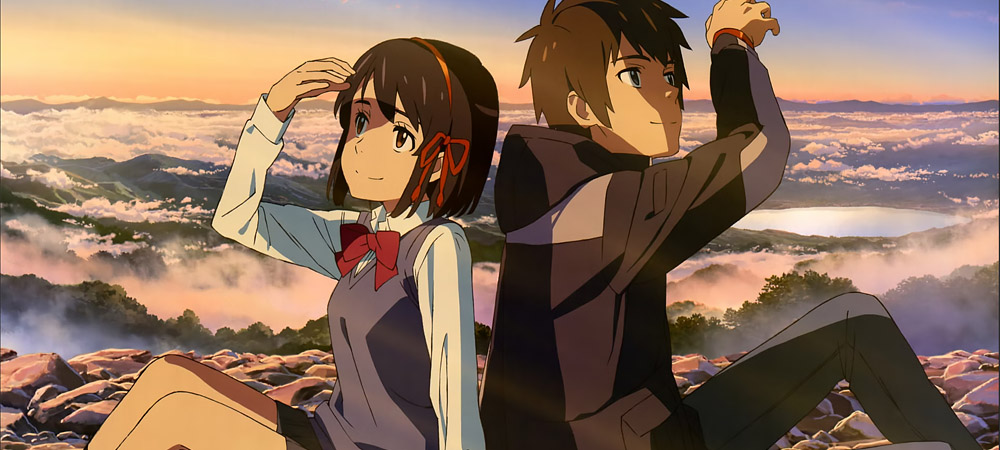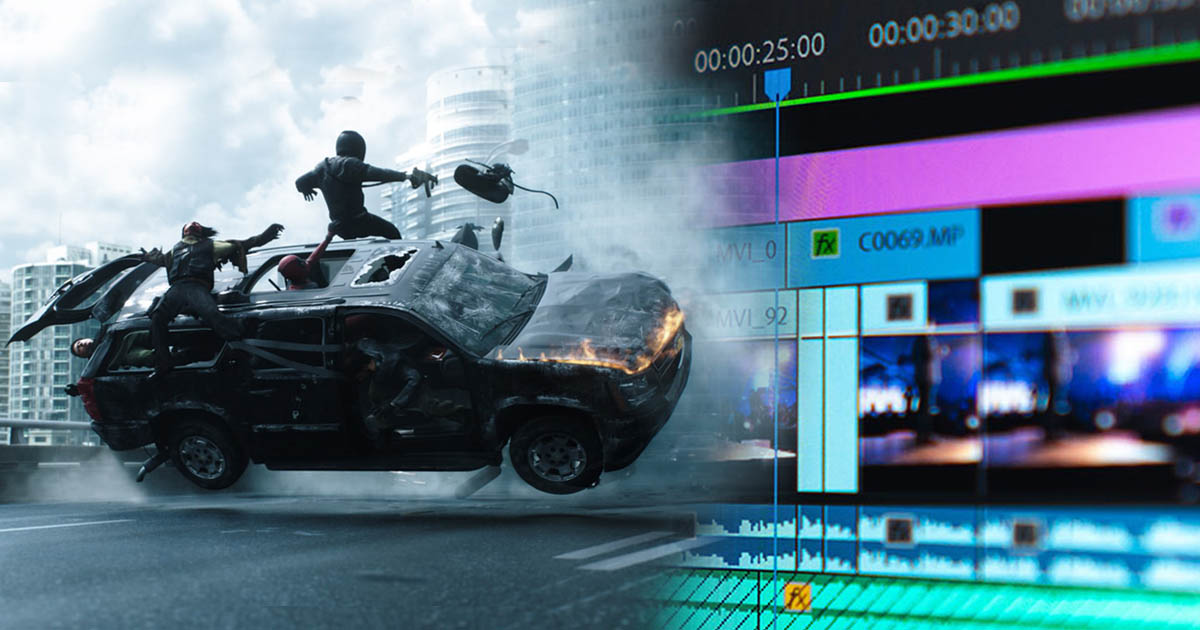

Digital Painting and 2D Animation are recognized as important and reputable industries in the world of art and technology. These two fields are directly connected to the entertainment industry, filmmaking, video games, advertising, and digital media, contributing to the growth of the digital economy.
Digital Painting: This art involves creating artworks using digital tools such as design software (like Photoshop, Clip Studio Paint, or Procreate) and graphic tablets. This field is not only applied in producing independent or commercial art but also plays a role in designing characters, environments, and graphics for games and films.
2D Animation: This is also considered a thriving industry. In this field, various software is used to produce animations in two dimensions (such as TV series, animated films, or commercials). These animations can be created manually (frame by frame) or using digital tools.
Alongside art and creativity, these industries have a significant impact on global markets and various professions. From graphic designers to animators, programmers, and content creators, many professionals work within these industries. Therefore, Digital Painting and 2D Animation are considered not only as art forms but also as growing and advancing industries.
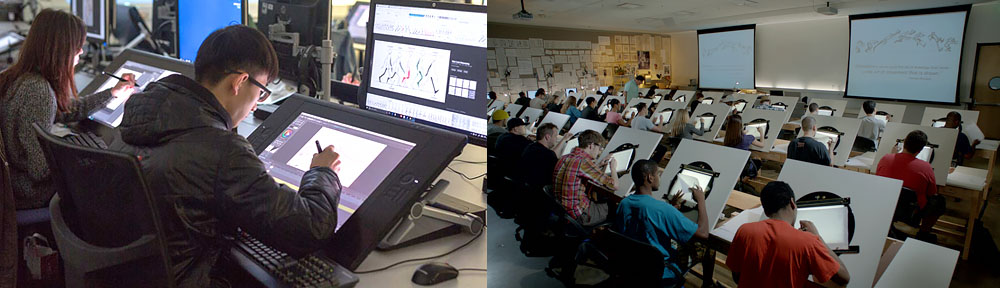
Definition of 2D Animation
2D (two-dimensional) animation is a type of animation where individually created images are moved in sequence and at a specific speed to create the illusion of motion. In this type of animation, images are displayed only in two dimensions (width and height) with no third dimension (depth).
2D animation can be executed in the following ways:
Traditional Animation: This is the oldest form of 2D animation, where each frame is drawn manually. The animator must create a new image for every movement and frame. This is usually done on paper, then scanned and colored digitally.
Puppet Animation: In this method, character limbs are created separately and rigged using tools within animation software. They are then animated frame by frame manually. In software like Adobe Character Animator, movements can also be captured via webcam and transferred to the character's designated parts and puppets.
Frame-by-Frame Animation: One of the oldest and fundamental techniques, where each frame is designed individually. This method is similar to traditional animation but done digitally. Animators create each frame in variation from the previous one to produce movements and changes over time, such as walking, talking, eating, sitting, and more.
Animation Using Filters and Special Effects: In this approach, animators use software like After Effects to apply special effects and filters to still images or other animations.
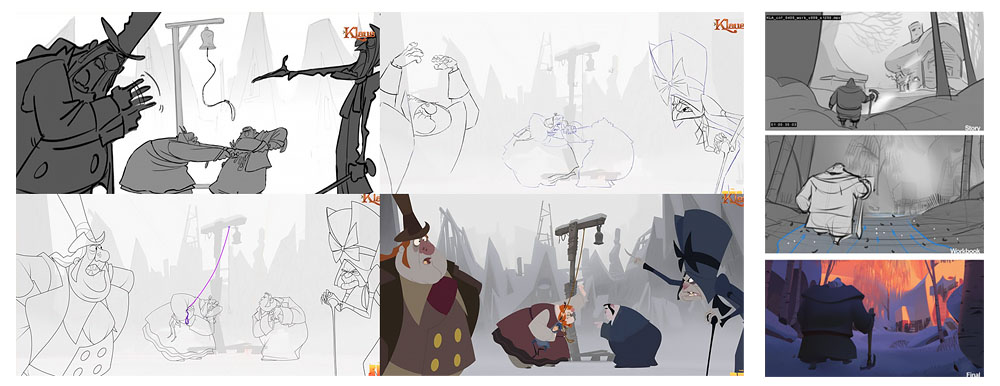
Features of 2D Animation:
-
Simplicity in Design: Since only two dimensions (width and height) are involved in design and movement, creating 2D animation is simpler compared to 3D animation.
-
Lower Cost: Producing 2D animation is generally less expensive than creating 3D animation.
-
Distinct Artistic Style: 2D animations are often appealing due to their unique designs, such as simple characters or the use of bright and vibrant colors. Examples of 2D animation include classic Disney films (like Aladdin and The Lion King) and modern cartoon series (like The Simpsons or Rick and Morty).
Digital Painting
Digital painting refers to the process of creating artworks using digital tools such as software and electronic devices. Instead of using traditional pencils, brushes, paints, or canvas, artists use computers, graphic tablets, and digital pens to draw and paint. Digital painting can include various techniques and styles, including:
-
Hand Drawing with Graphic Tablets: Artists use graphic tablets like Wacom or iPad to draw lines and details.
-
Digital Coloring: Using software such as Photoshop, Clip Studio Paint, or Procreate to add colors and shading to artworks.
-
Image Composition and Editing: Different images and details are digitally combined to create a final artwork.
-
Digital Animation: Combining digital painting with motion to create 2D or 3D animations.
Advantages of Digital Painting: Endless editing possibilities, easy storage, and the ability to make quick changes without starting over. Digital painting allows artists to create artworks faster and provides more tools for applying special effects and techniques.
Intersection and Relationship Between 2D Animation and Digital Painting
The intersection and relationship between 2D animation and digital painting refer to the overlap and mutual dependence of these two processes in creating artworks. In fact, digital painting acts as a vital tool in the production of 2D animations, and without it, many stages of animation would be difficult and time-consuming. These two fields continuously interact, and various stages of 2D animation production largely rely on digital painting. Here are some key aspects of their intersection and relationship:
-
Character and Environment Design: In the early stages of 2D animation production, designing characters and environments is done through digital painting. These designs are used to define the features, behaviors, and appearances of the characters and the animation world. Artists working in 2D animation constantly use digital painting tools to create initial sketches, make corrections, and develop different characters. At this stage, digital painting allows the artist to quickly implement necessary changes and enhance their designs.
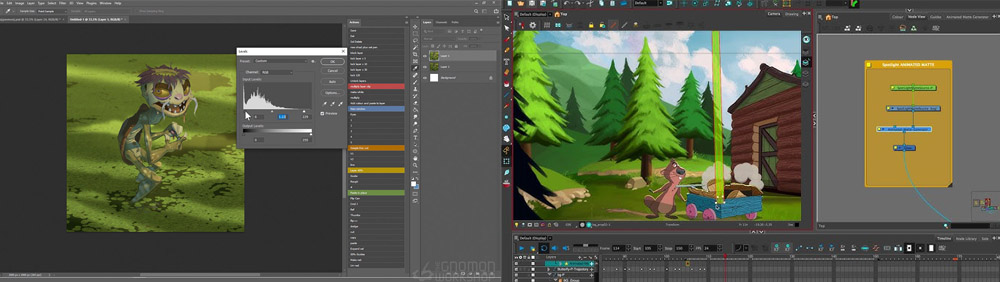
2. Frame-by-Frame Animation Creation: 2D animation is typically produced using the frame-by-frame technique. In this method, each frame of the animation is individually drawn to create continuous movement and changes within the scene. Digital painting is an essential tool for this process. Artists use software like Photoshop, Toon Boom, or TVPaint to draw the frames. These frames are then connected to generate motion, ultimately resulting in smooth and natural animation. At this stage, digital painting enables precise corrections, coloring, and the addition of details in the shortest possible time.
-
Coloring and Shading: Coloring and shading are crucial aspects of 2D animation, in which digital painting plays a key role. Artists can quickly select colors, apply shadows and highlights, and add textures to the images. Digital painting software allows the creation of multiple layers for coloring, lighting, and shading, making revisions and adjustments easy to implement.
-
Special Effects and Details: To add visual effects, movements, and various details to 2D animation, digital painting is used extensively. Effects such as smoke, fire, water, or other special elements are digitally designed
5. Use of Digital Software in Animation: There are various software tools for producing 2D animation, all of which utilize digital painting techniques to create frames, designs, and effects. Examples include:
-
Toon Boom Harmony: One of the most powerful 2D animation software, using digital painting tools for character and environment design, frame-by-frame animation, and creating complex movements.
-
Adobe Animate: Software for 2D design and animation that combines digital painting and motion tools.
-
TVPaint: Another specialized 2D animation software, allowing artists to design animation frames using digital pens.
-
Designing Movement and Dynamic Characters: In 2D animation, character movements must be precisely designed. Digital painting helps animators create smooth and accurate motions, including changes in body posture, facial expressions, and character interactions with the environment.
-
Integration with Other Production Aspects: Digital painting is not limited to frame design; it is also used throughout various stages of animation production, including sound integration, music, and camera movements. This synergy between digital painting and other animation elements ensures a cohesive and appealing final result.
In conclusion, digital painting acts as an essential tool throughout all stages of 2D animation production. From initial design to coloring, from frame creation to adding visual effects, these two fields are fully interdependent, making it impossible to imagine one without the other. This synergy ensures that 2D animation is produced smoothly, accurately, and visually captivating.
-
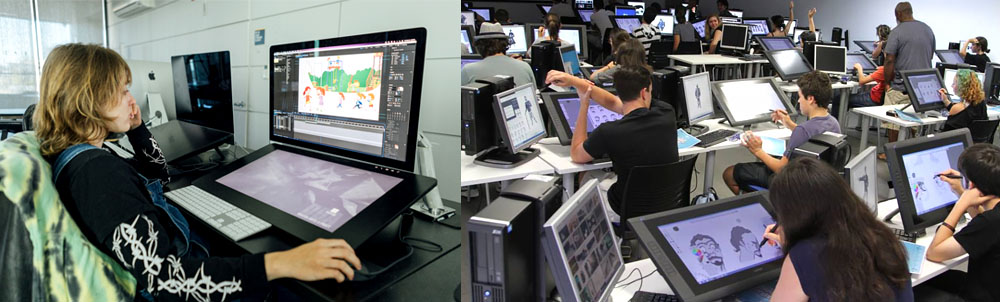
Drawing Skills for the 2D Animation Industry
Yes, anyone working in 2D animation must be proficient in digital painting. In 2D animation, many steps of designing and creating frames are done manually, but this process is largely implemented using digital tools. Therefore, mastery of digital painting is essential for 2D animators. The importance of digital painting for animators can be highlighted through the following points:
-
Designing and Creating Characters and Environments: In 2D animation, characters and environments need to be designed, usually using digital software. These tools allow artists to easily modify and adjust their designs.
-
Frame-by-Frame Drawing: To create movement in 2D animation, each frame must be designed individually. Digital painting makes this process faster and more precise.
-
Effects and Details: Adding special effects such as shading, lighting, and textures requires digital painting skills.
-
Animation Software Features: Many 2D animation software, such as Toon Boom, OpenToonz, and even Adobe Animate, use digital painting tools for designing and animating. Mastery of these tools is essential for professional animation.
Ultimately, combining digital painting skills with 2D animation techniques allows artists to create visually appealing and impactful animations with high precision and creativity.
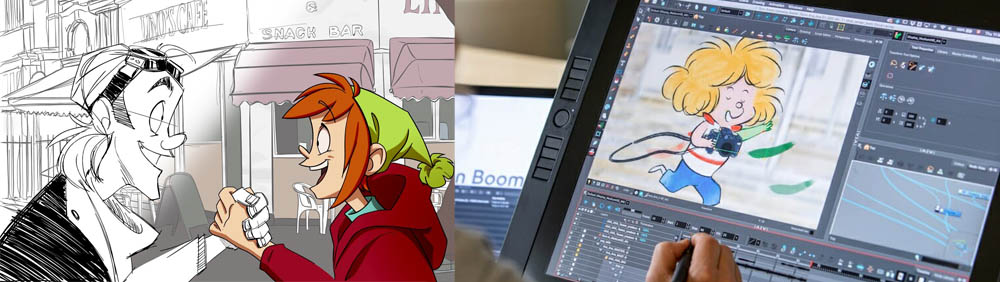
Executing Digital Painting for Diverse Subjects and Needs
Digital painting is applied across various subjects and can be categorized into several areas. Some of these include:
-
Character Design: This involves designing characters for games, films, animations, and comics. Digital artists create characters with unique traits, such as physical features, costumes, and different expressions.
-
Concept Art: Digital painting is used to design concepts and preliminary sketches for projects like fantasy films, video games, or animations. These designs usually include environments, spaces, and main characters.
-
Digital Coloring: Artists use various tools to color digital artworks. This process can involve coloring hand-drawn sketches or initial designs that ultimately form a final piece.
-
Digital Illustrations: This includes creating artwork from scratch, covering styles like fantasy, realism, nature, portraits, and more. Such illustrations may be used for illustrated books, posters, advertisements, or other artistic projects.
-
Environment Design: Designing digital spaces and environments, especially for games and animations, including details like natural landscapes, architecture, and fantasy settings.
-
Comics and Manga: Many digital artists use digital painting to create comics and manga, designing characters, scenes, and page layouts.
-
2D Animation: As previously mentioned, digital painting is a key tool for creating 2D animations, including frame-by-frame drawing, coloring, and adding effects.
-
Posters and Graphic Design: Digital painting is widely used in posters, book covers, promotional cards, and other graphic materials, often combining digital art and graphic design.
-
Surreal and Fantasy Art: Digital artists create imaginative and surreal images using digital painting, depicting unreal creatures, unusual landscapes, and fantastical worlds.
-
Rendering and 3D Texturing: Although more related to 3D design, many digital artists use digital painting techniques to create textures, colors, and final effects for 3D renders.
Ultimately, digital painting is applicable wherever visual art is involved. This tool is highly versatile, not only for traditional art but also for modern and creative projects such as video games, animations, and advertising.
Digital Painting in Character Design, 2D Animation, and Fantasy Art
Digital painting in the fields of character design, 2D animation, and fantasy refers to the use of digital tools to create images and fictional characters in the realms of animation and graphics. This type of painting typically involves designing and drawing characters, environments, and various details within a fantastical and imaginary world.
In character design, artists use graphic software such as Photoshop, Clip Studio Paint, or Procreate to design features of characters, facial expressions, clothing, and body parts. These characters can appear in a fantasy world with extraordinary and unique traits, such as magical powers, unreal appearances, and impossible combinations.
In 2D animation, artists use these digital paintings to create frame-by-frame animations. This process generates movement and motion for characters and objects in a two-dimensional world, often involving techniques such as digital rigging, coloring, and interactive animation.
Overall, digital painting in these areas requires high creativity and proficiency in professional software to produce visually appealing images that align with the imaginative and animated worlds.
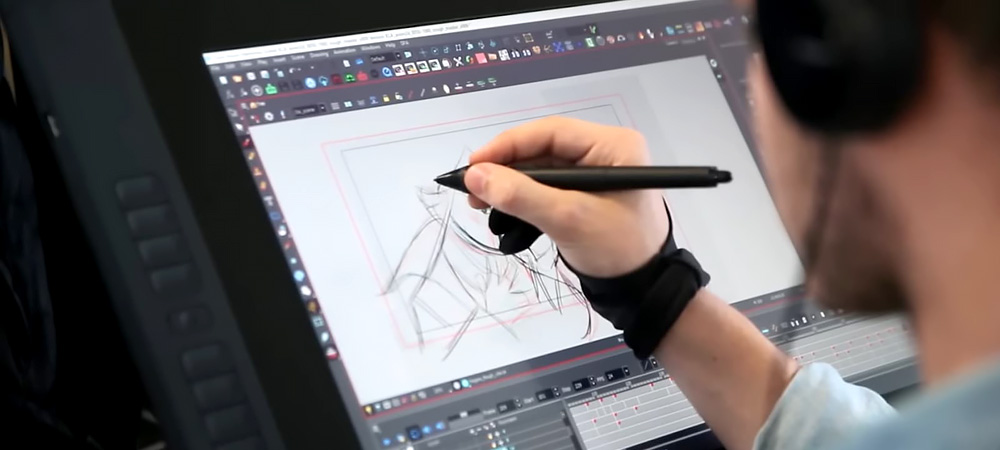
Passion for Digital Painting and 2D Animation
If you aim to create outstanding works in digital painting and 2D animation, you need to develop skills in both fields. Here are some tips to help you achieve your goals:
1. Learning the Fundamentals of Digital Painting
-
Understanding the Tools: Familiarity with digital painting software such as Adobe Photoshop, Clip Studio Paint, Procreate, and Corel Painter is a first step. Each program has unique features that can aid in creating artistic works.
-
Using a Graphics Tablet: Mastery of digital painting tools like graphic tablets (e.g., Wacom or Huion) allows for more precise and comfortable drawing.
-
Learning Design Principles: Understanding basic design concepts such as composition, color theory, light and shadow, perspective, and forms is essential for producing strong artworks.
-
Practicing Various Styles: Experimenting with different painting styles, from fantasy to realism, helps develop and broaden your skills.
2. Learning the Fundamentals of 2D Animation
-
Familiarity with Animation Principles: Core principles such as rigging, squash and stretch, anticipation, timing, and follow-through form the foundation of 2D animation and create natural, engaging motion.
-
2D Animation Software: Learning programs like Toon Boom, TVPaint, Adobe Animate, or OpenToonz helps you produce professional-quality animations.
-
Frame-by-Frame Drawing: In 2D animation, most work is done frame by frame. Learning how to design each frame and connect them smoothly is crucial for natural movement.
-
Motion Simulation: Practicing movement of the body, facial expressions, and objects helps create more dynamic and appealing animated characters and environments.
3. Enhancing Creativity and Storytelling
-
Writing and Storyboarding: To create engaging animations, you need skills in story writing and storyboarding. This helps your animation convey the story effectively and captivate the audience.
-
Character Design: Designing unique characters that live in your animated world requires practice and creativity. Learning character design principles and character animation is essential for this process.
4. Improving Editing and Compositing Skills
-
Coloring and Shading: Learning how to color, add shadows, and apply lighting makes your artworks more appealing and professional.
-
Compositing Elements: The ability to seamlessly combine elements such as backgrounds, characters, and effects in a 2D animation or digital painting is crucial.
-
Special Effects: Learning how to add effects like smoke, water, fire, or other atmospheric changes can add depth and realism to your works.
5. Practice and Feedback
-
Continuous Practice: Like any other art form, consistent practice is key to success. Dedicate time daily or weekly to improve your skills.
-
Receiving Feedback: Seek feedback from other artists and professional animators to identify strengths and weaknesses and continue improving your skills.
6. Joining the Artistic Community
-
Studying Masterworks: Observing and analyzing works of great digital painters and animators helps you learn different styles and techniques.
-
Joining Online Communities: Participating in forums and online groups (like ArtStation, DeviantArt, or Behance) allows you to connect with other artists and benefit from their experiences.
By learning and practicing these skills, you can create extraordinary works in digital painting and 2D animation and be recognized as a creative and skilled artist.

Sadjad Jahangiri
![Verified]()