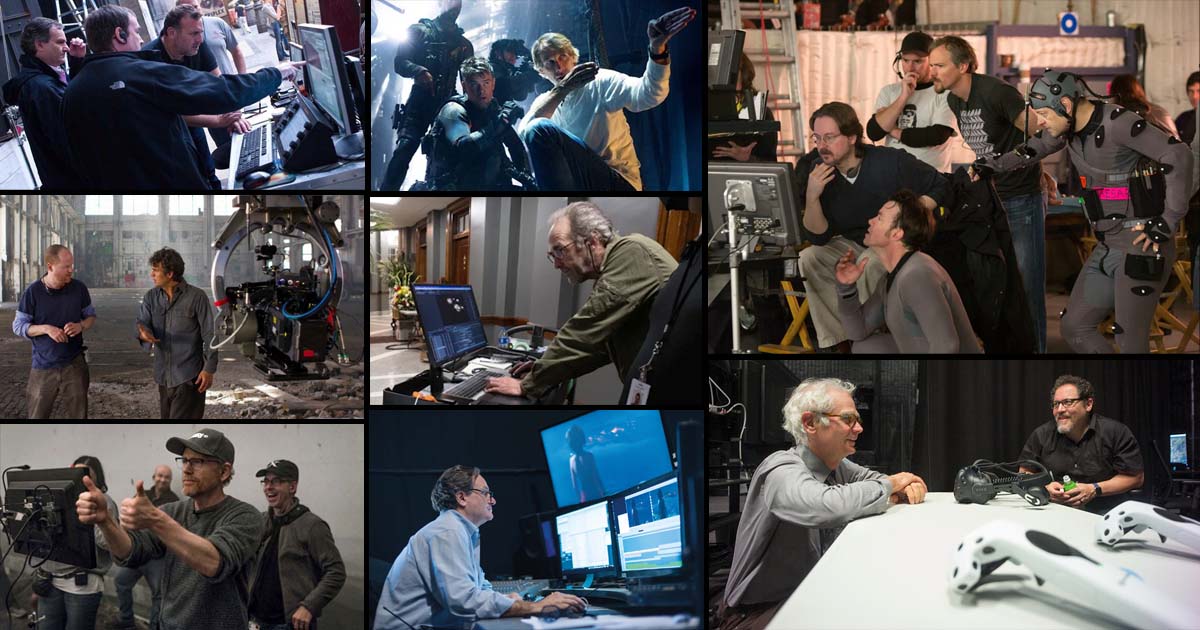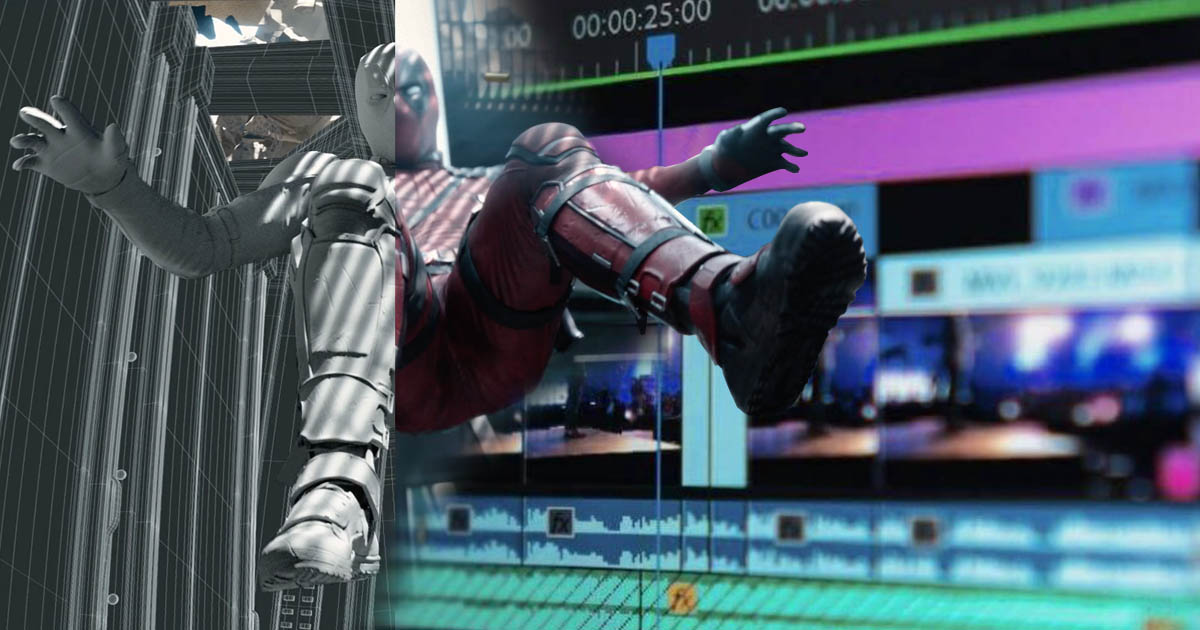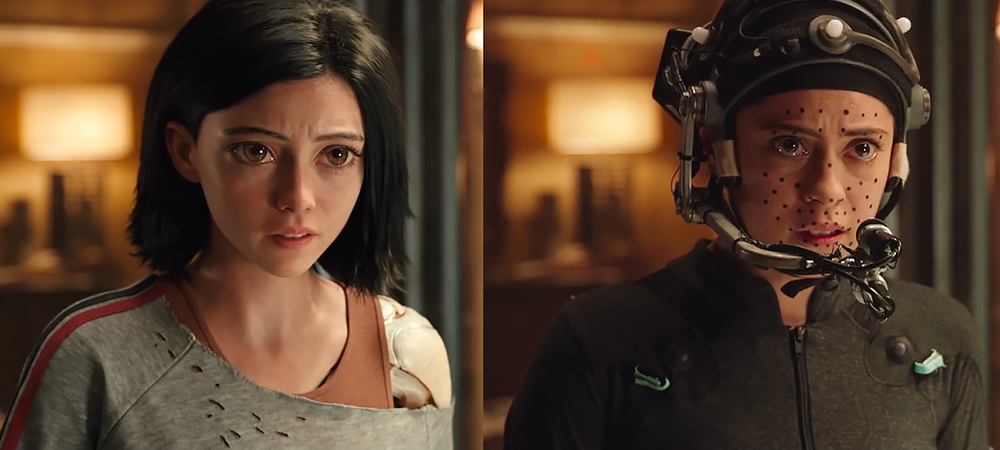
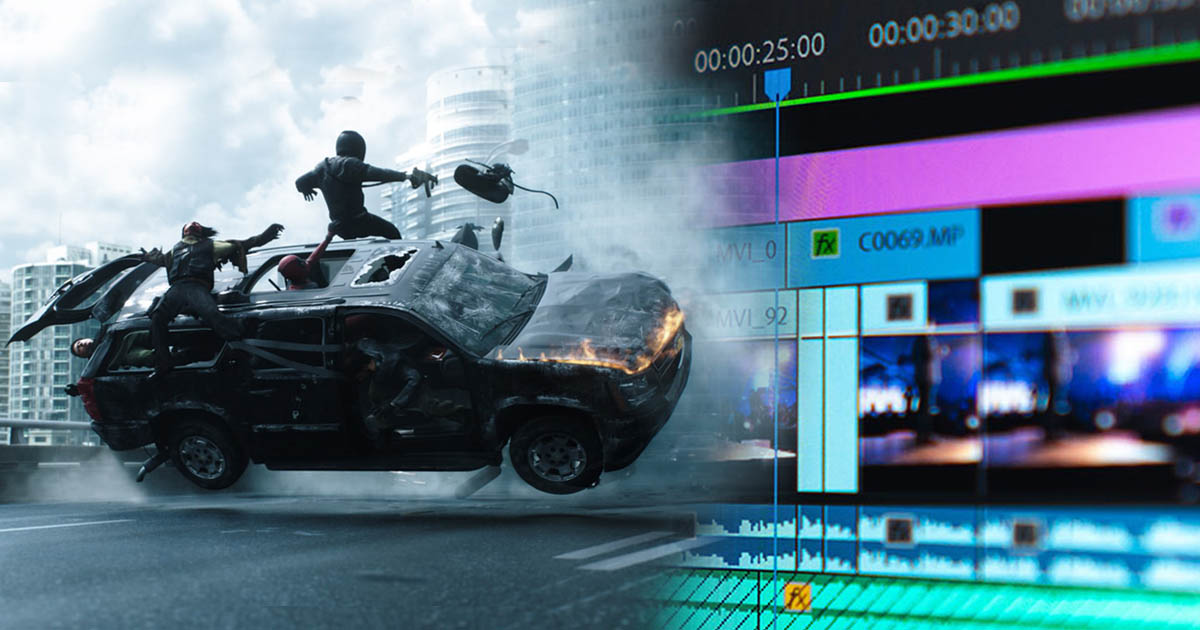
Coordination and collaboration between editing and visual effects (VFX) in a film project often referred to as Editorial and VFX Collaboration, VFX Integration, or Post-Production Integration means the seamless and effective interaction of these two departments during production, which has a significant impact on the audience’s final experience.
This collaboration becomes particularly critical in complex, busy scenes that combine real and computer-generated imagery.
Editing is the process of selecting, arranging, and connecting shots and sound to create a smooth and impactful narrative. In editing, the timing, rhythm, and transitions between scenes are essential.
Visual effects (VFX) encompass any imagery added to a film through digital or computer-generated techniques, such as explosions, fantastical creatures, virtual environments, or alterations to the real world that cannot be captured through conventional filming.
The interaction between the two lies in ensuring that editors work closely with the VFX team so that digitally added imagery fits correctly within the film’s structure, while VFX are designed to align with the editing rhythm and timing. This coordination can take many forms, including precise synchronization of camera movements and digital alterations, aligning the story’s pacing with VFX sequences, and matching colors and lighting between live-action and digital elements.
In this article, we aim to provide a comprehensive look at how editing collaborates with visual effects in a film project, exploring the editor’s role in enhancing the realism and effectiveness of VFX, as well as examining related aspects of this collaboration.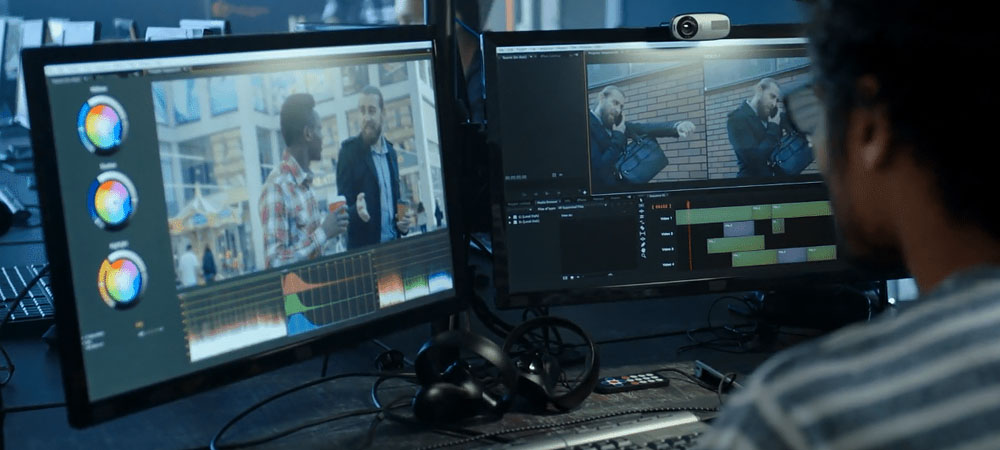
The Outcome of Collaboration Between Editing and Visual Effects
The interaction between editing and visual effects (VFX) in a film project plays a crucial role in shaping the final quality of the film. This collaboration is important not only from a technical standpoint but also in terms of storytelling, visual experience, and emotional impact. Below, we examine this interaction from different perspectives:
1. Establishing Technical Harmony Between Editing and VFX:
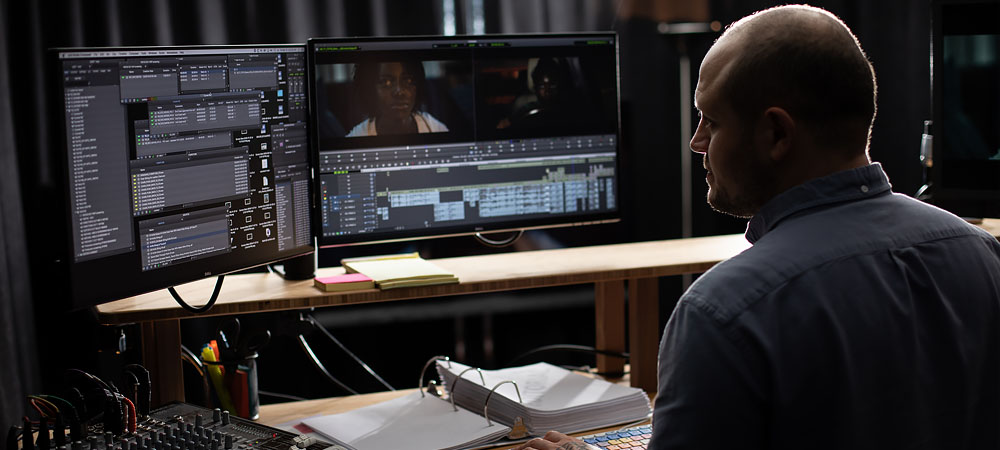
On a technical level, the collaboration between editing and VFX ensures integration and consistency between live-action footage and digital effects. Since visual effects are often added after principal photography, correctly blending them with other elements of the film requires precise coordination between the editorial and VFX teams.
This collaboration can improve several technical aspects, such as:
Blending Digital Effects with Live Footage:
Editors must ensure that visual effects appear natural alongside live-action shots. This includes adjustments to color, lighting, shadows, and other details during the editing process to make sure the VFX seamlessly integrate with the rest of the film.
Precise Timing:
Visual effects must align with camera movements, actor performances, and the rhythm of each scene. This synchronization is handled during editing and ensures the film’s natural flow while allowing VFX elements to appear at the right moments.
Technical Adjustments in VFX:
Sometimes, after editing, VFX may need to be updated. For example, if the editor changes the scene order or adjusts the camera speed, the VFX team must revise the effects to match these updates.
2. Enhancing the Visual and Artistic Experience:
Editing and VFX should work together to make the final film visually compelling, seamless, and astonishing. This coordination contributes to an artistic and emotional experience for the audience:
-
Creating New and Imaginary Worlds: In fantasy, sci-fi, and action films, combining visual effects with proper editing can bring entirely new worlds to life. VFX can depict unreal or impossible environments, but editing ensures these spaces are integrated naturally and convincingly.
-
Amplifying Emotional Impact: Visual effects can intensify emotions like excitement, fear, wonder, or sorrow. Editing through timing adjustments and variations in the presentation of VFX can further enhance these emotional responses.
-
Expanding the Narrative Scope: In sci-fi or fantasy films, precise VFX integration can advance the story and create unexpected developments. For instance, in movies like Inception or Avatar, VFX are used not only to visualize new worlds but also to progress the plot and convey deeper meanings.
3. Impact on Story Flow and Pacing:
Effective collaboration between editing and VFX can improve a film’s pacing and narrative rhythm. In action or thriller sequences, precise timing of visual effects in key moments can heighten emotional tension or, conversely, make slow, suspenseful scenes more impactful.
Example: In explosion or action sequences, the speed and timing of VFX combined with editing choices such as rapid cuts or slow-motion can strongly influence the audience’s sense of excitement or anxiety. VFX must be designed to match these temporal adjustments.
4. Development of Creative Techniques:
Editing and VFX can inspire each other creatively. When editors collaborate closely with VFX artists, new and innovative techniques can emerge for blending live-action and digital imagery. This collaboration often plays a key role in conveying concepts or using unique visual effects.
Example: In films like The Matrix, the “bullet time” effect where camera movement is slowed and stylized relies heavily on precise coordination between editing and VFX. These techniques are not only technically complex but also require a deep understanding of story flow and timing.
5. Impact on Production Workflow and Scheduling:
Coordination between editing and visual effects can significantly influence production timelines. When VFX and editorial teams work in sync and communicate regularly, the post-production process becomes faster and more efficient, helping to avoid extra costs and delays.
Example: If editorial changes require new or updated visual effects, the VFX team must implement these adjustments quickly. Precise coordination between teams ensures that the workflow remains smooth, effective, and timely.
Summary:
The collaboration between editing and visual effects is not only crucial for technical quality ensuring digital effects integrate seamlessly with live-action footage but also for artistic and emotional impact, creating a more engaging and immersive experience for the audience. This partnership helps maintain story continuity, expand narrative possibilities, foster innovative techniques, and reduce production time and costs. As such, it is an essential element in producing high-quality films, especially in action, fantasy, and science-fiction genres.
The Role of Editing in Enhancing the Realism of Visual Effects:
Editing plays a vital role in completing and making visual effects more believable, particularly in films that combine live-action and digital elements. This coordination allows filmmakers to ensure that visual effects are not only visually impressive but also serve the narrative, creating a realistic and immersive experience for viewers.
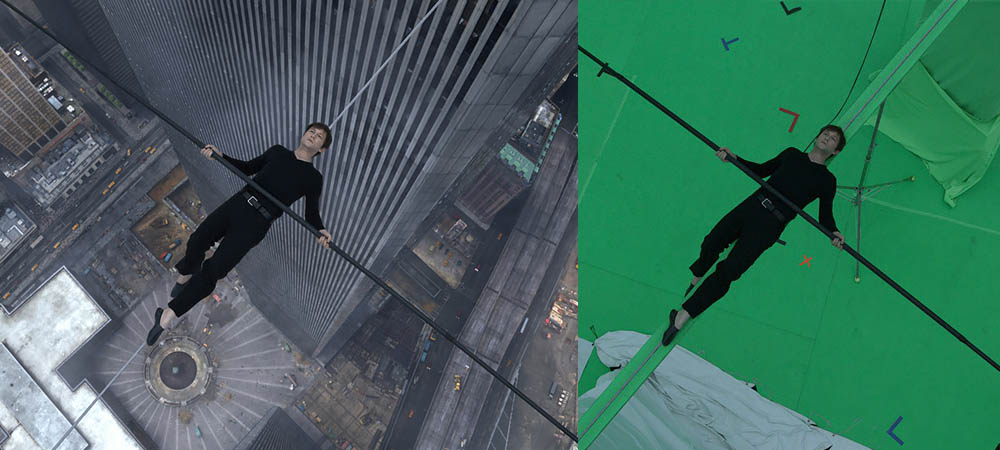
VFX alone is a major part of the filmmaking process, involving the addition of digital images to enhance details, create imaginary environments, or introduce any other elements. However, without careful editing, these effects may fail to integrate effectively into the film’s drama and story.
Below, we examine the key roles that editing plays in enhancing the realism and impact of visual effects:
Synchronization with Story Rhythm:
In the context of “synchronization with story rhythm,” the editor plays a crucial role in making visual effects (VFX) feel more realistic, as the pacing of the story directly influences how the audience perceives and engages with the effects. Here are some specific ways an editor can enhance the realism of VFX by aligning it with the story’s rhythm:
Timing VFX to Match the Story Pace:
The story’s rhythm refers to the speed at which events unfold. If a film is in a tense, fast-moving sequence, VFX that move in sync with this intensity appear more natural and believable. For example, during a high-speed chase or a large explosion, the editor can use quicker, alternating cuts so that the VFX flow seamlessly with the fast-paced action.
Reducing VFX Presence in Slower Moments:
When the story enters slower or more emotional phases, presenting VFX more subtly and with attention to detail can enhance realism. In such scenes, the editor might minimize the use of VFX or integrate them delicately into the frame. This approach ensures that the effects feel organic rather than artificial, blending smoothly into the narrative flow.
Using Soft Cuts to Integrate VFX:
In sequences where VFX coexist with live-action footage, soft cuts gradual, seamless transitions allow editors to introduce effects in a way that the audience accepts naturally, without noticing abrupt shifts between real and digital elements. Soft cuts are particularly effective in emotional or slower-paced scenes.
Aligning VFX with Emotional Changes:
VFX can be used to enhance dramatic or emotional moments, especially when synchronized with shifts in the story’s emotional tone. Editors may employ techniques such as slow motion, subtle timing adjustments, or complementary sound effects to ensure VFX align with the scene’s emotional impact. For instance, during a magical or supernatural event, an editor might choose a slow-motion moment or a smooth switch between real and digital time to fully immerse the audience in the created world.
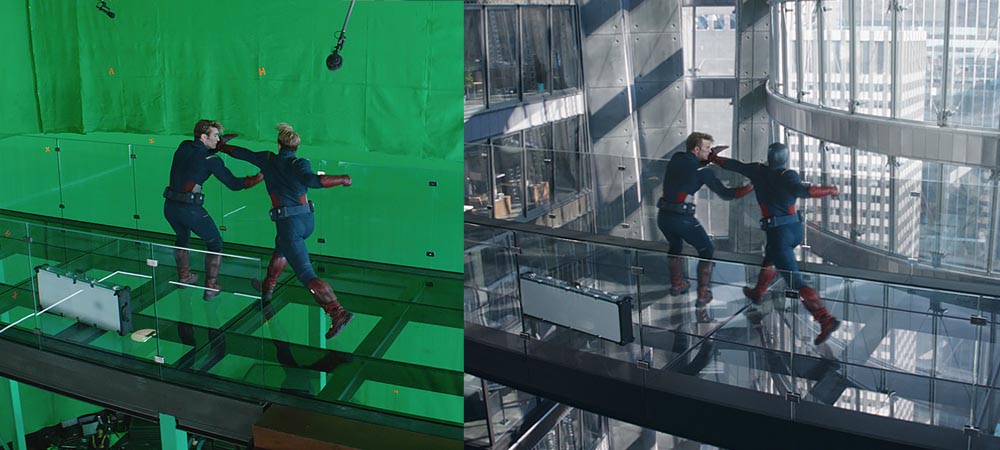
Hiding VFX in Key Story Moments:
In moments where VFX play a critical role in highlighting key story events, editors can use techniques such as suspense, sudden cuts, or unique camera angles to partially conceal the effects. This approach helps the VFX feel like an integral part of the story rather than a separate element. For example, a monster or fantastical creature might first appear only in the background or shadows, revealing its full form at a dramatic moment when the story’s rhythm reaches its peak.
Distinguishing Between Natural and Supernatural Elements:
Sometimes, the story’s rhythm requires that supernatural or unreal events contrast with ordinary, everyday situations. Editors can use variations in motion speed, framing, or lighting to highlight this distinction. Such techniques make VFX more visually and emotionally believable, giving the impression that these extraordinary elements naturally belong within the story.
Ultimately, syncing VFX with the story rhythm not only helps organize scene timing and sequence but also allows the audience to experience the effects seamlessly, without them feeling out of place or artificial.
Coordination Between VFX and Live Elements:
In the context of “coordination between VFX and live-action elements,” the editor plays a vital role in ensuring that digital elements integrate naturally into the real-world environment of the film. This alignment can be achieved through several key techniques:
1. Lighting and Color Matching:
One of the most important aspects of blending VFX with live-action footage is matching the lighting. VFX can be affected by existing natural or artificial light sources in the scene. Editors use color correction tools to adjust brightness, contrast, and color temperature so that digital effects appear seamlessly integrated with the filmed environment.
How it’s done:
-
Adjusting contrast and brightness: If VFX are placed in a dark environment, their lighting must match the actual scene’s lighting conditions.
-
Using color layers: Editors align the colors of live-action and digital elements to ensure consistency. This makes digital elements feel like a natural part of the environment rather than detached or artificial.
2. Camera Movement Management:
Natural camera movement and its coordination with VFX are critical for realism. Editors must ensure that the camera’s motion in VFX-heavy scenes aligns with the intended movement of digital elements.
How it’s done:
-
Accurate camera tracking: Editors use tracking tools to synchronize the camera’s movement with VFX elements.
-
Camera stabilization: Digital stabilization may be applied to correct unstable or unnatural camera motion, ensuring that VFX are properly anchored in the scene. This is especially important in complex camera movements, helping VFX appear as natural components of the environment.
3. Synchronizing Live Action with VFX:
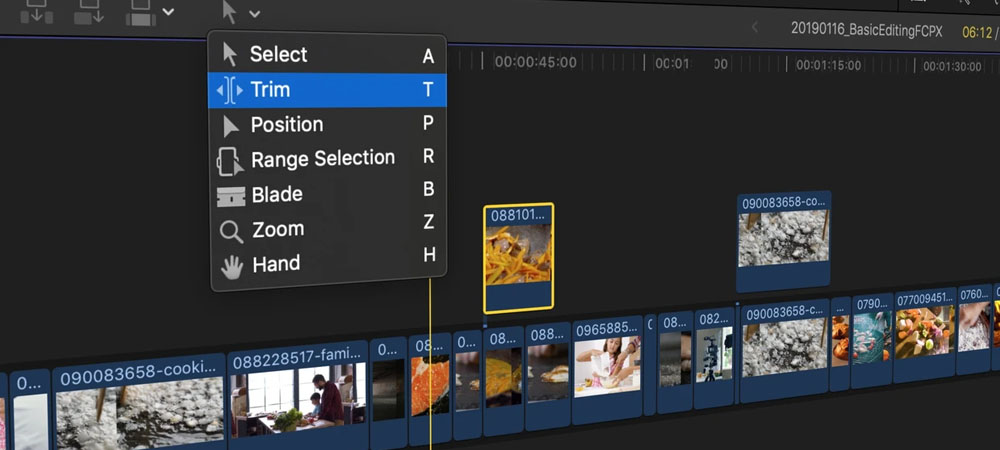
When a real object or actor interacts with a digital effect such as an explosion or a digital creature alongside a performer the movement of the real elements must be properly synchronized with the digital elements. This coordination ensures that interactions feel realistic and cohesive, maintaining audience immersion.
How It’s Done: Coordinating Movements
Editors can carefully control the movements of real actors or objects during editing to ensure there are no discrepancies with the VFX elements. For instance, if a character moves alongside a digital creature, their movements must be perfectly synchronized to maintain realism.
Using Interaction Effects
When a real actor or object interacts with VFX such as a character touching a digital object editors can enhance the interaction with practical effects like camera shakes or lighting adjustments. This motion coordination helps VFX feel physically and visually integrated into the real-world environment.
4. Layering and Digital Compositing
In many films, VFX is combined simultaneously with live-action footage. Editors use specialized layering techniques to blend digital and real-world elements seamlessly.
How it’s done:
-
Precise layer compositing: By carefully selecting and adjusting each VFX layer and live-action shot, editors can prevent harsh or unnatural edges where the two worlds intersect.
-
Color blending effects: Techniques such as masking and color correction help merge the boundaries between real footage and VFX naturally and subtly. This careful compositing ensures no visual glitches or artificial borders appear, making the scenes appear cohesive and integrated.
5. Depth and 3D Space Management
VFX, especially those involving three-dimensional objects, must be positioned realistically in space to maintain proper depth and scale.
How it’s done:
-
Adjusting depth of field: Editors may adjust the scene’s depth of field in composite shots to ensure that both VFX and real elements occupy the same visual plane naturally.
-
Correct scaling: When adding a digital object to a scene, its scale must be accurate to avoid inconsistencies in size or distance. These adjustments ensure that digital elements interact convincingly with the live environment.
Summary:
By precisely coordinating VFX with real-world elements, editors help ensure that visual effects are seamlessly integrated into the film. This alignment not only makes the VFX look natural but also reinforces their role as an integral part of the story world, enhancing both realism and audience immersion.
Focus and Clarity
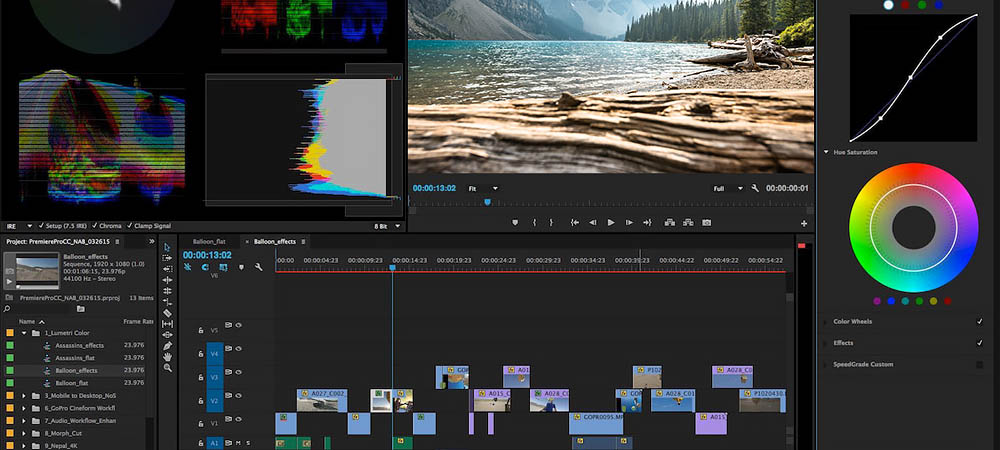
In the context of "Focus and Clarity," editors can use various techniques to integrate VFX more naturally and realistically into a film. Focus and clarity essentially refer to the “visual perspective” of a shot—what is sharp and what is blurred or out of focus. This not only affects how VFX is perceived but also allows it to blend seamlessly with the overall storytelling environment.
1. Using Depth of Field (DoF)
Depth of field is a primary tool for controlling focus within a shot. Editors can adjust the DoF to manage the sharpness and blur of different elements, helping VFX appear naturally in the frame. This allows digital elements to occupy precise areas of the scene without drawing undue attention.
How it’s done:
-
Balancing VFX and real elements: In scenes where VFX coexists with real objects, adjusting the DoF ensures that digital elements appear appropriately in the foreground or background and interact naturally with the rest of the scene. For example, if a digital creature is near a live actor, the DoF should be set so both remain in focus simultaneously.
-
Emphasizing VFX in key areas: When VFX plays a central role in a scene, editors can use DoF to direct the audience’s attention. For instance, if a moving digital object is important, the focus can shift to it to make sure viewers notice it clearly.
2. Controlling Image Detail and Sharpness
VFX can sometimes appear unnaturally sharp, especially in scenes with fine details, which can make them look artificial. Editors can adjust clarity and detail levels to better harmonize VFX with the rest of the shot.
How it’s done:
-
Reducing unnecessary sharpness: Editors can lower the sharpness in areas where VFX is present so that digital elements blend more naturally into the scene. This helps them feel like a part of the real-world environment rather than standing out.
-
Matching natural scene clarity: In scenes where VFX interacts directly with real objects, editors can apply techniques to equalize the level of detail between digital and live-action elements, ensuring the audience perceives a seamless integration.
3. Integrating VFX with Camera Movement
When a scene involves camera movement or changes in perspective, editors can use focus and clarity to align VFX with the motion. This ensures that even in dynamic shots such as rapid camera moves or shifting angles VFX remains naturally embedded in the frame.
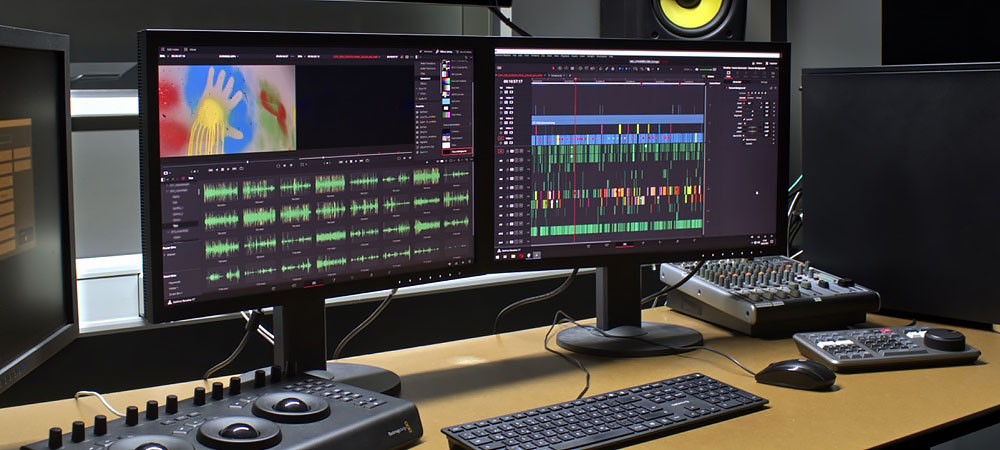
Focus and Clarity in VFX Integration
Aligning Focus with Camera Movement:
When the camera is in motion, the point of focus must be carefully adjusted so that VFX elements remain naturally placed within the scene. For example, if the camera moves closer to a digital object or creature, that element should stay in focus, while other parts of the scene may blur out.
Using Blur to Enhance Realism:
In scenes with rapid camera movement or changing angles, editors can apply motion blur to VFX to smooth out differences in sharpness. This technique helps digital elements integrate naturally with the motion of the live-action footage.
Emphasizing Key Details Through Focus:
Editors can choose points of focus to naturally draw attention to specific VFX elements or story-relevant details, enhancing the dramatic or thrilling aspects of a scene.
How it’s done:
-
Highlighting VFX in key moments: In scenes where VFX plays a central role such as a digital creature or explosion—the editor can place the point of focus on these elements to guide the audience’s attention. Other parts of the frame gradually fall out of focus, emphasizing the VFX.
-
Selective focus to enhance interactions: When VFX interacts directly with real-world elements, editors can use precise focus to highlight these interactions, making the integration between digital and real worlds obvious but seamless to the audience.
Simulating Real-World Effects with Blur and Motion:
In real life, moving objects or characters naturally exhibit some blur, especially during rapid movement or in low-light conditions. Editors can replicate this effect using motion blur or depth-of-field blur to make VFX appear more natural.
How it’s done:
-
Adding motion blur to VFX: In high-action scenes, motion blur can be applied to VFX to align with the movement of live-action elements.
-
Simulating depth-based blur: In scenes with varying distances, editors can adjust depth-of-field and blur to ensure VFX naturally occupies space without standing out unnaturally from real-world elements.
Summary:
Focus and clarity are powerful tools for editors, allowing VFX to blend seamlessly with live-action footage. By carefully adjusting depth-of-field, sharpness, and motion blur, editors can control how VFX is perceived, ensuring it becomes an integral part of the natural visual experience.
Color Correction and Lighting
Color correction and lighting play a crucial role in making VFX appear realistic. Since VFX is usually created in digital environments and integrated with live-action footage, matching color and light between these elements is essential for natural-looking results.
Key Techniques:
1. Matching Colors Between VFX and Real Scenes:
One major challenge in integrating VFX is ensuring that its color palette matches the live-action environment. If VFX colors clash with real-world colors, the effect will appear artificial. Editors can use color correction tools to harmonize the VFX with the scene’s natural colors.
How it’s done:
-
Adjusting color temperature: For example, a scene shot in a warm environment (like sunrise) or a cool environment (like night) requires VFX to match that temperature to blend naturally. Editors adjust the VFX color temperature to match the real environment.
-
Balancing shadows and highlights: Colors differ naturally between shadowed and bright areas. Using color correction, editors ensure VFX elements are correctly integrated across all lighting zones, making them appear seamless within the live-action frame.
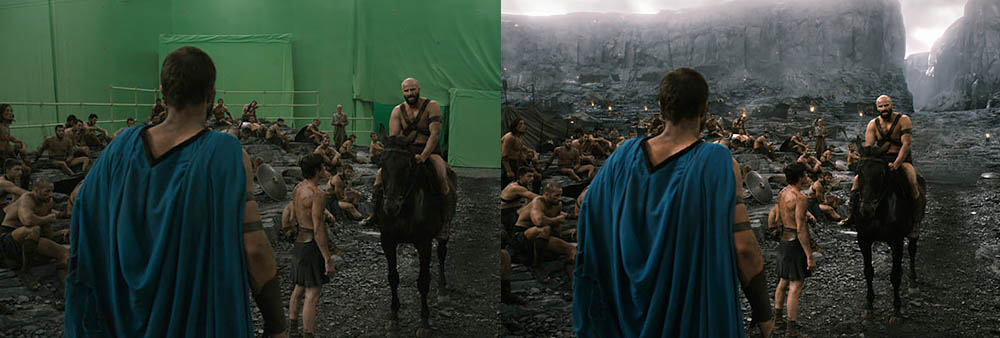
2. Matching Lighting Between VFX and Real Scenes
Lighting in the real world is a critical factor in how objects appear, and VFX elements must align with the scene’s existing light sources to look natural. For example, if sunlight enters a scene from the left, a digital object should be lit from the same direction with a consistent light type.
How it’s done:
-
Adjusting digital light sources to match real lighting: VFX often need to be lit in ways that mirror real-world sources. Editors can use light correction techniques to add digital lighting, ensuring VFX elements are properly illuminated and cast realistic shadows.
-
Light tracking: Lighting in a scene can change over time. Editors can use specialized tools to “track” the scene’s light sources, ensuring that VFX elements interact correctly with these dynamic changes. This ensures the digital effects respond naturally as lighting shifts during a shot.
3. Impact of Lighting on VFX Appearance
Lighting has a major effect on how naturally VFX integrate into a scene. Digital elements must respond to real-world lighting, simulating phenomena such as reflection, scattering, and light bounce accurately.
How it’s done:
-
Adding bloom and reflections: In brightly lit environments, editors can apply lighting effects like reflections, shadows, and bloom to make VFX appear more realistic. This helps digital elements interact convincingly with the scene’s light sources.
-
Using 3D software for light interaction: Certain VFX, such as explosions or transparent objects, react to light differently than ordinary objects. Editors can simulate these interactions in 3D software to ensure the VFX sits naturally within the film’s three-dimensional space.
4. Improving Accuracy in “Match Lighting”
During the match lighting process, editors ensure that real-world light sources align perfectly with the VFX lighting. This is especially challenging in complex or variable lighting conditions. Proper light matching is essential to making digital elements appear naturally integrated.
How it’s done:
-
Simulating light sources for VFX: In scenes with intricate lighting setups, editors use specialized tools to replicate real lights digitally. This is particularly important in action or sci-fi films, where light sources can be numerous and unconventional.
-
Creating realistic shadows and reflections: Light naturally produces shadows and reflections, which must be simulated in VFX. Editors use color and light correction tools to add these effects, enhancing the realism of the digital elements.
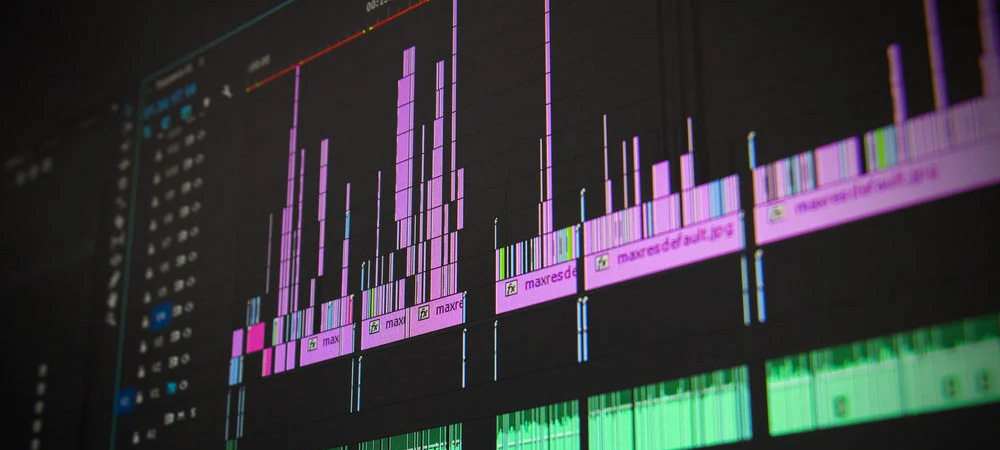
5. Consistency in Lighting and Color Throughout the Film
A key aspect of color correction and lighting for more realistic VFX is maintaining consistency throughout the film. Changes in light and color should feel continuous and coherent, contributing to the overall cinematic structure and audience experience. This prevents VFX from appearing artificial or overly prominent.
How it’s done:
-
Adjusting the environment and atmosphere with color and light: Editors use color grading and lighting adjustments to create a cohesive atmosphere that aligns with the genre, theme, and emotional tone. For instance, in a foggy or cold setting, VFX should reflect the same mood, with matching colors and lighting.
-
Integrating lighting and color across scenes: Even when a scene includes VFX, editors ensure that lighting and colors are consistent with the rest of the film, so the digital elements naturally blend into the environment.
Summary:
Color correction and lighting are essential tools for editors to integrate VFX seamlessly with real footage. By carefully matching colors, light sources, and brightness, editors can make digital elements feel like a natural part of the film, avoiding any sense of artificiality and enhancing the immersive experience for the audience.
Creating Cinematic Effects
In the realm of cinematic effects, editors can use various techniques to combine VFX with stylistic, cinematic elements. This makes digital effects not only more realistic but also naturally aligned with the film’s tone and atmosphere. Cinematic effects include aspects such as lighting, color, camera movement, blur, contrast, shadows, and other visual details that contribute to an engaging and emotional experience. Through these effects, editors ensure that VFX integrates harmoniously with the film’s real-world environment.
1. Using Blur to Enhance Realism
Blur is one of the most effective cinematic techniques for making VFX appear more natural. This can include motion blur or depth-of-field blur.
How it’s done:
-
Motion Blur: In scenes with fast-moving VFX such as a running digital creature or an explosion editors can apply motion blur to synchronize these elements with the rest of the scene. This ensures the VFX move in harmony with the scene’s dynamics, appearing as part of the natural flow rather than separate or artificial.
-
Depth-of-Field Blur: By adjusting the depth of field, editors can place VFX elements in areas with varying focus. This allows digital objects to appear naturally integrated with the scene, aligning with the camera’s focus and overall visual perspective.
2. Using Light and Shadow to Add Depth and Realism
Lighting and shadows play a critical role in cinematic realism, and they greatly affect how VFX are perceived. If digital effects are not properly aligned with the scene’s lighting and shadowing, they may look artificial.
How it’s done:
-
Adding Ambient Light and Reflections: Editors can incorporate indirect lighting and reflections into VFX so that the digital elements interact naturally with the scene’s light sources. For example, a digital object should be lit by the same main light source as real characters and objects, ensuring it appears naturally situated within the environment.
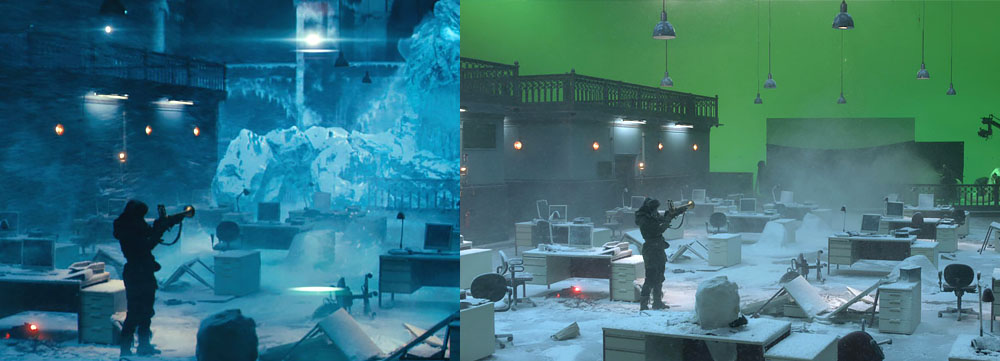
3. Simulating Realistic Shadows
Shadows are essential elements that add depth and realism to any scene. Editors can adjust VFX shadows to align with the scene’s lighting, creating a natural interaction between digital elements and the real environment.
4. Adjusting Contrast and Color
Colors and contrast in cinematic films evoke specific emotions in the audience. Editors can tweak colors and contrast to integrate VFX seamlessly with the overall visual tone of the film.
How it’s done:
-
Color Grading: Editors adjust the VFX colors to match the primary color palette of the scene. For example, if the film uses warm, earthy tones, the VFX should reflect these hues to remain visually cohesive with the real world.
-
Contrast and Brightness Control: In bright or dim scenes, VFX may require adjustments in contrast and brightness to match the scene’s lighting. For instance, in a dark scene, VFX should have reduced brightness and appropriate contrast to feel natural within the environment.
5. Camera Movement and Stabilization
Camera movement is one of the most influential cinematic factors affecting how VFX integrate into a scene. Editors can use controlled camera motion and stabilization to ensure VFX fit naturally within the film’s flow.
How it’s done:
-
Synchronizing Camera and VFX Motion: When the camera moves, VFX must move correspondingly. This may involve 3D camera motion adjustments or motion-tracking techniques that record real camera movement for accurate VFX placement.
-
Stabilization: Some scenes may require stabilizing the camera to ensure VFX are displayed precisely and steadily, avoiding jitter or sudden changes that could break immersion.
6. Using Cinematic Effects
Editors can apply cinematic effects that enhance both the visual appeal and realism of VFX.
How it’s done:
-
Lens Flares: Adding lens flares to VFX near a light source (like the sun or a lamp) can produce natural-looking glows and light streaks.
-
Film Grain: Applying grain simulates the texture of real film, making VFX appear more integrated, especially in low-light or high-resolution scenes.
7. Integrating Sound and Image
Cinematic effects are both visual and auditory. Editors can synchronize VFX with sound design to enhance realism and audience immersion.
How it’s done:
-
Matching VFX with Audio: Sounds contribute significantly to the perceived realism of a scene. When a digital object interacts with a real object, the audio must match the visual effect precisely to reinforce the illusion of reality.
Summary:
Cinematic effects are powerful tools for making VFX feel natural and harmonized with the film’s world. By using techniques such as blur, lighting, camera movement, color grading, special effects, and synchronized audio, editors can enhance the realism and emotional impact of VFX. These methods not only integrate digital elements into the real world convincingly but also enrich the overall cinematic experience for the audience.
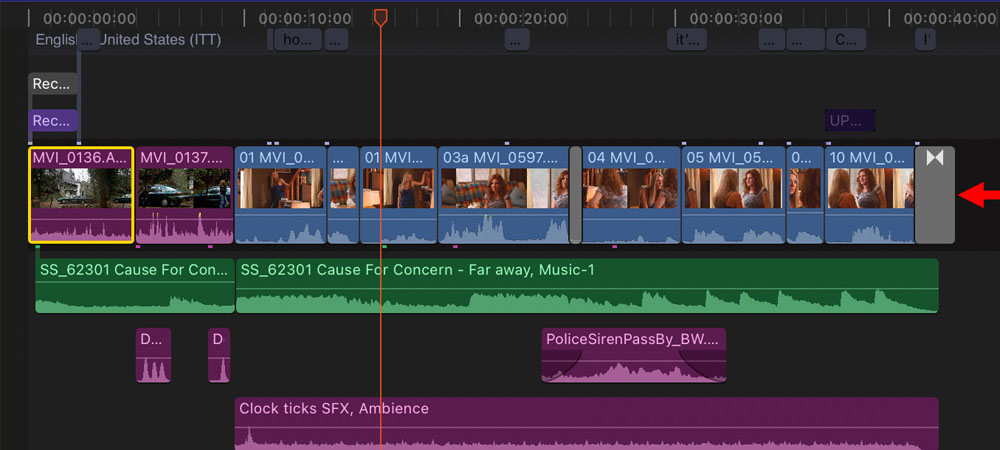
Creating Temporal and Spatial Continuity
The concept of creating temporal and spatial continuity is one of the key principles of film editing, and it can have a direct impact on how realistic the visual effects (VFX) appear. When we talk about temporal and spatial continuity, the goal is to ensure that the flow of the film and the relationship between its elements especially the VFX feel natural, consistent, and grounded in a believable world. In other words, the audience should feel that everything is happening seamlessly and logically within the same reality.
There are several ways an editor can use temporal and spatial continuity to make VFX feel more convincing:
1. Temporal Continuity:
Temporal continuity means that events in the film should unfold in a logical and coherent sequence. If the timing and rhythm of VFX do not align properly with the narrative flow, the illusion of realism can easily break, making the effects feel artificial.
How the editor can help:
-
Syncing VFX timing with the film’s rhythm:
In action films, for instance, VFX scenes often require fast pacing and precise timing. The editor must ensure that the timing of explosions, impacts, or digital transitions matches the rhythm of the film. For example, an explosion created with VFX should occur in perfect sync with the characters’ reactions and the camera movement. -
Maintaining event synchronization:
If a digital object interacts with the live-action environment or if a key story moment depends on VFX the editor must make sure those interactions happen at exactly the right moment. Even a slight delay or early cue can break the illusion of continuity, making the effect seem disconnected from reality. -
Creating logical transitions between scenes:
Smooth transitions and precise cuts help maintain the natural flow of time and prevent disjointed moments. By using well-timed edits, the editor ensures that VFX blend seamlessly into the film’s overall rhythm, preserving both the visual and narrative continuity.
2. Spatial Continuity
Spatial continuity refers to the coordination of visual elements within a scene so that the audience perceives everything as part of a single, coherent space. Even though the VFX team may be responsible for placing digital objects or creatures in the environment, it’s the editor’s job to ensure spatial integrity — making the VFX appear naturally integrated with the live-action world.
How the editor can help:
-
Accurate placement of VFX in space:
The editor must ensure that digital effects are properly positioned within the film’s physical environment. For example, a digital object should be aligned with the camera’s position, angle, depth of field, and spatial composition of the scene to look convincing. Through precise cutting and coordination with camera movements, the editor can maintain the correct spatial placement of VFX elements. -
Using precise cuts to preserve spatial flow:
When switching between camera angles, the editor must make sure that VFX remain visually consistent and continuous within the spatial layout of the scene. For instance, if an explosion occurs and the camera angle changes, the VFX must evolve smoothly and logically with that change so the audience perceives the same event from different angles — not as a visual mismatch. -
Employing “Match Cut” and “Match Action” techniques:
These editing techniques help maintain spatial continuity across cuts. For example, if a digital object enters the frame, the editor should choose cuts that show its natural interaction with the environment. Proper match cuts allow transitions between shots to feel seamless and spatially connected, reinforcing the realism of the VFX within the scene.
3. Maintaining Consistency Between Character Reactions and VFX
When VFX are not properly aligned with the actors’ reactions, the illusion of temporal and spatial continuity breaks. The editor must ensure that the characters’ responses to VFX-driven moments feel natural and believable.
How the editor can help:
-
Synchronizing character movement with VFX:
Editors can use precise timing and synchronization techniques to make sure character movements align naturally with digital effects. For instance, when a digital creature interacts with live-action characters, their movements must correspond perfectly so the audience believes in the physical interaction. -
Ensuring visual continuity in reactions:
When VFX drive a reaction—such as an explosion or collision—the editor should ensure that the characters’ responses occur at the exact moment the event happens. This coordination maintains the illusion that both characters and effects share the same physical and temporal space.
4. Visual Transitions for Better VFX Integration
Visual transitions can be a powerful tool for editors to enhance the seamless connection between real footage and digital elements. Techniques such as blending live-action frames with digital ones help create a smoother sense of continuity.
How the editor can help:
-
Using cuts to create visual coherence:
Editors can apply methods like match cuts to connect scenes containing VFX in a natural way. These transitions ensure that the visual flow remains consistent as the viewer moves from one shot to the next. -
Blending through color and lighting:
Gradual shifts in lighting or color grading can help merge VFX with the live-action environment. When color tones and light levels transition smoothly between shots, VFX elements appear more organically integrated, preserving both spatial and visual continuity across the sequence.
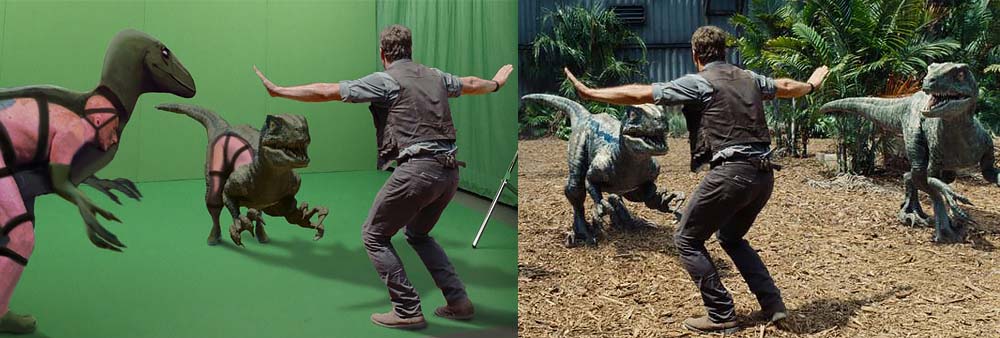
5. Understanding Visual Atmosphere and Narrative
In many films, the visual atmosphere and imaginative worlds are deeply intertwined with VFX. The editor plays a crucial role in ensuring that these visual effects align with the film’s overall tone, style, and storytelling approac while maintaining both temporal and spatial continuity.
How the editor can help:
-
Matching the film’s visual style:
The editor must have a clear understanding of the film’s visual identity and cinematic tone to integrate VFX seamlessly into its world. For example, in a film with a realistic style, VFX should be adjusted to look natural and consistent with the real-world setting. On the other hand, in a stylized or fantastical film, the editor might allow for more expressive or surreal integration to enhance the story’s mood. -
Creating smooth transitions between real and digital worlds:
By using thoughtful visual transitions and precise timing, the editor can blur the boundaries between the live-action and digital elements. This soft blending prevents abrupt visual breaks, helping audiences perceive the real and the virtual as parts of the same coherent world.
Conclusion
Through careful attention to temporal and spatial continuity, an editor can significantly enhance the realism of VFX in a film. By aligning timing with the film’s rhythm, positioning effects accurately within the scene, and crafting seamless transitions, the editor turns VFX from a technical addition into an organic part of the narrative. These techniques ensure that audiences experience visual effects not as artificial layers, but as natural, believable components of the cinematic world.

Sadjad Jahangiri
![Verified]()