
Digital painting and 2D animation are distinct creative disciplines, but they often meet in the same production pipeline. Digital painting helps artists develop characters, environments, color palettes, and visual details, while 2D animation gives drawings and designs movement, timing, and performance. Understanding where these disciplines overlap—and where their roles differ—can help artists build more effective workflows for illustration, animation, games, and film.
Digital Painting and 2D Animation: Different Roles, Shared Tools
Digital painting is the creation or development of artwork using digital tools such as a graphics tablet, stylus, and painting software. Artists use it for concept art, illustration, character design, environment design, texture work, and many other visual tasks.
2D animation creates the impression of movement by presenting images or drawings in a sequence. Depending on the production, artists may draw each frame individually, animate a rigged character, or combine both methods. Digital tools are common in modern workflows, although the underlying artistic principles also apply to traditional animation.
The two disciplines overlap when painted artwork becomes part of an animated production. A character may begin as a digital concept, be adapted into production-ready designs, and then be drawn or rigged for animation. Background paintings, props, color keys, and effects artwork can also contribute to the final scene. However, digital painting and 2D animation are not interchangeable: a finished illustration does not automatically contain the construction, timing, and consistency required for animation.
What Is 2D Animation?
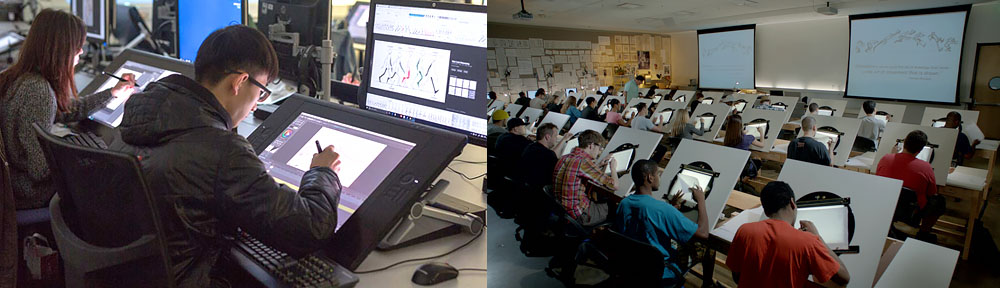
Two-dimensional animation creates movement through a sequence of images arranged over time. The artwork is primarily designed in terms of width and height, although perspective, layered backgrounds, lighting, and compositing can create a strong sense of depth.
Frame-by-Frame Animation
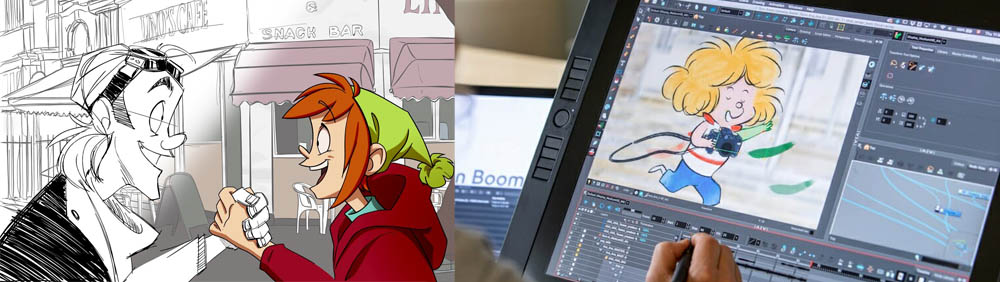
In frame-by-frame animation, artists draw or modify images across a sequence to create movement. This approach offers fine control over poses, expressions, line quality, and the character of each movement. It can also demand substantial drawing time, particularly when scenes contain complex action or many unique poses.
Rigged or Cut-Out Animation
In rigged or cut-out workflows, a character is built from separate parts and animated using a digital rig. This can make repeated movements and dialogue scenes more efficient, but the quality still depends on careful design, posing, timing, and deformation. Some productions combine rigged animation with hand-drawn frames to achieve specific performances or stylistic effects.
Effects, Compositing, and Hybrid Workflows
Software such as Adobe After Effects can be used to animate layers, create motion graphics, and composite artwork with effects. This is a different role from drawing every animation frame: it often involves moving, transforming, layering, or processing existing visual elements. A production may combine these techniques with frame-by-frame or rigged animation.
What Is Digital Painting?
Digital painting uses digital brushes, layers, selections, blending tools, and other software features to create or refine images. Artists may work with a stylus and graphics tablet, a pen display, or a tablet computer. Programs such as Photoshop, Clip Studio Paint, Procreate, and Corel Painter offer different approaches to brushwork, color, and image editing.
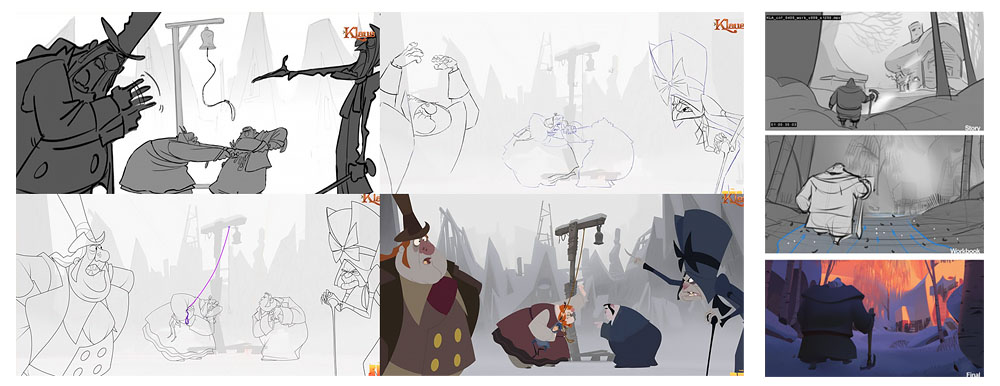
Digital painting can be used to create finished illustrations, but in animation and visual development it is also frequently used to explore ideas before production begins. Artists can test silhouettes, lighting, color schemes, costume variations, and environment designs, then revise them without recreating the entire image from scratch.
Common Digital Painting Tasks
- Character design: Developing a character’s silhouette, proportions, costume, expressions, and visual identity.
- Environment design and background painting: Establishing locations, architecture, landscapes, atmosphere, and visual depth.
- Concept art and color studies: Exploring possible looks for a project before final designs are approved.
- Coloring and surface detail: Applying color, texture, highlights, and shadows to artwork where the production style calls for them.
- Paintovers and revisions: Refining existing images to clarify shapes, improve composition, or communicate a visual direction.
Digital painting is versatile, but it is not a requirement for every task in every animation pipeline. Some projects rely heavily on vector artwork, procedural tools, 3D elements, or specialized drawing and animation software. The right approach depends on the visual style and production needs.
Where Digital Painting and 2D Animation Meet
The strongest connection between these disciplines is the way visual design is carried through production. Painting helps establish what a scene looks like; animation determines how its characters and elements move through time. Their collaboration is especially visible in the following areas.
1. Character and Environment Development
Digital paintings and sketches help define characters, locations, props, and the overall visual language of a project. These designs guide later production work, but they may need to be adapted before animation. A character intended for frame-by-frame animation needs designs that can be drawn consistently from different angles, while a rigged character needs artwork that can be separated into usable parts.
2. Drawing and Refining Animation Frames
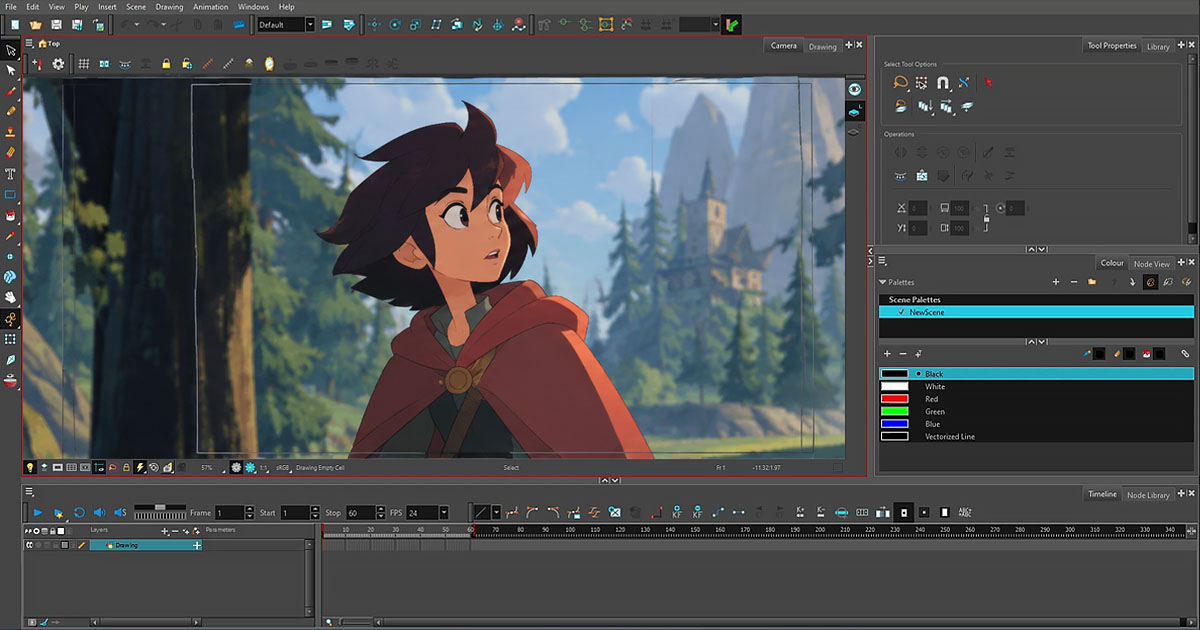
In hand-drawn workflows, digital drawing tools support the creation and revision of key poses, breakdowns, and in-between drawings. Artists can adjust linework, shapes, and details while keeping the sequence organized. Applications such as TVPaint and Toon Boom Harmony support animation-focused workflows, although their feature sets and working methods differ.
Not every frame is painted from scratch, and not every animation task is best handled in a general-purpose painting application. Dedicated animation tools often provide features for managing timing, exposure, playback, and sequences that are essential to the animation process.
3. Color, Lighting, and Texture
Color design helps establish mood, separate characters from backgrounds, and guide the viewer’s attention. Depending on the pipeline, coloring may happen inside animation software, in dedicated paint tools, or through a combination of applications. Shadows, highlights, and texture can be drawn directly into artwork or added later as part of compositing.
These decisions need to support motion as well as a single still image. Details that look attractive in one frame may become distracting, inconsistent, or difficult to maintain across a moving sequence. Production artwork therefore balances visual richness with clarity and practicality.
4. Effects and Final Compositing
Smoke, fire, water, magical effects, atmospheric layers, and other visual elements can be drawn, painted, animated, or assembled from multiple sources. Compositing brings these elements together with characters and backgrounds, allowing artists to adjust their order, color, transparency, and overall integration.
Digital painting can supply the artwork for these effects, while animation and compositing tools determine how they evolve over time and fit into the final shot.
Software Used in Digital Painting and 2D Animation
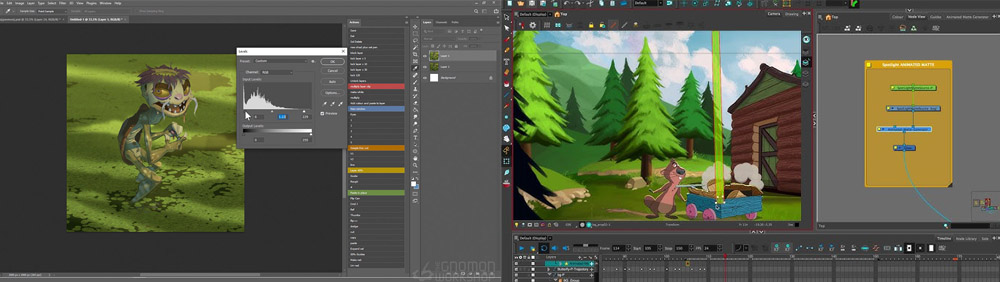
There is no single application that is ideal for every part of a production. Artists choose tools according to the task, the team’s workflow, and the look they need to achieve.
- Adobe Photoshop: Commonly used for painting, image editing, concept art, and visual development.
- Clip Studio Paint: Used for illustration, comics, and drawing-oriented workflows, with animation features also available.
- Procreate: A digital painting and illustration application designed for supported iPad devices.
- Toon Boom Harmony: An animation-focused application that supports both drawing-based and rigged 2D workflows.
- TVPaint Animation: Known for its bitmap-based, hand-drawn animation workflow.
- Adobe Animate: Used for 2D animation and interactive content, including vector-based workflows.
- OpenToonz: An open-source 2D animation application that supports traditional drawing and production-oriented workflows.
- Adobe After Effects: Often used for motion graphics, compositing, and animating layered artwork or effects.
These tools serve overlapping but different purposes. A painter may create a background in one application, an animator may build or draw the character in another, and a compositor may assemble the final shot elsewhere. File compatibility, naming conventions, layer organization, and clear handoffs can be just as important as the choice of software.
Does Every 2D Animator Need Digital Painting Skills?
Drawing and visual design skills are valuable in many 2D animation roles, but the level of painting expertise required varies. A frame-by-frame animator may need strong drawing skills and an understanding of form, perspective, and visual consistency. A character-rigging specialist may focus more on structure, deformation, posing, and timing. A background painter or concept artist, by contrast, may spend much more of their time on finished images, composition, color, and atmosphere.
Understanding the fundamentals of digital painting can still help animators communicate with other artists, make useful revisions, and recognize how color and design choices affect a scene. However, professional animation is collaborative: no single artist is expected to master every discipline in equal depth.
Digital Painting Beyond Animation
Digital painting is also used in areas that do not necessarily involve animation. These include book illustration, comics and manga, posters, advertising, game concept art, fantasy illustration, and texture creation for 3D assets. Skills such as composition, color theory, perspective, shape design, and lighting can transfer between these fields, even though each has its own production requirements.
This broader use matters because digital painting is not simply a preliminary stage of animation. It is an independent art practice that can also become one part of a larger moving-image pipeline.
Building Skills Across Both Disciplines
Artists interested in both digital painting and 2D animation can develop their skills gradually. A practical approach is to build a foundation in drawing and visual design, then apply those fundamentals to a short animation exercise.
- Practice the fundamentals: Study shape, gesture, perspective, composition, color, and light and shadow.
- Learn the chosen tools: Become comfortable with layers, brushes, selections, timelines, and the export formats needed for the workflow.
- Study movement: Practice timing, spacing, anticipation, follow-through, and squash and stretch where appropriate to the style.
- Design for production: Keep character shapes, proportions, palettes, and details consistent across drawings and shots.
- Make a small finished project: Create a character or environment design, animate a short action, and composite it with a background or simple effect.
- Seek feedback and revise: Compare the result with reference, identify what is unclear, and improve both the artwork and the movement.
The goal is not to learn every application at once. It is to understand how visual design and animation support one another, then choose tools and techniques that suit the work.
Conclusion
Digital painting and 2D animation share a creative space, but each contributes something different. Digital painting develops the appearance, mood, and detail of an image; animation brings drawings and designs to life through performance, timing, and movement. When these disciplines are planned together, they can produce work that is visually coherent and expressive without forcing every stage into the same tool or technique.
For artists, the most useful starting point is to build strong visual fundamentals, learn the tools that match their goals, and understand how artwork needs to change when it moves from a still image into an animated scene.

Sadjad Jahangiri 




Add comment