
Stereoscopy is the process of creating or presenting two slightly different views of a scene—one for the left eye and one for the right—so that the visual system can perceive depth. In film production and visual effects (VFX), this affects much more than the final 3D presentation: it influences camera planning, shot design, compositing, quality control, and the way audiences experience a scene.
What Is Stereoscopy?
Stereoscopy uses binocular disparity: because our eyes are separated horizontally, each eye receives a slightly different view of the world. The brain combines these views and uses their differences, alongside other visual cues, to estimate depth.
Three related terms are useful to distinguish:
- Stereoscopy: the technique or process used to capture, create, present, or view images that support binocular depth perception.
- Stereoscopic 3D: content prepared to deliver separate left-eye and right-eye views.
- Stereopsis: the perception of depth arising from differences between the two eyes' images.
Stereoscopy does not turn a flat image into a physically three-dimensional object. Instead, it presents two coordinated images that can create a perception of depth when viewed through a compatible display system. Perspective, relative size, occlusion, lighting, and motion can also suggest depth, but they are not the same as stereopsis.
How Stereoscopic Depth Works
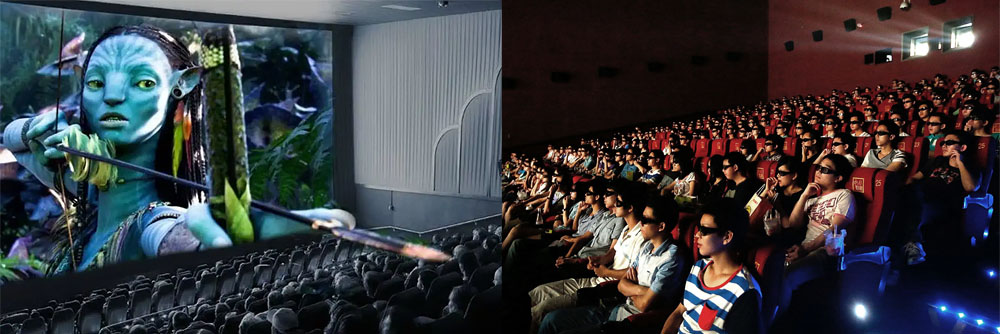
A stereoscopic image pair contains two views of the same scene. The views are similar, but objects appear at slightly different horizontal positions depending on their distance and the geometry of the cameras or virtual viewpoints. The display system directs the intended view to each eye; the viewer's visual system then fuses the images and interprets their differences as depth.
In production, the two views are commonly called the left-eye view and the right-eye view. They may be captured by two physical cameras, generated by two virtual cameras in a 3D scene, or created through a 2D-to-3D conversion process.
Interaxial Distance and Convergence
Interaxial distance is the distance between the optical centers of the left and right cameras. Increasing or decreasing it changes the disparity between the views and therefore influences the perceived depth. It is a creative and technical decision, not a setting that should automatically be fixed to human eye spacing for every shot.
Convergence describes how the camera views are oriented or adjusted in relation to a chosen depth plane. Camera geometry, display format, framing, and the intended viewing conditions all affect the result. Poorly judged disparity or convergence can make a shot uncomfortable or visually confusing, so stereo decisions need to be evaluated throughout the production process.
Stereoscopy in Film Production
Stereoscopic content can be captured on set or created later in post-production. Each route has different implications for scheduling, creative control, cost, and the amount of depth information available.
1. Native Stereoscopic Filming
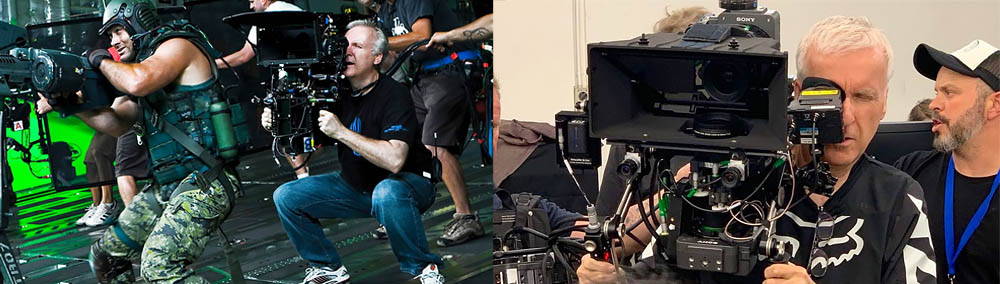
Native stereo production captures the two views during filming. This may involve a purpose-built dual-lens camera or a rig carrying two cameras. A rig can place cameras side by side when lens spacing allows, or use a beam-splitter arrangement when the lenses need to be positioned closer together than their physical dimensions permit.
Camera alignment, synchronization, lens matching, focus, exposure, and color consistency are important. Even small differences between the two views may become noticeable when the images are presented together. Stereo monitoring on set helps the crew evaluate depth, composition, and potential viewing discomfort before a shot is complete.
Interaxial distance and convergence should be chosen for the shot rather than treated as universal values. The intended screen size, viewing distance, subject movement, close-up requirements, and the desired depth range all influence the setup.
2. Creating Stereo from Existing 2D Footage
A film originally captured in 2D can be converted into stereoscopic 3D during post-production. Artists analyze the image, separate foreground and background elements where needed, estimate depth, and construct a second view. Depending on the shot, this may involve roto, paint work, depth maps, image warping, projection, and substantial manual cleanup.
Conversion can provide creative control over the depth of an existing shot, but it does not recover all the information that a second camera would have recorded. Areas hidden in the original image may need to be reconstructed, and newly exposed regions can reveal missing detail. Hair, motion blur, transparent objects, reflections, particles, and fast movement can make the work particularly demanding.
Native stereo and 2D-to-3D conversion are therefore not interchangeable shortcuts. The appropriate approach depends on the material, schedule, budget, desired depth effect, and quality requirements.
Stereoscopic VFX and Compositing
In a stereoscopic VFX pipeline, artists must consider how every important element behaves in both views. A composite that looks convincing in the left-eye image may still fail in stereo if the right-eye version has inconsistent positioning, depth, edges, color, or occlusion.
Depending on the project, a shot may contain two captured plates, CG rendered from two cameras, converted 2D elements, or a combination of these. The pipeline must preserve the relationship between the left and right views while allowing artists to make view-specific adjustments when necessary.
CG Rendering
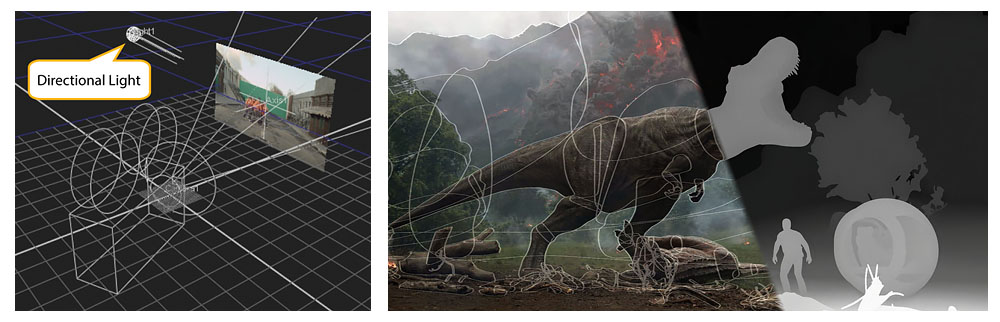
For a CG scene, the renderer produces a separate image from each virtual camera. The two cameras share the same scene, animation, and general lighting setup, but their viewpoints differ. The resulting images must remain consistent in timing, geometry, shading, motion blur, depth of field, and other render characteristics unless a deliberate stereo-specific adjustment is required.
Stereo Compositing and Quality Control
Stereo Compositing involves more than placing two images side by side. Artists may need to align views, manage disparity, repair differences between plates, integrate CG elements, check occlusions, and ensure that edges and fine details remain stable when the views are fused. A change made to one eye should be checked against the other rather than judged in isolation.
Common quality-control checks include:
- Confirming that left- and right-eye media are correctly identified and synchronized.
- Checking for unwanted vertical or rotational misalignment.
- Reviewing depth continuity and avoiding abrupt or distracting disparity changes.
- Inspecting edge detail, roto boundaries, motion blur, reflections, and partially transparent elements in both views.
- Monitoring the shot in stereo, not only as separate images or an anaglyph preview.
Software Used in Stereoscopic Workflows
Software roles vary by task and version. Some applications manage multi-view media and stereo compositing; others can create a stereo camera rig for a 3D composition or help conform, grade, and deliver paired footage. The presence of stereo-related features does not mean that every application can perform a complete 2D-to-3D conversion workflow on its own.
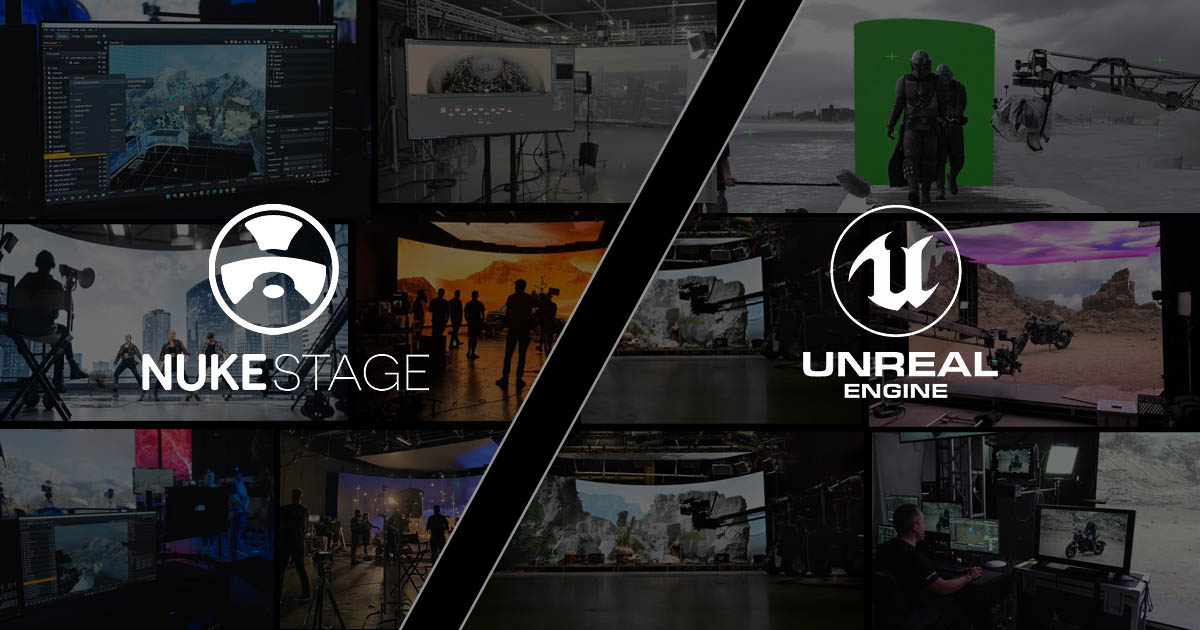
Foundry Nuke
Nuke supports multi-view workflows, allowing artists to manage separate views such as left and right and apply appropriate operations to one view or both. This makes it useful in stereoscopic compositing and finishing pipelines. The exact workflow depends on the project setup, media organization, and the Nuke version in use.
Adobe After Effects
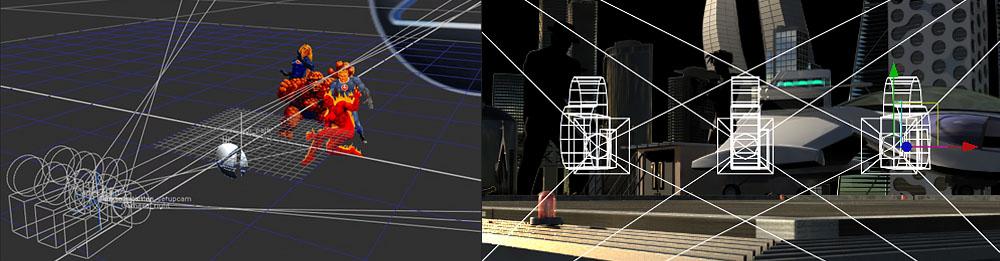
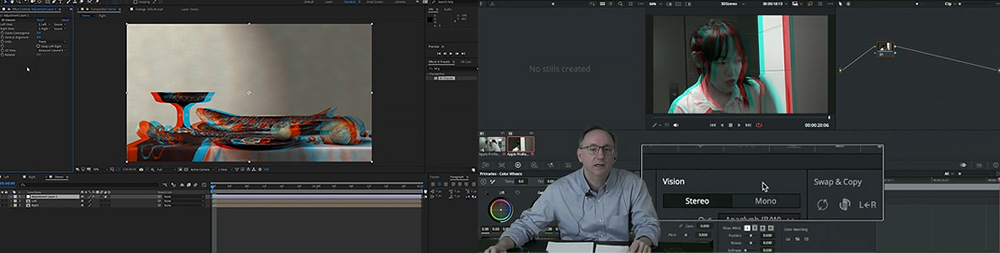
After Effects includes a Stereo 3D Rig workflow for creating left-eye and right-eye views from a composition containing 3D layers. It can also be used to composite 3D elements with stereoscopic footage. This should be distinguished from a full conversion pipeline for arbitrary 2D live-action footage, which may require additional tools and substantial artist work.
DaVinci Resolve
DaVinci Resolve has supported stereoscopic workflows for managing paired left- and right-eye media and making stereo-related adjustments in supported versions. Its suitability for a particular project should be checked against the manual for the installed version, especially when planning conform, grading, monitoring, and delivery.
Autodesk Maya, 3ds Max, Cinema 4D, and Blender
3D applications can be used to build scenes and generate left-eye and right-eye renders using suitable camera setups or stereo features. The available controls and output options differ by application and version. In a production pipeline, the key requirement is that both views represent the same scene and frame while maintaining the intended camera relationship.
Displaying Stereoscopic 3D
Creating a stereo image pair is only one part of the process. The display system must deliver the correct image to each eye. Different display technologies do this in different ways.
Anaglyph Glasses
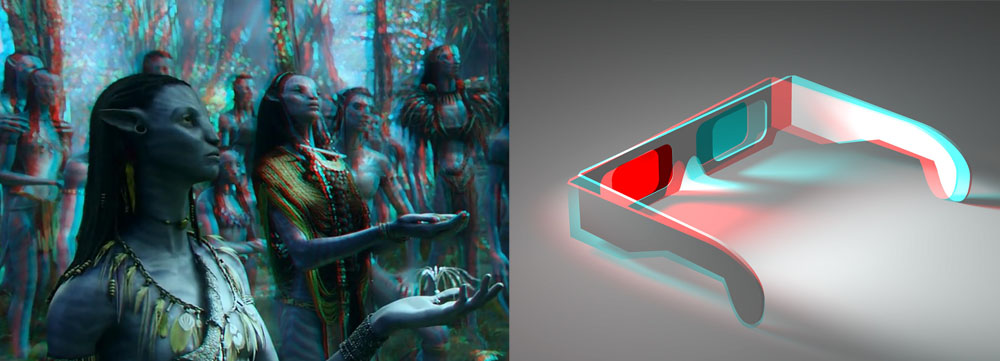
Anaglyph systems encode the two views using different color channels, commonly red and cyan, and use matching colored filters to separate the views for each eye. They are inexpensive and useful for simple previews, but they can distort color and do not reproduce the full-color experience of many modern cinema systems.
Polarized Glasses
Polarized cinema systems encode the left and right views using different polarization states. The glasses filter the projected images so that each eye receives its intended view. The specific implementation depends on the projection and display system.
Active-Shutter Glasses
Active-shutter systems alternate the left-eye and right-eye images in synchronization with the display. The glasses electronically darken each lens in turn so that each eye sees the intended frame. Compatibility, synchronization, brightness, and display refresh behavior affect the experience.
Glasses-Free 3D
Autostereoscopic displays use optical designs such as lenticular lenses or parallax barriers to direct different views toward different viewing positions. These systems can provide glasses-free stereo, but viewing zones, screen size, viewer position, resolution, and the number of supported views affect their practicality.
Creative Benefits and Production Challenges
Stereoscopy can strengthen spatial storytelling by making foreground, midground, and background relationships easier to perceive. It can be especially effective when depth supports the scene's action, scale, atmosphere, or visual design. However, more depth is not automatically better. Aggressive separation, inconsistent geometry, or poorly controlled transitions can distract viewers instead of drawing them into the scene.
Stereoscopic production may also add camera, monitoring, post-production, rendering, and quality-control requirements. Conversion work can be particularly labor-intensive because artists may need to reconstruct hidden areas and maintain consistency across two views.
Viewer comfort depends on several factors, including disparity, alignment, viewing conditions, content, and individual visual characteristics. Eye strain, fatigue, or headaches can occur for some viewers. There is no single camera-spacing or depth value that guarantees comfort in every situation, so stereo work should be reviewed on an appropriate display and against the delivery requirements.
When Is Stereoscopy Worth Using?
Stereoscopy is a creative and production choice, not a requirement for every film or VFX project. It can contribute meaningfully when spatial depth supports the director's intent and the audience's experience. In other cases, conventional 2D presentation may serve the story more effectively or fit the production constraints better.
The most successful stereoscopic work treats depth as part of the visual language of the project. Camera decisions, CG rendering, compositing, editing, display technology, and viewer comfort need to be considered together—not as isolated technical steps.
 References & Further Reading

Sadjad Jahangiri 




Add comment