

Continuing from the previous article, where we explored the design and planning stages of VFX shots, this part delves into the subsequent steps of the VFX pipeline. Here, we examine how these shots are managed, refined, and edited, including compositing, optimization, and final execution. Building on the foundation laid in the first part, we’ll uncover the processes and teamwork that ensure each VFX shot reaches its full potential and contributes effectively to the storytelling and visual impact of a production.
Why VFX Shots Aren’t Filmed Separately
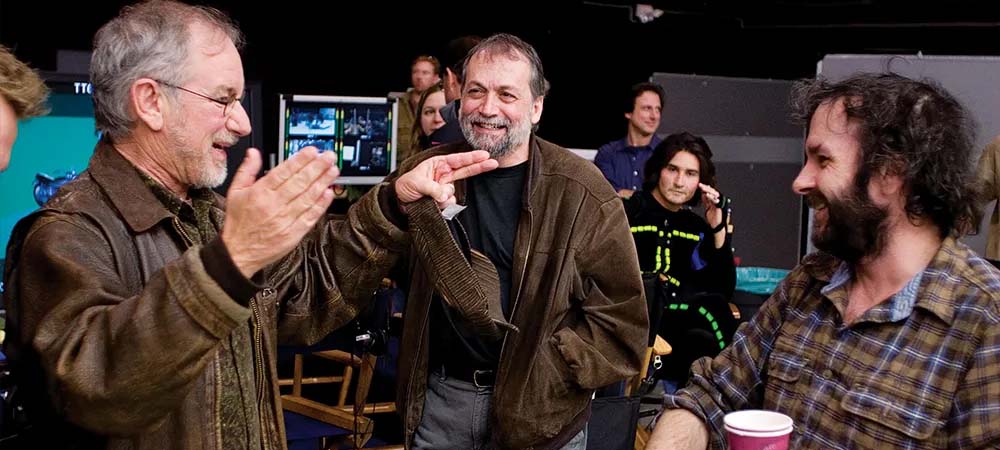
In most productions, VFX shots are not filmed separately or as standalone scenes for the VFX team. Instead, they are extracted from the main footage of the film. There are several key reasons behind this approach:
-
Efficiency and Cost-Effectiveness:
Filming additional shots solely for VFX would be expensive and time-consuming. By capturing the necessary footage during the main shoot, filmmakers ensure that VFX artists can work directly with original, high-quality data from the production. This approach:
-
Eliminates the need for reshoots dedicated to visual effects.
-
Reduces overall production time and cost, since the VFX team can build upon existing footage instead of starting from scratch.
-
Coordination with Other Film Departments:
During production, all departments including the director, cinematographer, actors, and production designers collaborate closely to bring the story to life. Visual effects must remain synchronized with the actors’ performances, lighting, and camera movement. If VFX shots were filmed separately, that natural coordination might be lost.
For example:
-
Actors often interact with digital elements that will later be added in post-production.
-
Camera movement and lighting must match the digital effects perfectly to make the result believable.
-
Advanced Digital Integration:
Modern compositing and VFX techniques are so advanced that there’s usually no need for separate VFX shooting. Tools like Nuke and Houdini allow artists to seamlessly integrate digital elements into the main footage. Through compositing, background removal, 3D modeling, and physical simulations, original live-action shots can be enhanced and merged with digital assets creating seamless, realistic results without the need for filming dedicated VFX scenes.
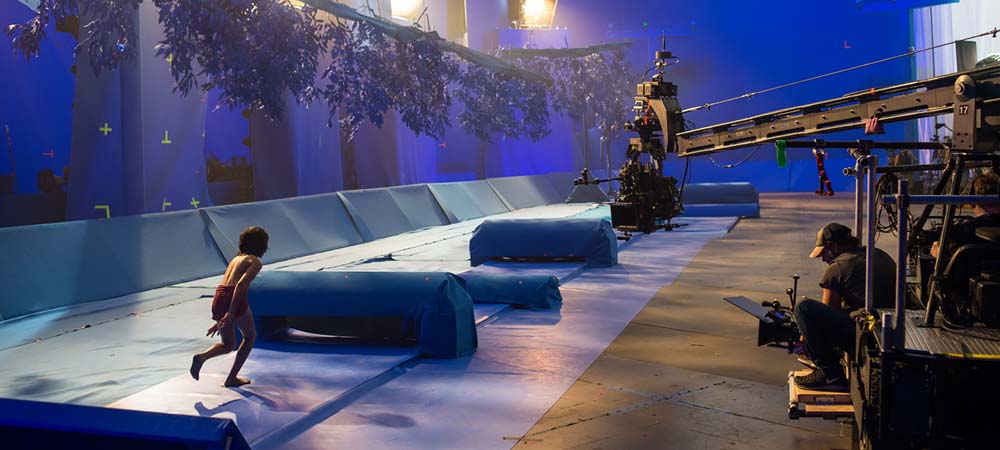
-
Using Green Screen and Special Techniques:
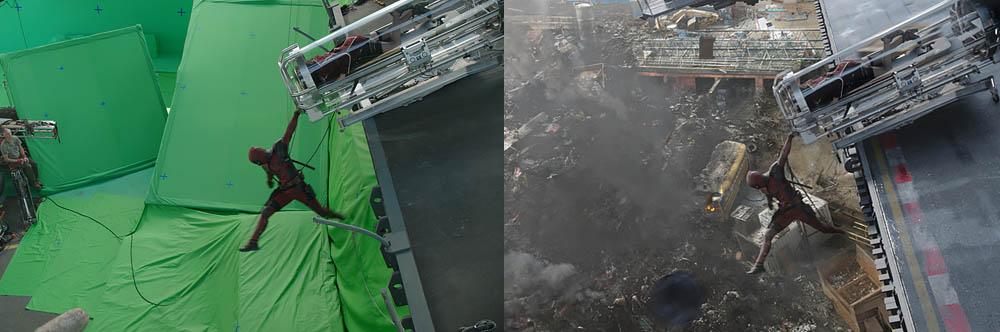
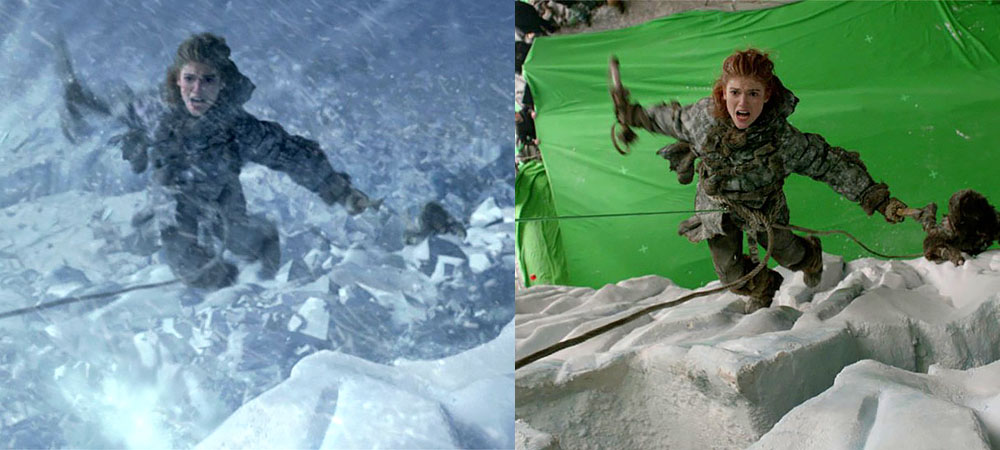
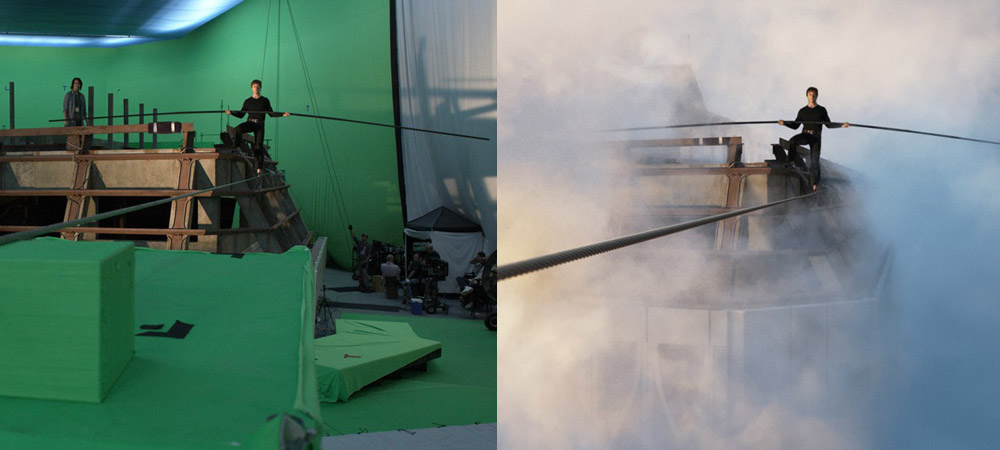
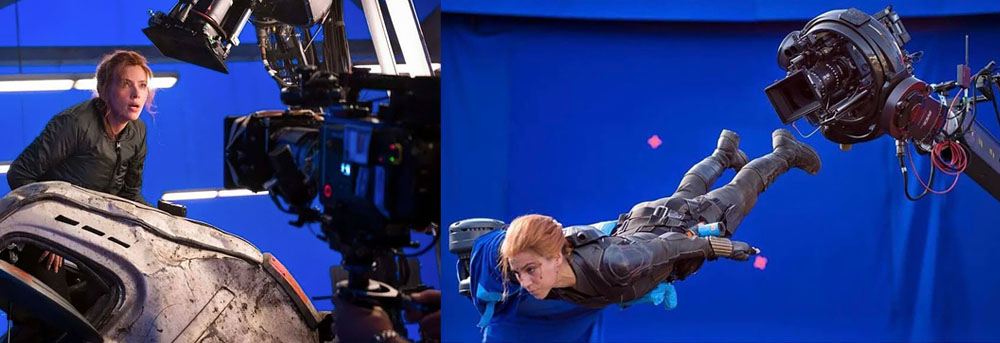
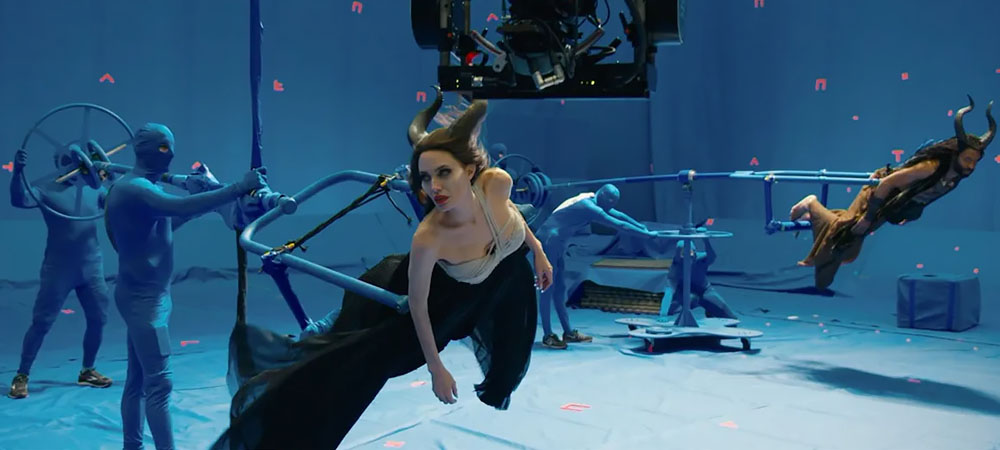
For shots that require visual effects such as digital environments, imaginary creatures, or specific interactions techniques like the green screen are used. In this method, the background is filmed in front of a solid green surface that can later be digitally removed and replaced. This gives the VFX team full flexibility to add any kind of digital background or 3D elements during post-production. In other words, the team can use the original on-set footage and seamlessly integrate digital environments without needing to reshoot scenes. -
VFX Team’s Role in Post-Production:
The VFX team primarily steps in during post-production, where all visual effects are created and composited into the live-action footage. Using specialized software, they combine multiple image layers (compositing), add simulations, visual effects, and 3D models to enhance each shot. This phase allows the team to take the original footage and blend it with digital elements, making the results look realistic and fully integrated. -
Minimizing Disruption to the Natural Filming Process:
Filming separate scenes just for VFX especially in large-scale productions — can disrupt the natural workflow of the shoot. It could force the director, cinematographer, and other crew members to re-stage or reshoot parts of the movie solely for VFX purposes, making the production slower and more complicated.
Summary:
VFX-heavy shots are not filmed separately because doing so would increase production costs, time, and complexity while disrupting the film’s continuity. Instead, these shots are captured during the main filming process, and the VFX team enhances them later in post-production. This approach maintains consistency, improves efficiency, and ensures that all visual elements stay cohesive throughout the film.
The Process of Editing VFX Shots
Editing VFX shots (Visual Effects Shots) refers to the process of combining and refining live-action footage with digital effects during the post-production phase of a film or video project. The goal is to integrate visual effects so seamlessly that audiences cannot tell where the real footage ends and the digital enhancements begin. Achieving this requires precise coordination of lighting, color, shadows, motion, and camera movement to maintain a natural, believable look.
Here’s an overview of the main stages involved in VFX shot editing:
1. Principal Photography and VFX Preparation:
This is the stage where live-action scenes are filmed with real cameras, actors, sets, and props. To prepare for VFX integration, filmmakers often use green screen or blue screen techniques, allowing backgrounds or objects to be replaced digitally later.
Additionally, camera tracking data may be collected to help the VFX team match digital elements with the camera’s real movement. This ensures that the computer-generated objects move and react naturally within the filmed scene.
2. VFX Creation and Rendering:
At this stage, the VFX team begins crafting the digital effects from 3D modeling and simulations (like fire, smoke, or explosions) to digital creatures, weather effects, and other environmental elements.
Programs such as Maya, Cinema 4D, and Houdini are used to create these assets. The rendered results might include everything from realistic explosions to fluid water motion or lifelike animated characters.
Each digital element is carefully composited with the live footage, adjusted for lighting and perspective, and rendered in multiple passes until the visual integration appears completely natural to the audience.
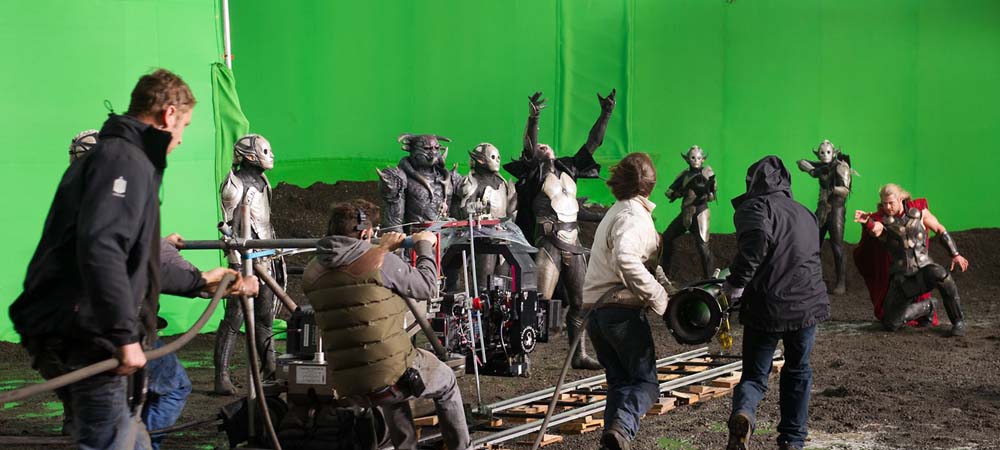
Compositing and Image Refinement:
At this stage, digital effects are integrated into the live-action shots. Using software such as Nuke, Fusion, or After Effects, real footage and visual effects are combined to create a seamless final image. Techniques like Rotoscoping (manually isolating or cutting objects from live-action footage) and Matte Painting (digitally painting detailed backgrounds) are often used to enhance and complete the scene.
A crucial part of this phase is ensuring that lighting, shadows, and camera movement match perfectly between the live-action elements and the digital effects so the final result looks natural and convincing.
Color Grading:
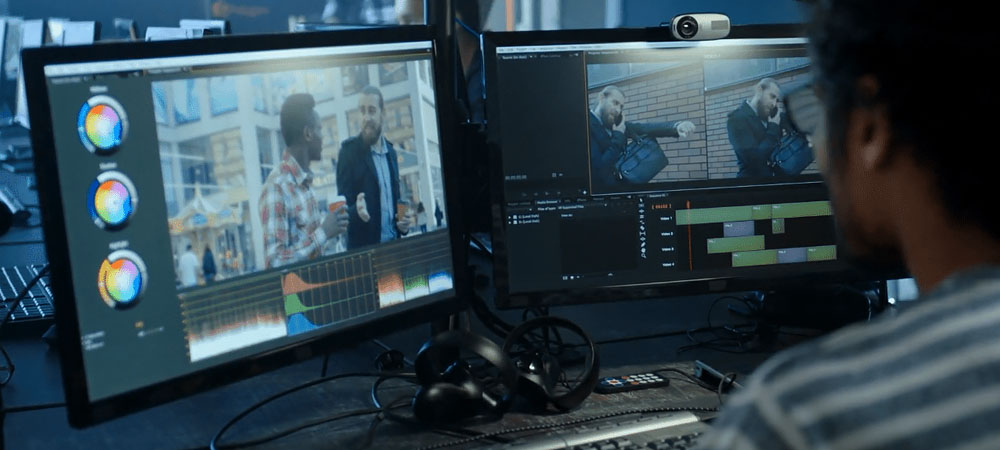
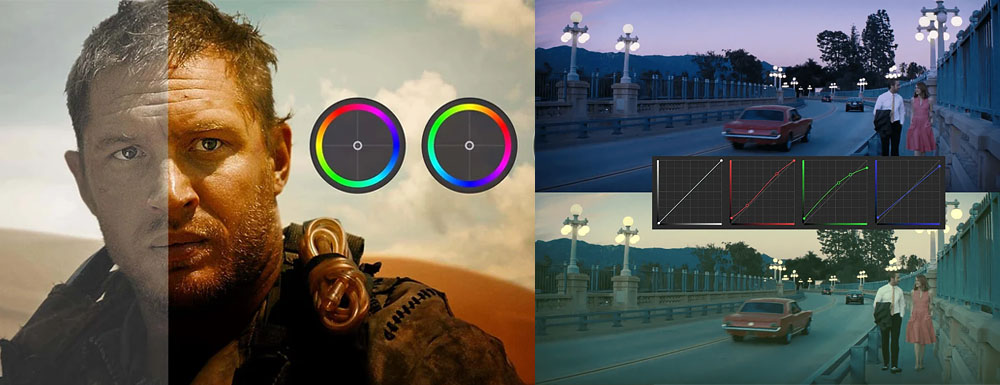
Once the compositing is done, color grading ensures visual harmony between the VFX shots and the rest of the film. The brightness, contrast, and color tones of the digital effects are carefully adjusted to blend seamlessly with the real footage. This step gives the film a unified look and enhances its overall visual appeal.
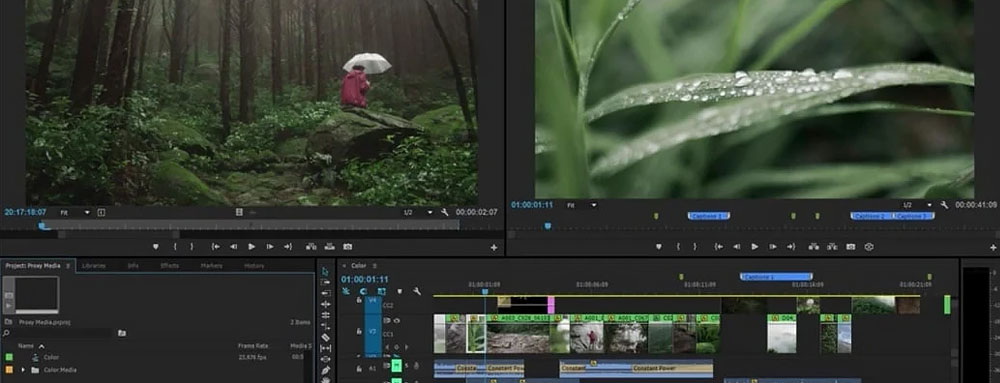
Programs like DaVinci Resolve and Adobe Premiere Pro are commonly used for this stage.
Final Review and Adjustments:
After the initial VFX edit, the director, editor, and VFX team review the shots together. Final tweaks may be needed whether in compositing, color balance, or syncing the effects with the actors’ performances or other on-screen elements. This review process often goes through multiple iterations until the final shots meet the film’s creative and technical standards.
Delivery:
Once all corrections are made, the final VFX shots are prepared for delivery to the main post-production team including sound design, final editing, and mastering. These shots are integrated into the final cut of the film, ready for release or screening.
Challenges in Editing VFX Shots
-
Precise Coordination with Live Footage: Matching camera movement, lighting, shadows, and visual tone between the real and digital elements requires extreme precision.
-
Complex Data Management: VFX shots often involve vast amounts of data especially when they include 3D simulations or layered effects.
-
Time-Intensive Process: Creating and editing VFX shots demands significant time and attention to detail at every step.
-
Cross-Team Collaboration: Successful results rely on smooth communication between the editing, VFX, directing, and cinematography teams to ensure the visuals stay consistent and believable.
Common Software Used in VFX Editing
-
Nuke: Industry-standard compositing software used in professional film production for high-end VFX work.
-
Adobe After Effects: Ideal for 2D visual effects, compositing, and simpler motion graphics.
-
Fusion: Similar to Nuke, used for integrating digital effects with real-world footage.
-
Avid Media Composer: A professional editing suite often used for the final edit and integration of VFX shots into the full film.
-
Houdini: Specialized in creating complex simulations such as explosions, smoke, fire, and water.
Summary:
Editing VFX shots is a complex, multi-stage process that combines live-action footage with digital effects to create seamless, realistic visuals. Performed during post-production, it demands a high level of technical skill, artistic precision, and collaboration between multiple departments. From creating the digital elements to color grading and compositing, every step plays a vital role in shaping the final visual quality and cinematic impact of a film or video project.
The Role, Importance, and Skills of a Visual Effects Editor (VFX Editor)
The Visual Effects Editor (VFX Editor) is a crucial member of the post-production team, responsible for integrating and synchronizing visual effects (VFX) with live-action footage and the rest of the film’s edited material. Their goal is to ensure that all visual effects appear seamless, natural, and fully integrated within the cinematic world so that audiences never feel a distinction between what’s real and what’s digitally created.
Key Responsibilities of a VFX Editor
1. Coordination Between Editing and VFX Teams:
The VFX Editor serves as the bridge between the editing department and the VFX team. They ensure that all visual effects shots are delivered on time, at the correct frame rate, and integrated precisely where they belong within the timeline. This involves managing timing, speed changes, and synchronization between practical footage and digital effects.
2. Integrating VFX Into the Final Film:
Once 3D animations, simulations, or other digital effects are produced, the VFX Editor incorporates them into the film’s live-action sequences. They make sure these additions blend perfectly in terms of lighting, scale, and motion, maintaining the illusion that everything was filmed together.
3. Refining and Optimizing Visual Effects:
The VFX Editor adjusts and enhances effects to ensure consistency with the rest of the film. This can include fine-tuning color balance, brightness, contrast, shadows, and reflections, or correcting technical inconsistencies between different VFX shots.
4. Managing VFX Files and Assets:
Another core duty is organizing and tracking all video and effect-related files throughout post-production. Because large-scale productions may involve hundreds or even thousands of VFX shots, the editor must handle data management efficiently using industry tools and file versioning systems.
5. Quality Control and Final Review:
Before final delivery, the VFX Editor carefully checks every shot frame by frame to ensure accuracy and continuity. They verify that light interaction, shadows, reflections, and camera motion match perfectly across the visual and digital layers—catching even the smallest inconsistencies before release.
Importance of the VFX Editor
1. Ensuring a Seamless Cinematic Experience:
The VFX Editor is essential for maintaining the illusion of realism. Their meticulous integration work ensures that visual effects, no matter how complex, feel organic and invisible allowing the audience to stay fully immersed in the story.
2. Preventing Technical and Continuity Issues:
Any mismatch in timing, lighting, or compositing between VFX and live footage can break immersion or make the effects look fake. The VFX Editor safeguards against these issues, ensuring technical harmony across the entire film.
3. Balancing the Real and the Digital:
In films that rely heavily on computer-generated imagery (CGI) or mixed media, the VFX Editor ensures a natural fusion between real environments and digital creations. Their work preserves emotional and visual coherence so that everything feels part of one believable world.
Essential Skills for a VFX Editor
-
Strong knowledge of editing software such as Avid Media Composer, Premiere Pro, or Final Cut Pro.
-
Proficiency with VFX tools and workflows, including software like Nuke, DaVinci Resolve, and ShotGrid (formerly Shotgun).
-
Attention to visual detail, especially in color correction, continuity, and spatial composition.
-
Excellent communication skills for coordinating between editorial, VFX, and production departments.
-
Understanding of cinematography and lighting principles, crucial for matching digital and live-action shots.
Summary:
The Visual Effects Editor plays a vital role in shaping the visual integrity of a film. Acting as the technical and creative link between the editing and VFX departments, they ensure that digital effects are integrated smoothly, believably, and artistically. Their precision and understanding of both storytelling and technology are what transform visual effects from noticeable digital layers into immersive cinematic moments.
Skills and Abilities Required for a VFX Editor
Familiarity with Editing and VFX Software:
A VFX Editor should have strong command of film editing programs such as Avid Media Composer or Adobe Premiere Pro, as well as VFX software like Nuke, After Effects, DaVinci Resolve, or Fusion.
Attention to Detail:
Since even the smallest element can affect how visual effects blend with live-action footage, precision and a keen eye for detail are essential traits for a VFX Editor.
Technical Knowledge of Visual Effects:
To perform effectively in this role, a VFX Editor needs to understand the fundamentals of VFX including compositing, render tests, layer preparation, and color correction.
Teamwork and Coordination Skills:
This role requires close collaboration with various post-production teams, especially editors and VFX artists. Strong communication and teamwork abilities are vital for maintaining workflow efficiency.
Problem-Solving Abilities:
During post-production, technical challenges are inevitable. A VFX Editor must be capable of identifying and resolving issues such as compositing errors, sync problems, or timing mismatches.
Summary:
The VFX Editor plays a key role in the post-production process of films that involve visual effects. They ensure that VFX shots are properly integrated with live-action footage for seamless results. With technical proficiency, attention to detail, and collaboration skills, the VFX Editor contributes to delivering a polished cinematic experience and ensuring a smooth production pipeline.
Who Handles the VFX Compositing Process
The VFX compositing process is usually carried out by Compositors and VFX specialists using software such as Nuke, Fusion, or After Effects. These professionals combine live-action footage with digital visual effects to create realistic final shots.
However, the role of a VFX Editor is distinct from that of a compositor. The VFX Editor operates within the post-production stage, ensuring that all VFX elements are properly aligned, tracked, and integrated into the film.
Key Responsibilities of a VFX Editor:
-
Coordinating communication between editing and VFX departments
-
Managing raw footage and visual effects assets
-
Placing graphics and digital effects into the project and checking their consistency
-
Overseeing timing, revisions, and final adjustments to ensure accurate alignment between VFX and live footage
-
Implementing editorial updates that prepare the material for further compositing work
In contrast, the Compositor is directly involved in blending multiple visual layers such as 3D renders, CGI, animations, or effects like smoke and fire — into the film’s live-action shots. Using tools like Nuke and Fusion, they integrate all these elements seamlessly to create a cohesive and believable image.
The Role of a VFX Editor in the Process
A VFX Editor primarily operates during post-production and, unlike a compositor, does not directly handle the blending of digital effects with live-action footage. Instead, their role is more of a coordinator and workflow manager, overseeing the collaboration between the editing team and the VFX team. They may be involved in selecting and sequencing visual effects in early cuts, managing assets, and ensuring the accuracy and consistency of digital effects with the live-action footage.
Key Roles in Post-Production:
-
Compositor: The person who performs the actual integration of digital effects with the film.
-
VFX Supervisor: The individual responsible for overseeing the creation and design of visual effects, often serving as a guiding authority during the compositing process.
-
VFX Editor: The person responsible for coordinating and managing the workflow between editing and VFX to ensure that visual effects are properly integrated into the final film and remain aligned with editorial changes.
Summary:
The VFX Editor plays a crucial role in coordinating and organizing the workflow between the editing and VFX teams. In contrast, the compositor directly integrates effects into the footage using software like Nuke or Fusion. Each of these roles covers a distinct aspect of post-production, and collaboration among them is essential for producing a seamless VFX-driven film.
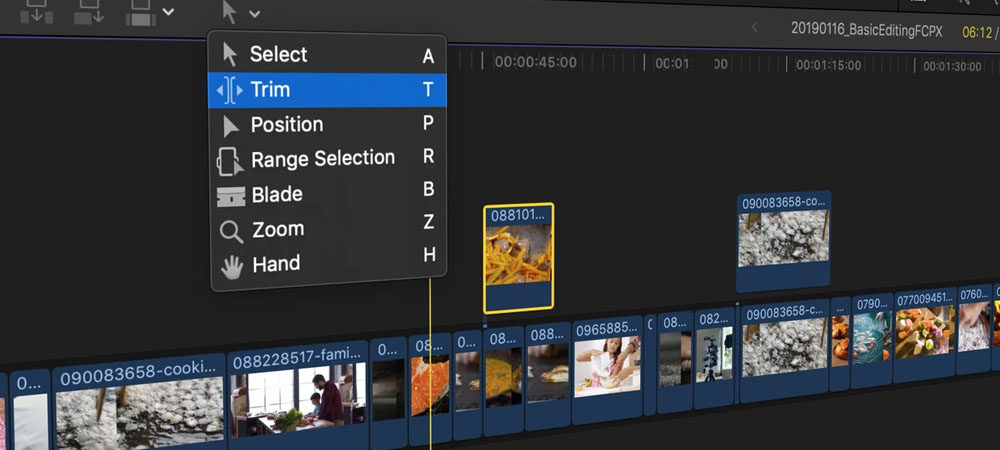
Specialized Software for Editing VFX Shots
In cinematic projects, VFX shots require specialized software designed to seamlessly integrate visual effects with live-action footage and coordinate between editing and VFX workflows. These tools provide precise video adjustments, facilitate the integration of VFX into the final edit, and streamline changes throughout the production process. The most important software in this area includes:
-
Avid Media Composer
One of the most advanced film editing software widely used in the cinema industry. Avid Media Composer is highly effective for professional film editing and VFX integration. It provides tools for precise coordination between VFX and the main footage, making it ideal for managing and editing VFX shots in large cinematic projects.
Key Features:
-
Integration with VFX workflows: Seamlessly connects with VFX software like Nuke and After Effects.
-
Real-time playback: Allows quick preview of shots alongside VFX.
-
Version management: Tracks multiple versions and changes of VFX shots.
-
Adobe Premiere Pro
Widely used for film editing and integrating visual effects in cinematic projects. Premiere Pro offers comprehensive tools for editing and compositing VFX with footage and works seamlessly with After Effects and Photoshop. It also provides fast previews and VFX integration within the editing workflow.
Key Features:
-
Dynamic Link: Enables direct transfer between Premiere Pro and After Effects without rendering.
-
Multicam editing: Supports projects with multiple angles where VFX may be applied across different shots.
-
Final Cut Pro X
A powerful Mac-based editing software with robust tools for integrating VFX into film projects. It works efficiently with compositing software such as Nuke and After Effects.
Key Features:
-
Magnetic Timeline: Simplifies timing adjustments for VFX shots and other film elements.
-
Integration with VFX software: Enables exchange of data with VFX tools.
-
DaVinci Resolve
Known primarily for color grading, Resolve has evolved into an advanced editing platform with VFX capabilities. Its Fusion module offers compositing tools directly within the software.
Key Features:
-
Fusion integration: Apply VFX directly within the editing workflow.
-
Collaborative workflow: Supports teamwork between editors and VFX artists.
-
Nuke Studio
A high-end compositing and VFX software that also includes editing capabilities. Nuke Studio is especially used for large cinematic projects requiring detailed VFX. It allows simultaneous compositing, color correction, and editing in a unified environment.
Key Features:
-
Node-based compositing: Create and adjust visual effects using a node-based approach.
-
Shot management: Precisely manage shots and their timing for VFX coordination.
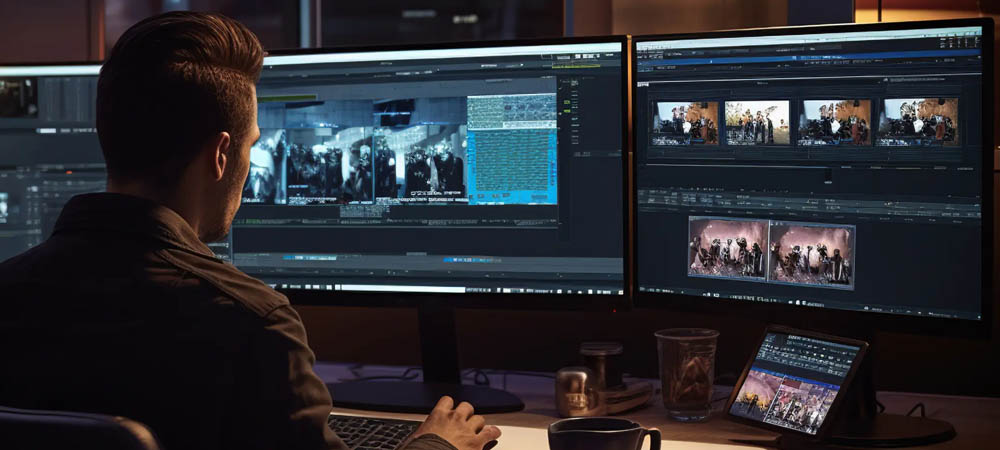
6. Autodesk Flame
Autodesk Flame is a professional all-in-one software suite for VFX compositing and film editing, primarily used in cinematic projects with complex visual effects. Flame integrates compositing, color grading, and final editing in a single, unified environment.
Key Features:
-
Compositing, editing, and finishing in one tool: Capability to perform all stages from compositing to final editing within a single software.
-
Advanced tools for VFX integration: Sophisticated tools for precise integration of VFX with live-action footage.
Summary:
For editing VFX shots in cinematic projects, software like Avid Media Composer, Adobe Premiere Pro, Final Cut Pro X, DaVinci Resolve, Nuke Studio, and Autodesk Flame are commonly used to coordinate live-action footage with visual effects. The choice of software depends on the specific needs of the project, VFX complexity, team structure, and production budget.
Explaining Nuke Studio’s Role in Editing VFX Shots
Nuke Studio is an advanced and powerful software designed specifically for compositing, editing, and managing complex VFX projects in cinematic productions. Developed by The Foundry, it is widely used in the VFX and post-production industry.
Key Features of Nuke Studio for Editing VFX Shots:
-
Advanced Compositing:
Nuke Studio is recognized as one of the leading compositing tools, providing extensive features for layering images, color correction, simulating visual effects, and accurately integrating VFX with live-action footage. Its powerful layer and effect management makes it ideal for cinematic and television projects with complex visual effects. -
Managing Complex VFX Projects:
Nuke Studio allows users to handle all compositing and editing stages of VFX shots within a single, unified environment. Its advanced project management tools are particularly beneficial for large-scale productions, such as feature films or VFX-heavy TV projects, enabling efficient collaboration among multiple teams. -
Node-based Interface:
The software uses a visual, node-based interface that allows precise control over every visual element. Users can connect and manipulate multiple nodes to achieve complex compositing effects and fine-tune layers and effects for each VFX shot. -
Simultaneous Compositing and Editing:
Nuke Studio enables both VFX compositing and video editing in the same workflow. This feature allows quick previews of composited shots during the editing process, which is highly efficient for cinematic projects requiring precise alignment of VFX and edit sequences. -
Integration with Other Software:
Nuke Studio integrates seamlessly with other popular VFX tools like Maya, 3ds Max, Houdini, and Cinema 4D, allowing 3D models, simulations, and other effects to be imported and utilized directly in cinematic projects. -
Live Preview and Rendering:
Users can perform high-quality live previews of VFX shots without heavy and time-consuming rendering. This capability is especially useful for collaborative workflows and fast-paced editing environments. -
Version Control and Change Management:
Nuke Studio supports version control, enabling multiple versions of a shot to be saved and tracked. This feature is essential for large, complex projects where accurate tracking of changes is critical. -
Support for Multiple Formats and Final Rendering:
The software supports various formats and allows high-quality final rendering. This is particularly important in cinematic projects where high-resolution output and precise color accuracy are required.
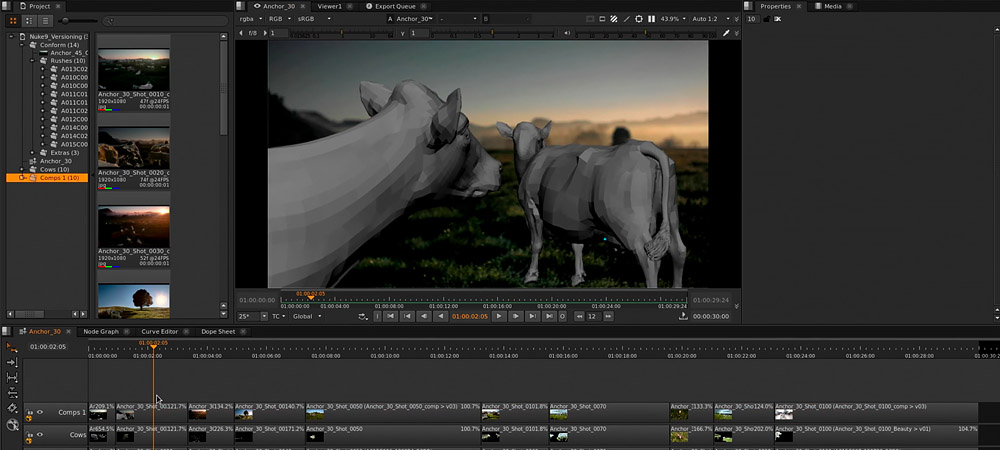
Workflow of Using Nuke Studio in Cinematic Projects
-
Importing and Preparing Source Materials:
The process begins by importing all source materials into Nuke Studio, including video files and VFX assets such as 3D renders, camera maps, light passes, and other relevant layers. -
VFX Compositing:
Using the node-based interface, visual effects are applied accurately and step by step to the video layers. Various tools—such as masks, color correction, lighting effects, and more—are used to seamlessly integrate the VFX into the footage. -
Integration with Editing:
Once the VFX is applied, the shots can be placed within the project timeline and synchronized precisely with other shots and scenes. Final editing includes adjusting timing, appearance, and transitional effects to ensure smooth continuity. -
Preview and Final Review:
In the final stage, a high-quality preview of the project is generated. After necessary reviews and approvals, the project proceeds to final rendering, producing output files ready for cinematic or television display.
The difference between the two concepts “Interaction between Editing and Visual Effects (VFX)” and “Editing VFX Shots” lies mainly in their scope, focus, and timing within the filmmaking process.
Editing VFX Shots
This refers specifically to the stage where visual effects shots are integrated into the film. In this process, VFX shots produced by the visual effects team are combined with live-action footage in compositing software such as Nuke, After Effects, or Fusion to ensure the effects look natural and consistent with the rest of the film.
Purpose:
To achieve precise visual alignment between the visual effects and the rest of the footage.
Content:
Involves compositing multiple layers, color correction, adjusting shadows and lighting, and adding effects such as explosions, smoke, or 3D models.
Tools:
Nuke, After Effects, Fusion, and Avid Media Composer.
Interaction between Editing and Visual Effects (VFX)
This concept refers to the overall coordination process between the editing and VFX teams throughout the entire film production. It’s a continuous and multi-stage collaboration where editors and VFX artists stay in close communication and provide constant feedback to each other.
Purpose:
To ensure consistent visual and narrative harmony between the live-action footage and the visual effects across all stages of production.
Content:
This interaction covers multiple phases of production.
-
During the rough cut, temporary VFX shots are used.
-
The VFX team adjusts and refines their renders based on the editor’s needs.
-
In later stages, when preparing for the final edit, editors provide feedback to ensure the effects match the film’s pacing and emotional tone.
-
Continuous review and revisions occur between both departments until the final version is achieved.
Key Differences
Focus and Scope:
-
Editing VFX Shots is a technical process, focused solely on the compositing and visual integration of effects.
-
Interaction between Editing and VFX is a broader, collaborative process involving communication, coordination, and creative alignment between multiple departments including the director, editor, and VFX supervisors.
Timing:
-
Editing VFX Shots happens mainly after VFX production and rendering.
-
Interaction between Editing and VFX starts from pre-production and early editing and continues throughout the entire project.
Team Involvement:
-
Editing VFX Shots mainly involves technical artists and compositors.
-
Interaction between Editing and VFX involves the director, editor, VFX supervisors, and sometimes producers, ensuring storytelling and visual consistency from start to finish.
Conclusion
While editing VFX shots is one of the most crucial stages within the broader interaction between editing and visual effects, the latter represents a much larger framework a continuous process of coordination and creative dialogue between departments from the early stages of production all the way to final delivery.
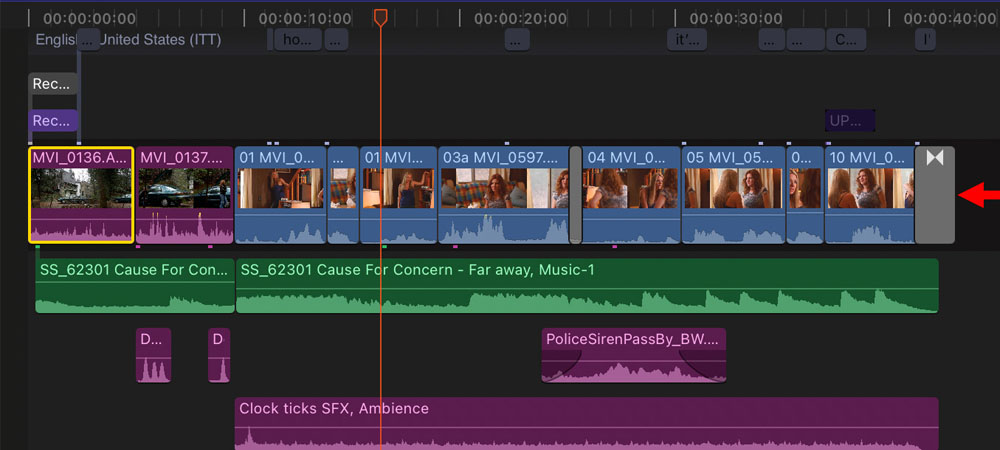
Managing and Editing VFX Shots
Managing and editing VFX shots is one of the most intricate and time-consuming processes in the film industry. It requires precise coordination between multiple departments including the director, editor, VFX designers, and other production teams. Below is a step-by-step overview of how this process typically unfolds:
1. Planning and Concept Design (Pre-Production)
Concept Development:
At this stage, the VFX team collaborates with the director and art designers to visualize the scenes that will require visual effects. This involves concept art, 3D mockups, and reference imagery to define the creative direction.
Resource and Time Estimation:
Since VFX shots often take a long time to produce, a detailed plan is created to allocate resources such as software, equipment, and manpower and to establish a realistic production schedule.
2. Shooting and Production
Filming with VFX Elements:
Many VFX shots are partially integrated during filming. For instance, a green screen may be used so that digital backgrounds or CGI elements can later be composited into the shot.
Motion Data Capture:
In certain shots, motion capture technology is used to record the movements of actors or objects. These data are then applied to digital characters or 3D models during the VFX process.
3. VFX Production (Post-Production)
Compositing:
After filming, VFX shots are created and composited in specialized software such as Adobe After Effects, Nuke, or Autodesk Maya. This step includes adding effects, 3D models, animations, simulations, and other visual elements.
Color Grading:
To ensure the VFX shots blend seamlessly with the live-action footage, color and lighting adjustments are performed. Proper grading makes the effects feel naturally integrated within the scene.
4. VFX Project Management
Time and Resource Management:
The VFX team must carefully manage schedules and assets to ensure that each shot is delivered on time and meets quality expectations. Tools such as ShotGrid (formerly Shotgun) or Trello are commonly used to track progress, assign tasks, and monitor workflow.
Review and Revisions:
Initial versions of VFX shots often undergo multiple review cycles. Feedback from the director or supervisor may require small tweaks or major revisions to refine the effects and achieve the desired result.
5. Final Editing
Final Integration:
Once all VFX shots are approved, they are assembled into the final edit. The editor, working closely with the director, ensures that each effect transitions smoothly and contributes to the film’s visual rhythm and storytelling.
Sound Design and Mixing:
After the VFX shots are integrated, sound effects such as explosions, whooshes, or digital creature movements are added to enhance the realism and emotional impact of the visuals.
6. Final Review and Delivery
Final Screening:
After editing and sound mixing, the complete film is reviewed by the director, producer, and VFX team to ensure all effects meet creative and technical standards. Any final adjustments are made at this stage.
Final Output:
Once approved, the finished version complete with all VFX shots is mastered and prepared for theatrical release or digital distribution.
In summary, managing and editing VFX shots is a deeply collaborative, iterative process that combines artistic vision with technical precision. From early planning to final delivery, it ensures that every visual element contributes seamlessly to the story and overall cinematic experience.
Key Points in Managing and Editing VFX Shots
Team Coordination:
Continuous communication between all departments including cinematography, art direction, VFX, and editing is crucial to keep the workflow smooth and organized. Each team must stay updated on the others’ progress to avoid inconsistencies or delays.
Anticipating Potential Issues:
Complex visual effects can often encounter technical or creative challenges at different stages. Therefore, predicting possible issues and conducting early tests or simulations are essential to prevent costly revisions later.
Using Advanced Software:
Professional tools such as Nuke, Houdini, Cinema 4D, and After Effects play a vital role in the VFX editing process. These programs provide the precision, flexibility, and rendering capabilities needed to achieve cinematic-quality visuals.
Ultimately, managing and editing VFX shots is a fusion of art, technology, and collaboration, designed to create breathtaking, realistic images that enhance the storytelling of a film.
Color Correction by VFX Artists during Compositing
In the VFX production workflow, color correction can take place both during compositing and in the final color grading stage each serving a distinct purpose.
1. Color Correction during Compositing
During compositing, where VFX elements are integrated into the live-action footage, initial color adjustments are performed to make the effects look naturally embedded in the scene.
Typical corrections include:
-
Adjusting Colors and Brightness:
The VFX team fine-tunes the hue, brightness, and contrast of digital elements so they match the lighting and tone of the live footage. -
Ensuring Visual Consistency:
When combining digital assets (like 3D models or animated elements) with real-world backgrounds, color correction helps maintain a seamless and realistic look. Techniques like color matching and light wrap are commonly used. -
Creating Special Effects:
In certain shots, color correction is used creatively to produce specific looks — such as glows, light flares, or stylized lighting — that enhance the desired visual impact.
2. Color Grading during Final Editing
The color grading stage occurs after compositing and focuses on achieving an overall visual coherence across the entire film.
Objectives include:
-
Establishing a Unified Visual Style:
Color grading defines the film’s tone and atmosphere — whether warm, cold, tense, or joyful — ensuring all shots share the same visual identity. -
Fine-Tuning Color Details:
At this point, a professional colorist refines specific color aspects such as skin tones, environmental hues, shadows, highlights, and overall contrast with high precision. -
Finalizing VFX Integration:
If any VFX shots still require subtle color adjustments, this stage ensures they align perfectly with the final color palette of the film.
Key Differences
| Stage | Purpose | Focus |
|---|---|---|
| Compositing | To blend VFX shots with live-action footage | Achieve seamless integration and natural balance |
| Final Color Grading | To unify the visual tone of the entire film | Create a consistent artistic and emotional atmosphere |
Summary
During compositing, the VFX team performs initial color corrections to ensure the effects blend realistically with the live-action shots. However, the final color grading done during the editing phase refines these adjustments and establishes a cohesive visual style for the entire film. Together, these two stages complement each other to create a polished, visually harmonious final product.
Addressing Color Correction Inconsistencies by the VFX Team
When the color grading done during the VFX compositing stage doesn’t align with the final color tone envisioned by the editor or director, several issues can arise potentially leading to challenges in the final stages of post-production. Although many of these problems can be resolved during the final color grading phase, they still require proper coordination and review. Below are the most common outcomes and their implications:
1. Need for Revisions (Rework):
If the colors of the VFX shots don’t match the overall visual style intended by the editor or director, additional rework may be required in post-production. This means some VFX shots might need to be adjusted or re-rendered to achieve color consistency with the rest of the film.
For example:
-
If the VFX shots appear overly bright or saturated compared to the rest of the footage, the editor will need to tone them down.
-
If the special effects use distinct color tones that clash with the film’s overall color grade, adjustments must be made so the visuals blend naturally with the surrounding shots.
2. Reduced Visual Quality:
When color correction across different stages isn’t properly synchronized, it can negatively impact the film’s overall visual quality. These inconsistencies may cause the VFX to look unnatural or disconnected from live-action footage.
For instance:
-
VFX elements may stand out due to unrealistic brightness or color tones.
-
Excessively dark or overly bright color grading in VFX shots can disrupt the film’s mood and make the composite appear artificial, diminishing the audience’s sense of immersion.
3. Editors Forced to Adjust VFX Shots:
Sometimes the VFX color corrections differ so much from the desired final look that the editor cannot fix them using regular color grading tools. In such cases, the VFX team must revisit those shots to modify color balance, lighting, or contrast, ensuring better integration with the final film aesthetic.
4. Increased Cost and Production Time:
Color mismatches can lead to additional expenses and delays. Returning to earlier stages to fix color inconsistencies or re-render VFX shots consumes both time and resources. Projects operating on tight deadlines may face schedule overruns and budget strain due to these revisions.
5. Impact on the Film’s Style and Atmosphere:
Color plays a crucial role in defining a film’s mood and atmosphere. If the VFX colors don’t align with the film’s overall palette, the emotional tone can be disrupted.
For example:
-
Unnaturally bright or dark VFX tones might alter the film’s intended emotional feel, making certain scenes less impactful or inconsistent with the director’s vision.
Solutions:
• Constant Communication Between VFX and Editing Teams:
To avoid such issues, the VFX and editing teams should agree on the film’s color style early in production. Maintaining communication throughout the process ensures consistent results and minimizes the risk of mismatched tones later on.
• Use of Color-Matching Tools:
Professional colorists can use advanced grading tools like DaVinci Resolve or FilmLight Baselight to fine-tune VFX colors so they blend seamlessly with the original footage.
• Conducting Color Tests:
Running initial color tests on a few VFX shots helps confirm that the effects align with the film’s visual style before full-scale compositing and rendering begin.
Conclusion:
While color correction during the VFX compositing stage is critical, much of the final color harmony happens during editing and color grading. The key is continuous collaboration between the VFX and editing teams from the start of production through post-production. Maintaining this coordination ensures color consistency, visual integrity, and a unified cinematic look across the entire film.
Who Is Responsible for the Final VFX Compositing
The final compositing of VFX the stage where digital visual effects are seamlessly integrated with live-action footage is typically handled by the VFX team, not the editor. This process, known as compositing, is a highly technical and creative stage of post-production that relies on specialized VFX software such as Nuke or Fusion.
During this stage, digital elements like 3D models, animations, lighting effects, or green-screen backgrounds are carefully blended into real-life shots to create a cohesive and believable final image.
Main Stages of Final VFX Compositing:
1. Integrating Visual Effects with Live Footage:
Digital effects such as CG creatures, explosions, or virtual environments are combined with the live-action footage shot on set or in a studio. The goal is to make all elements appear as if they naturally coexist in the same physical space.
2. Color and Lighting Match:
As explained earlier, matching color tones and lighting between the VFX elements and live footage is crucial. These adjustments ensure that digital assets blend smoothly with real-world lighting conditions. Color correction for composited shots is usually done at this stage.
3. Green Screen Removal:
If a green screen (or chroma key background) was used during filming, this step involves isolating and removing the green background, then placing the actors or objects into digital environments or CGI scenes.
4. Final Effects and Enhancements:
Subtle finishing effects such as motion blur, depth of field, and lighting adjustments are added to make the VFX appear more realistic and visually consistent with the original footage.
The Editor’s Role in This Process:
Once the VFX compositing is complete, the editor takes over to assemble the finished VFX shots with the rest of the film’s scenes. The editor’s focus is on narrative flow, pacing, and overall visual coherence.
While the editor may perform minor adjustments to color balance, contrast, or exposure for consistency across shots, the technical and artistic work of compositing itself is handled entirely by the VFX team.
Conclusion:
In summary, the VFX team is responsible for executing the final compositing of all digital effects, while the editor is responsible for assembling and fine-tuning the overall film after those shots are completed.
Close collaboration between the VFX and editing departments is essential to maintain a unified visual style and ensure the finished film looks seamless and professionally integrated.
Formats and Delivery Specs for VFX Shots Provided to the Editing Team
When the VFX team delivers final composited shots to the editorial team, the goal is to provide files that are high-quality, easy to work with, and fully compatible with common editing systems. The selected formats and specifications are chosen to maintain maximum visual fidelity while allowing the editor to integrate the shots smoothly into the final cut of the film.
Below are the most commonly used formats and technical features for VFX-to-edit handoffs:
1. Common File Formats for VFX Shots
• EXR (OpenEXR)
One of the most widely used and professional formats in VFX. EXR supports high color depth (up to 32-bit), multiple layers, alpha channels, and even depth information. It preserves extensive image data, making it ideal for color grading, compositing adjustments, or additional effects work down the pipeline.
• ProRes (ProRes 4444)
Another industry-standard format used frequently for VFX deliveries. ProRes 4444 supports an alpha channel, which is essential when shots need transparency or further compositing in the edit. It provides high quality with manageable file sizes, making it ideal for editorial use.
• DPX (Digital Picture Exchange)
DPX is commonly used when exceptionally high quality or cross-studio consistency is needed. It delivers frame sequences with excellent color precision and is often chosen for final picture transfers.
• TIFF or PNG
Sometimes used for individual frames or assets that require transparency, such as graphics, overlays, or isolated effects elements.
2. Key Delivery Attributes
• Alpha Channels
Whenever a shot requires transparency or precise layering over a background plate, the VFX team includes alpha channels. This allows the editor to place the digital elements cleanly into the film timeline.
• Separate Layers or Passes
In some workflows, the VFX team may provide multiple passes such as color, depth, lighting, or special effects as separate layers. This gives the editor (or colorist) more flexibility to make targeted adjustments if needed.
• High Bit Depth
VFX shots are typically delivered in high bit depth (16-bit or 32-bit) to preserve full color information. This ensures no banding or quality loss occurs during color correction or final grading.
3. Compression Levels
The VFX team avoids heavy compression to maintain maximum image fidelity.
If compression is necessary, formats like ProRes 4444 or Avid DNxHD/DNxHR are preferred due to their visually lossless compression and industry reliability.
4. Timing and Sync with the Edit
All delivered VFX shots must match the project’s timecode exactly. This ensures the editor can drop the shots directly onto the timeline with perfect sync.
If the shot includes camera movement or 3D integration, the delivery may also include camera metadata or motion data so the editor and other departments can ensure accurate alignment with the original camera move and scene elements.
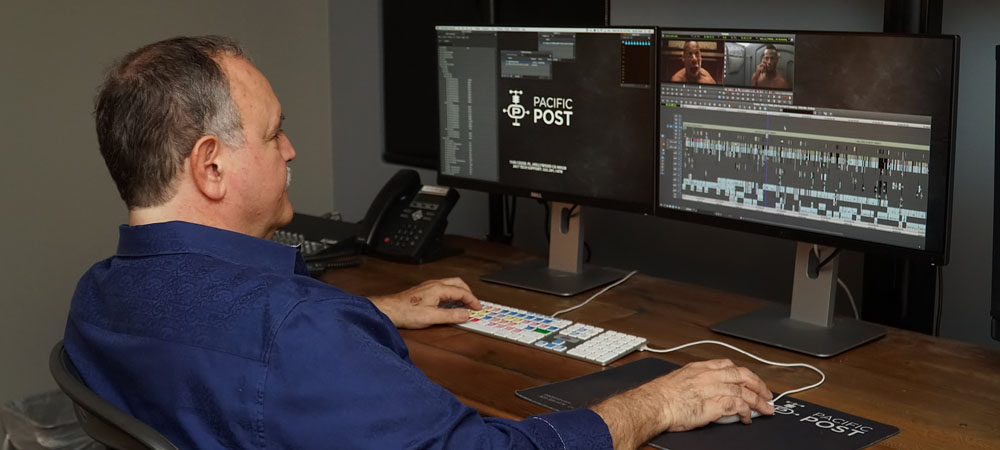
Additional Notes – Proxy Versions:
In some cases, to speed up the editing process and make working with files easier during post-production, the VFX team may use proxy versions. These are lower-resolution copies of the final files that still contain enough information for editing. Using proxies reduces file size and accelerates the overall editing workflow.
Extra Information for the Editor:
The VFX team may also provide the editor with additional details, such as color space information, file formats, lighting values, or specific technical notes. These help the editor perform final adjustments accurately.
Summary:
Typically, the VFX team delivers their final shots in formats like EXR, ProRes 4444, or DPX, often including features such as alpha channels, multiple layers, high color depth, and timecode-synced data. These formats allow the editor to seamlessly integrate and fine-tune the visual effects in the final edit, maintaining high quality and perfect alignment with the original footage.
Role of Selecting and Preparing Film Shots for the VFX Team
In film production, before the captured shots are handed over to the VFX team, they need to be carefully trimmed and prepared for adding visual effects. This is usually handled by the Film Editor or the VFX Editor, who reviews, cuts, and prepares the shots in the early stages. Here’s an overview of the process and tools used:
-
Who Does the Trimming:
-
Film Editor: In the early stages, the Film Editor is responsible for reviewing and cutting shots to assemble the main film. Shots that require visual effects are then sent to the VFX team.
-
VFX Editor: In some projects, a dedicated VFX Editor manages VFX shots specifically. This person focuses on cuts directly related to visual effects.
-
-
The Process of Cutting and Preparing Shots:
-
Initial Cut: After filming, the Film Editor creates an initial version of the film (known as a “rough cut” or “first assembly”) by trimming the shots. These cuts may include scenes requiring visual effects or adjustments to composition, motion speed, or alignment with CGI elements.
-
Standard Format Outputs: Shots are usually saved in high-quality formats like ProRes or DNxHD. These formats preserve image quality and make editing easier for the VFX team.
-
Analysis and Preparation for VFX: Once the Film Editor completes the cuts, a version of the shots needed for VFX, along with detailed notes, is sent to the VFX team. This information typically includes details on color, camera angle, timing, camera movement, and environment.
-
3. Tools Used for Cutting and Delivering Shots:
To cut and prepare shots, film editors typically rely on advanced video editing software:
-
Avid Media Composer: One of the most popular editing tools in the film and television industry. It offers precise trimming, proper timing, and project preparation features for VFX.
-
Adobe Premiere Pro: Widely used in video editing and post-production. It supports audio synchronization, fast cutting, and integration with other software for visual effects production.
-
Final Cut Pro: A macOS-exclusive tool used by professional editors for fast trimming and precise video editing.
4. Delivery Formats for VFX Shots:
Once the shots are trimmed, they are delivered to the VFX team. Depending on the project, different formats are used:
-
Raw Footage: Usually provided in ProRes (for maintaining quality) or DPX (for shots requiring more processing). These files are handed to the VFX team for effects work.
-
EDL (Edit Decision List): Contains detailed information about the timing and cuts made to the shots. This helps the VFX team import the shots correctly and make necessary adjustments.
-
FCPXML or AAF: These formats are often used to transfer edits and settings between software like Final Cut Pro and Avid Media Composer, providing detailed information about shot order and changes.
-
Proxy Files: Sometimes, lower-resolution “proxy” versions are used to reduce data size and speed up delivery. The VFX team works on these proxies, and the final high-resolution outputs replace them once effects are applied.
5. Collaboration Between Teams:
-
Working with the VFX Team: After shots are delivered, the editor and VFX team work closely together. The editor may collaborate with VFX artists for final adjustments and shot reviews to ensure the results meet artistic and technical standards.
-
Feedback and Revisions: The VFX team may send some shots back to the editor for revisions or request changes. This process can continue until the final film is complete.
Summary:
Overall, the process of cutting and preparing shots for the VFX team is handled by the film editor using specialized editing software. Once the shots are prepared in appropriate formats, they are handed over to the VFX team for effects work. Common formats include ProRes or DPX, and tools like EDL, FCPXML, and AAF are used to facilitate information transfer between teams.
Editing VFX Shots and the Responsible Role
Editing VFX shots involves integrating and refining digital visual effects (VFX) into the final cut of a film. This process usually takes place during the final editing stage and includes combining VFX shots with other footage, aligning them with the rest of the film, and making final adjustments to ensure a seamless and cohesive result.
Steps in Editing VFX Shots:
-
Placing VFX Shots on the Timeline:
When VFX shots are delivered from the VFX team to the editing team (typically in formats like EXR or ProRes), the editor must place them correctly on the film’s timeline. These shots need to appear in the proper sequence and align with the surrounding footage. -
Synchronizing VFX with the Rest of the Film:
A key part of editing VFX shots is ensuring they integrate naturally with the live-action footage. This involves matching camera movements, lighting, and colors so the visual effects appear realistic within the scene. -
Color Correction:
Once the VFX shots are in place, the editor or colorist may perform overall color grading to ensure the effects harmonize with the rest of the film. This may include adjusting brightness, contrast, color tones, and establishing the film’s visual style. -
Music and Sound Integration:
Editors may also enhance VFX shots with music, sound effects, and audio design. Adding tailored audio elements can heighten the impact of the visual effects and make them feel more immersive for the audience. -
Final Touch-Ups and Adjustments:
Sometimes, VFX shots require minor corrections during the editing stage. These adjustments may involve fine-tuning color, contrast, brightness, or even subtle changes to the visual effects themselves. For example, the editor might notice that a VFX element looks slightly unnatural in its environment and needs slight modifications for a better blend.
Responsibilities and Personnel Involved in Editing VFX Shots
-
Editor:
The editor is the primary person responsible for placing VFX shots on the film’s timeline and integrating them with the rest of the footage. They oversee the overall flow of the film, determine scene order, and set the rhythm and pacing. During this stage, the editor ensures that VFX shots are seamlessly integrated and harmonized with the other elements of the film. -
Colorist:
If color adjustments are needed in the final editing stage usually to ensure that VFX shots blend naturally with the rest of the film the colorist handles these corrections. During the final color grading process, the colorist adjusts brightness, contrast, and color quality for both VFX and live-action shots to maintain visual consistency. -
VFX Team:
In some cases, if VFX shots are not perfectly aligned or require fine-tuning, they may be sent back to the VFX team. The team can make final tweaks, such as adding more detail, minor corrections, or color adjustments, to better match the overall style and tone of the film. -
Sound Editor:
Occasionally, the sound editor is also involved in editing VFX shots, especially when integrating visual effects with audio. They are responsible for adding sound effects, music, and ensuring proper synchronization between audio and visual elements.
Summary:
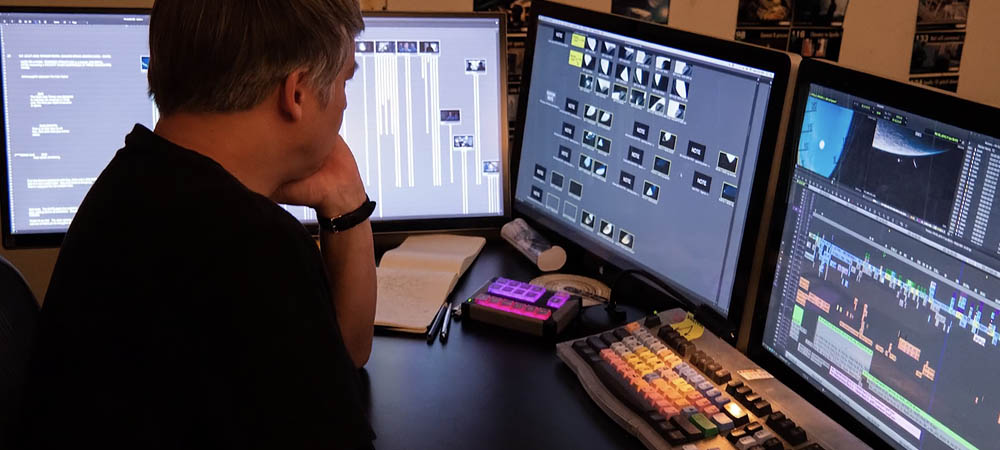
Editing VFX shots means combining and refining visual effects within the final film so that they appear natural and fully integrated into the story. This process is primarily carried out by the editor, whose main responsibility is to merge shots and shape the film’s flow. However, technical aspects such as color correction and fine-tuning of effects may be handled by the colorist or, in some cases, the VFX team.
Difference Between the Editing Team and the VFX Team
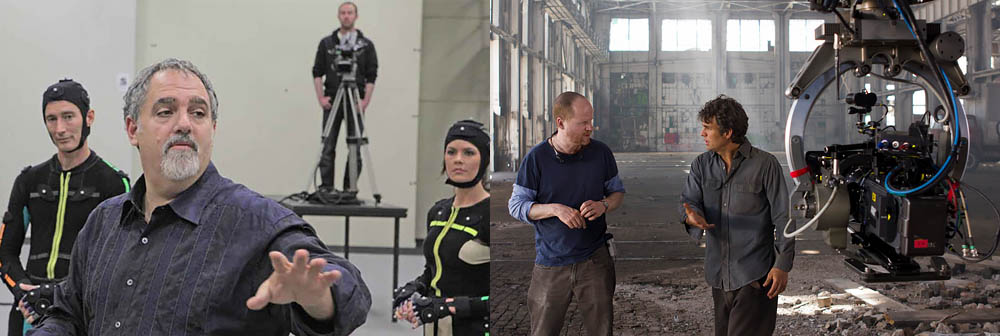
The Editing Team and the VFX (Visual Effects) Team are usually separate, each with distinct responsibilities. Although they collaborate closely during various stages of film production, their roles and tasks differ. Here’s a breakdown of their differences and interactions:
1. Editing Team:
The editing team is responsible for selecting, trimming, and arranging shots to construct the story of the film. Their main duties include:
-
Cutting and Arranging Shots:
The team organizes shots logically and artistically according to the script and storytelling needs, assembling the final film. -
Setting Rhythm and Timing:
The editor controls the pacing and tension of the story, determining the appropriate duration for each shot. -
Initial Corrections:
Editors perform preliminary adjustments, such as removing unnecessary scenes and preparing the film for pre-production or post-production workflows. -
Color Grading:
In some projects, the editing team or editor may handle color correction to ensure visual consistency throughout the film. -
Sound and Music Management:
The editing team is also responsible for syncing sound with images, selecting music, and managing audio editing.
Tools Used by the Editing Team:
-
Avid Media Composer
-
Adobe Premiere Pro
-
Final Cut Pro
-
DaVinci Resolve (primarily for color grading)
2. VFX Team (Visual Effects Team):
The VFX team is responsible for adding digital visual effects to a film. They usually start their work after the shots have been edited. Their main responsibilities include:
-
Creating Digital Effects:
The team produces effects such as explosions, smoke, snow, water simulations, and other visual elements seen on screen. -
Simulating Environments and Digital Creatures:
This includes creating fictional creatures (like dinosaurs, robots, or aliens) and integrating them into live-action footage. -
Compositing:
Combining CGI shots with live-action footage to create a seamless and natural-looking final image. -
Removing or Correcting Elements:
For example, eliminating unwanted objects or people from a shot or replacing real-world elements with 3D models. -
Adding Details and Final Adjustments:
Sometimes, the VFX team makes subtle refinements as part of the final corrections.
Tools Used by the VFX Team:
-
Autodesk Maya (3D modeling and animation)
-
Blender (3D modeling and animation)
-
Adobe After Effects (2D compositing and VFX)
-
Nuke (advanced compositing and visual effects)
-
Houdini (complex simulations like smoke, fire, and water)
-
Cinema 4D (3D animation and modeling)
3. Key Differences Between the Editing Team and the VFX Team:
-
Different Responsibilities:
The editing team focuses on cutting, arranging shots, and managing the pacing of the film, while the VFX team is responsible for creating and adding visual effects. -
Timing and Workflow:
The editing team works first, completing an initial cut of the film. The VFX team then adds effects and finalizes adjustments. -
Different Specializations:
Editors specialize in storytelling, pacing, and film structure. VFX artists focus on advanced computer graphics, simulations, and digital compositing techniques.
4. Collaboration Between Teams:
-
Coordination for Revisions:
After the initial cut, the editor may require adjustments to VFX shots. Close collaboration between the editor and VFX team ensures that changes are implemented correctly. -
Mutual Feedback:
The editor can provide feedback to the VFX team to improve accuracy and quality, and the VFX team can request that certain shots be re-adjusted for better integration. -
Use of EDL and Proxy Files:
To facilitate collaboration, EDL (Edit Decision List) files or proxy versions of VFX shots are often provided to ensure proper synchronization and processing.
Summary:
The Editing and VFX teams have distinct responsibilities and expertise. The editing team focuses on storytelling and the structure of the film, while the VFX team creates visual effects and digital simulations. Despite these differences, the two teams must maintain close coordination and continuous collaboration to deliver a seamless and high-quality final film.
Terminology for Editing VFX Shots
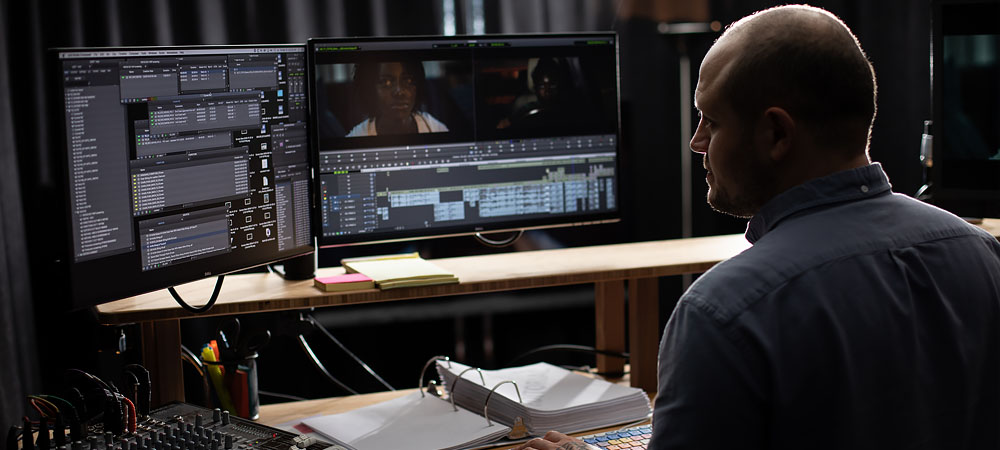
Editing VFX shots is commonly referred to as “VFX Editing” or “VFX Integration.” These terms describe the processes of combining digital visual effects with live-action footage and integrating VFX shots into the final cut of the film. Depending on the project or team, other specific terms may also be used, such as:
-
VFX Compositing: Refers primarily to the process of combining VFX elements with live-action footage, including color correction and visual adjustments to achieve a seamless look.
-
Final VFX Integration: The final incorporation of VFX shots into the film, which includes aligning colors, lighting, and other final adjustments to match the film’s overall aesthetic.
-
VFX Shot Finalization: The process of completing and polishing VFX shots, often involving minor tweaks after final review.
In general, editing VFX shots involves the final adjustments and integration of VFX shots with the rest of the film to create a cohesive cinematic flow.
Summary:
VFX shot editing usually occurs after the design and management stages, once the visual effects are ready. This stage ensures that VFX shots are properly composited and integrated into the film, resulting in fully completed shots that appear natural and consistent in the final cut.
The VFX Process Extends Beyond Just Three Stages
While the design, management, and editing of VFX shots are essential parts of the visual effects process in film production, VFX involves many additional stages that are crucial for the successful creation of shots. Below is a comprehensive overview of all the stages and processes involved in producing VFX shots:
1. Pre-Production
This stage is critical for preparing VFX shots and planning the workflow in advance.
-
VFX Design and Concepting:
The director, VFX supervisor, and concept artists decide on the visual and narrative requirements for the effects. This includes creating reference images, sketches, and initial models. -
Shot Planning:
Specific shots requiring VFX are identified, and preliminary decisions are made regarding how to film them. Camera movements, angles, and lighting are planned to ensure that VFX can be properly integrated. -
Previsualization (Previs):
In some projects, digital previs may be created. Previs includes early animations and reference images that help the director and production team visualize how the VFX will appear in the shots.
2. Production
During production, the actual filming takes place, and the VFX team ensures that sufficient information is captured to complete the effects.
-
Filming and Data Capture:
Shots requiring VFX are filmed in a way that provides accurate data for post-production. This may involve precise camera movements, tracking systems, and specific lighting setups. -
Use of Specialized Tools:
For advanced VFX, tools such as motion-control cameras, green or blue screens, and motion capture may be used to facilitate the integration of digital effects with live-action footage.
3. Post-Production
After filming, the main VFX creation processes begin, including a combination of technical and artistic work.
-
VFX Creation:
-
3D Modeling: Artists build digital models, creatures, environments, and objects for the shots.
-
Simulation: Physical or natural phenomena like fire, smoke, explosions, and fluids are simulated using specialized software.
-
Animation: Digital creatures or objects are animated to move realistically within the scene.
-
-
Compositing:
VFX shots are combined with live-action footage. This involves layering, color correction, lighting adjustments, and adding or removing elements so that effects blend seamlessly with the original film. -
Final Adjustments:
Minor corrections are made to ensure that VFX shots appear natural and consistent within the film. -
Final Integration:
The editing team places the VFX shots in the correct sequence within the film, making final adjustments such as matching lighting, color, and overall integration with surrounding footage.
4. Quality Control and Review
After VFX shots are completed, a quality review stage ensures that all shots meet technical and artistic standards.
-
Shot Review:
The director, VFX team, and production staff check that each shot fulfills the artistic and narrative goals of the film. Some shots may require revisions. -
Feedback and Corrections:
Based on reviews, further adjustments may be made to ensure that the final quality meets the desired standards.
This structure provides a complete overview of the VFX process, from early concepting through production, post-production, and quality review, highlighting the collaborative effort required to integrate visual effects seamlessly into a film.
5. Delivery Preparation
Once the final VFX shots are approved, they are prepared for integration into the final cut of the film.
-
Final Rendering and Encoding:
The completed VFX shots are rendered and encoded into formats suitable for cinema, television, or other platforms. -
Shot Delivery:
The final VFX shots are delivered to the editing team so they can be incorporated into the film’s final sequence.
Summary
While design, management, and editing of VFX shots are the core stages of visual effects production, the overall process involves multiple additional steps. These include 3D modeling, simulation, animation, compositing, color correction, and quality control. Each stage is essential to ensure that the VFX shots are of high quality and fully integrated with the live-action footage, resulting in a seamless and cohesive cinematic experience.
Specialized Software for VFX Shot Design, Management, and Editing
Yes, each stage of VFX production—design, management, and editing—uses specialized software to ensure that tasks are completed accurately and at high quality. These tools help teams plan, create, and integrate visual effects efficiently. Here’s an overview of commonly used software for each stage:
1. Software for VFX Shot Design
This stage includes concept design, modeling, and artistic previsualization. To create initial images, concept animations, and 3D models, the following software is commonly used:
-
Autodesk Maya: One of the most popular tools for 3D modeling, animation, and simulation. Widely used for designing characters, objects, and 3D environments.
-
Blender: A powerful open-source software for 3D modeling, animation, and physical simulation, used by many VFX artists.
-
ZBrush: Ideal for creating highly detailed 3D models, especially for character and creature design.
-
Cinema 4D: Used for 3D modeling and animation, particularly in motion graphics and VFX design.
-
Adobe Photoshop: Used for concept art, reference images, and initial renderings of VFX shots; excellent for sketches and visual concepts.
-
Houdini: An advanced tool for complex simulations such as fire, smoke, water, and other sophisticated visual effects.
2. Software for Managing VFX Shots
In this stage, specialized software is used to manage projects, coordinate teams, track progress, and schedule tasks:
-
Shotgun: One of the most widely used project management tools for VFX. It allows teams to manage individual shots, track progress, and monitor project timelines.
-
Ftrack: A similar tool to Shotgun for VFX project management, helping teams oversee production workflows and share information among members.
-
Trello or Asana: Task management tools often used in smaller projects or by independent teams.
-
Frame.io: A platform for shot review and online collaboration, enabling teams to annotate frames and provide feedback directly on the shots.
3. Software for Editing VFX Shots
At this stage, VFX shots are integrated into the final film and must be combined carefully and precisely. The following software is commonly used:
-
Adobe After Effects: Widely used for compositing, combining shots, and final color adjustments. Suitable for both 2D and 3D digital VFX work.
-
Nuke (The Foundry): One of the most advanced VFX compositing tools, ideal for combining shots, color correction, and creating complex visual effects. Provides powerful tools for layer compositing, masking, and precise adjustments.
-
Avid Media Composer: Professional film editing software used to integrate VFX shots with the main footage during editing.
-
DaVinci Resolve: Powerful software for color correction and editing. Highly popular for achieving high-quality visuals and seamless color integration of VFX shots into the final cut.
-
Autodesk Flame: High-end software for compositing, color correction, and VFX editing, often used in major cinematic projects for complex shot integration and finishing.
Summary
For each stage of VFX production design, management, and editing specialized software is designed to help teams perform their tasks efficiently and with high quality. Key tools include Autodesk Maya, Blender, Shotgun, Adobe After Effects, and Nuke, among others. The choice of software depends on the specific needs of the project and the type of VFX shots being produced.
File Sizes and Formats for Delivering to and from the VFX Team
When filming is done in 8K, the shots requiring VFX are usually delivered to the VFX team in the same 8K format. This ensures that the team can create visual effects with full detail and high resolution. Accordingly, all simulation, modeling, rendering, and compositing processes must also be carried out at 8K. Here’s how this workflow typically works:
Delivery Format to the VFX Team
Shots that need VFX are extracted from the original footage and delivered in the original resolution (e.g., 8K). Receiving the footage in full resolution allows the VFX team to account for all fine details during:
-
Simulations (fire, explosions, liquids, particles, etc.)
-
3D modeling and animation
-
Compositing and color adjustments
Key Considerations for High-Resolution VFX (8K and above)
-
High-Resolution Rendering:
Complex simulations such as explosions, fire, physical phenomena, or detailed 3D models are rendered at 8K to preserve every detail in the final shots. -
Compositing and Alignment with Original Footage:
VFX shots must be integrated so they match the original 8K footage in terms of aspect ratio, lighting, and color fidelity. -
Simulation and 3D Detail:
All 3D simulations and models must be created with high precision to ensure that, when displayed on 8K platforms like cinemas or streaming services, the VFX appear natural and realistic. -
Attention to Detail in 8K:
Higher resolution footage demands greater precision. Even tiny details like pixels, edges, and subtle movements are clearly visible in 8K, requiring meticulous care from the VFX team.
Working on Cropped or Partial Shots
Sometimes the VFX team may need to focus on a specific part of a shot. In such cases, a cropped section may be delivered in a smaller resolution (e.g., 4K or 6K), but it must still retain full detail and clarity for accurate simulation and compositing.
Why Maintaining 8K Quality Matters
-
Detail Preservation: High-resolution rendering ensures all simulations, camera movements, and object behaviors are accurately represented.
-
Downscaling Flexibility: Starting with 8K allows VFX teams to maintain all detail even when the final output is converted to lower resolutions like 4K or Full HD.
-
Consistency with Original Footage: VFX shots rendered at the same resolution as the original footage ensure seamless integration without quality loss or technical issues.
Summary
If filming is done in 8K, shots requiring VFX are typically delivered to the VFX team in 8K. The VFX team then performs all stages including simulation, modeling, rendering, and compositing at the same resolution. This workflow preserves the visual detail and quality, ensuring that the final VFX integrate naturally and seamlessly into the finished film.
Use of Proxy Files for Smoother Workflow in VFX Production
Using proxy files in VFX and post-production is a common practice to increase speed and efficiency when handling large and heavy data, such as 8K footage. Proxy files allow teams to work faster during editing, simulation, rendering, and compositing by providing lower-resolution versions of the original footage. Here’s how and when proxies are used:
1. Editing and Pre-Production
During early editing and VFX pre-production, proxies are especially useful for accelerating workflow. For high-resolution footage (like 8K), working directly with full-resolution files can be slow and cumbersome.
-
Definition: A proxy is a lower-resolution version of the original shot, usually encoded with a compressed codec to reduce file size.
-
Usage: Proxies allow editors to quickly review, cut, and arrange shots without waiting for large 8K files to load or render. Common proxy resolutions are 1080p or 4K.
2. Working with Complex VFX Shots
For complex VFX shots—such as 3D models, particle simulations, or fluid dynamics—using proxies can dramatically speed up the workflow:
-
VFX artists can simulate and animate in lower resolutions first.
-
Initial previews are faster, allowing for iterative adjustments without waiting for full-resolution renders.
-
Once the shot is approved, the final rendering is done in the original resolution (e.g., 8K).
This approach balances speed and quality, ensuring that heavy computational tasks do not slow down the creative process.
3. Compositing
In the compositing stage (using software like Nuke or After Effects):
-
Proxies help VFX artists load and manipulate layers faster, especially when combining multiple elements.
-
Compositing can be done initially in lower resolution, then switched to full-resolution files for final integration.
This method reduces lag and allows artists to work fluidly with large, multi-layered compositions.
4. Previews and Early Testing
Proxies are also useful for previews and test renders:
-
Directors, editors, and VFX supervisors can quickly review shots using proxy files.
-
Changes and feedback can be implemented efficiently before committing to high-resolution rendering.
Summary
Proxy files are essential in VFX workflows for improving speed and efficiency:
-
Editing: Faster arrangement and review of high-resolution footage.
-
VFX Simulation: Quick iteration on complex 3D and particle simulations.
-
Compositing: Smooth handling of multi-layered shots without performance lag.
-
Previewing: Fast feedback and early testing of shots before final rendering.
After final approval, all shots are rendered in the original full resolution (e.g., 8K) to maintain maximum detail and quality in the final film.
How Proxies Are Created and Used in VFX and Post-Production
Proxy files are lower-resolution or compressed versions of the original footage, designed to speed up workflow and reduce hardware load when working with high-resolution media such as 8K video. Here’s how proxies are generated and utilized:
1. Creation of Proxies
-
Timing: Proxies are usually created in the early stages of production, especially during editing or VFX pre-production.
-
Resolution and Compression: For example, an 8K film might have proxies generated at 1080p or 4K using compressed codecs.
-
Purpose: These lower-resolution files allow teams to review, edit, and test shots without waiting for full-resolution 8K files to load.
2. Criteria for Effective Proxies
-
Usable Quality: Proxies should retain enough visual fidelity to allow accurate editing, VFX placement, and preliminary color correction.
-
Switching Back: After final approval, all shots must be replaced with full-resolution versions (e.g., 8K) for final rendering and integration.
3. Advantages of Using Proxies
-
Faster Editing: Editors can view and manipulate shots quickly without loading large 8K files.
-
Reduced Hardware Load: Working with lower-resolution proxies eases the strain on computers and storage systems.
-
Time-Saving in Rendering: Proxies allow preliminary renders or simulations to be completed faster; high-resolution rendering is only done at the final stage.
-
Rapid Previews and Iteration: Teams can perform quick previews, tests, and adjustments repeatedly without waiting for long render times.
Summary
Proxy files are essential for efficient handling of high-resolution footage in both editing and VFX workflows. They act as compressed stand-ins for the original shots, enabling faster decision-making, previewing, and initial processing. Once all creative and technical approvals are completed, the final shots are rendered in full resolution (e.g., 8K) to maintain maximum quality and detail in the finished film.
Distributed VFX Production Across Multiple Locations
In the world of VFX (Visual Effects) and film production, large-scale projects especially major Hollywood or international productions are often executed in a distributed manner, with different parts of the work carried out in various cities or countries. This approach is typically used for reasons such as cost efficiency, access to specialized talent, or specific technical expertise. Here’s how VFX projects are commonly distributed across multiple teams:
1. Task Distribution
-
Different VFX responsibilities are assigned to different teams based on their expertise.
-
For example, one team in a particular country may focus on 3D modeling, while another handles physical simulations such as fire, water, or explosions.
-
Another team might be responsible for compositing or color correction.
-
Sometimes, teams are assigned specific shots based on their specialization. For instance, a team experienced in character animation might handle all shots involving digital characters.
2. Distributed Project Management
-
Distributed projects are managed using advanced project management tools.
-
Platforms such as Shotgun, Ftrack, or Trello allow teams to track progress, assign tasks, and monitor the status of each shot in real-time.
-
These tools also facilitate continuous review, feedback, and updates across geographically separated teams.
-
Online meetings and video calls via Zoom or Microsoft Teams are often held to coordinate work and assess project status.
3. Data Transfer and Shot Coordination
-
Video files and VFX assets are usually transferred via cloud services or secure networks.
-
Regular file transfers ensure that all teams have access to the latest versions of shots and VFX assets.
-
Platforms like Frame.io or Wipster are commonly used for online shot review and feedback, enabling directors and project managers to provide real-time notes to teams.
4. Final Compositing and Integration
-
Shots produced by different teams in various countries are ultimately combined during the final compositing stage.
-
Teams responsible for compositing must ensure that all VFX elements from different sources are consistent with each other and seamlessly integrated with the live-action footage.
-
This stage is usually performed in a central post-production facility, which may be located in a major hub such as Hollywood or London, where the project is finalized and completed.
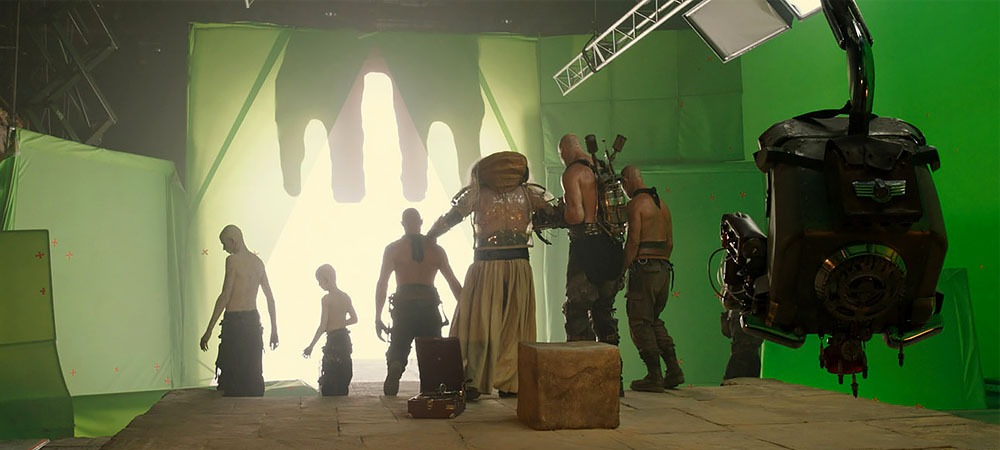
Coordination and Supervision of VFX Work Across Multiple Countries
In large-scale VFX projects where different teams work in various countries, coordination and supervision are critical to ensure that all shots meet the project’s standards. This is typically achieved through a combination of management roles, structured workflows, and digital tools.
1. Project Supervisor and VFX Director
-
A Project Supervisor or VFX Director is usually assigned to oversee all teams and ensure that every shot aligns with the project’s quality standards.
-
These managers often have extensive experience with international productions.
-
Their responsibilities include reviewing the quality of work at every stage and making sure that all teams follow common technical standards, such as color grading, lighting, resolution, codecs, and file formats.
2. Continuous Review and Feedback Process
-
To maintain consistency across shots and VFX elements, teams follow a continuous review workflow.
-
For example, when one team completes a task such as simulating smoke or water the shots are sent to other teams for review and potential adjustments.
-
The director or VFX supervisor regularly reviews these shots and provides detailed feedback for refinements across teams.
3. Feedback Transfer and Revisions
-
Online platforms and project management systems allow teams to receive feedback quickly and implement revisions efficiently.
-
Once shots reach their final state and are approved by the director or project supervisor, they are integrated into the final film.
4. Managing Time Zone Differences
-
Projects spanning multiple time zones often face challenges in coordination.
-
To mitigate this, online meetings are scheduled at different times to accommodate all teams, ensuring effective participation in collaborative reviews and updates.
Summary
In large VFX projects with teams spread across multiple countries, coordination and supervision are carried out through:
-
Online project management tools,
-
Video conferencing sessions,
-
Secure data transfer, and
-
Continuous feedback loops.
Project supervisors and VFX directors are responsible for ensuring quality, consistency, and alignment across all shots, so that the VFX elements integrate seamlessly into the final film.
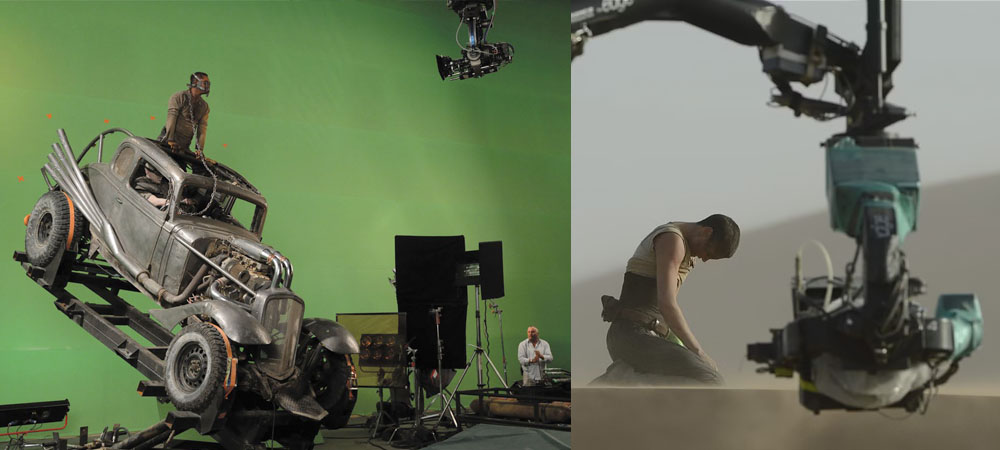
Organizations and Institutions Overseeing VFX Production Standards
The design, management, and editing of VFX shots are guided by specific organizations and global standards that ensure quality, consistency, and continuity throughout all stages of visual effects production. These standards and oversight mechanisms are essential not only for the final cinematic quality but also for maintaining artistic, technical, and economic principles in VFX production. Key organizations include:
1. Industry Oversight and Standardization Organizations
Several prominent organizations establish standards for visual effects and film production. These include:
-
Academy of Motion Picture Arts and Sciences (AMPAS):
Responsible for the Oscar Awards, AMPAS also develops guidelines for evaluating the quality of visual effects. Additionally, the academy hosts seminars and educational programs focused on VFX best practices and professional development. -
Visual Effects Society (VES):
A professional body dedicated specifically to the advancement, support, and standardization of VFX. VES serves as a critical reference in the industry, proposing technical and artistic standards for visual effects, including workflows, VFX integration with live-action footage, and shot editing processes. -
International Telecommunication Union (ITU):
This international organization sets technical standards for digital images and video, impacting the production and display of digital films. ITU standards help ensure that VFX content maintains technical consistency and quality across different platforms and formats.
2. Specific Standards in VFX Shot Design, Management, and Editing
The design, management, and editing of VFX shots must adhere to specific standards to ensure coordination, quality, and accuracy in the creation and integration of visual effects. These standards can generally be divided into four main categories:
a. Technical Standards
-
Rendering Accuracy and Quality:
To produce high-quality visual effects, precise technical standards must be followed for rendering and image processing. These include color accuracy, image resolution, the fidelity of 3D simulations, and other technical details. -
Image Formats and Codecs:
VFX workflows require specific formats and codecs that comply with industry standards. For instance, EXR (OpenEXR) is commonly used for high dynamic range images, and RAW formats are preferred for precise simulations.
b. Artistic Standards
-
Consistency with Film Style:
VFX shots must match the overall visual style and tone of the film. This is particularly important in both the design and editing of visual effects. -
Accurate Integration with Live-Action Footage:
One of the key challenges in VFX is ensuring that the designed shots blend naturally with real footage. Artistic principles are applied to maintain correct proportions, shadows, lighting, and color matching.
c. Managerial Standards
-
Time and Resource Management:
Producing VFX shots is often time-consuming and resource-intensive. Standards exist for scheduling, task allocation, and quality management throughout the production process. -
Communication and Coordination:
Since many VFX shots are produced by teams distributed across the globe, standards govern online communication, coordination, and feedback mechanisms to ensure smooth collaboration.
d. Compositing and Editing Standards
-
Precise Shot Editing:
VFX shot editing requires a high level of accuracy, with standards guiding how digital elements are combined with live-action footage to maintain temporal and spatial continuity. -
Synchronization of Audio and Visuals:
Editing VFX also involves standards to ensure proper alignment of visual effects with sound, maintaining the cinematic experience.
3. Oversight and Coordination in the VFX Industry
Creating and integrating visual effects is an interdisciplinary process requiring precise coordination among multiple teams. Oversight and coordination occur both internally within studios and externally across collaborating studios:
-
VFX Supervisors and Managers:
These professionals oversee all aspects of VFX production, design, and editing, ensuring that projects comply with technical and artistic standards. -
Continuous Reporting and Review:
VFX teams hold regular review sessions, often supported by online project management and communication systems, to monitor progress and correct any deviations from established standards.
Summary
The design, management, and editing of VFX shots are governed by organizational oversight and established industry standards to ensure quality, coordination, and continuity at every stage of production. These standards encompass technical, artistic, and managerial aspects, and adherence to them is essential for achieving high-quality outputs that meet both the artistic and commercial requirements of the film.
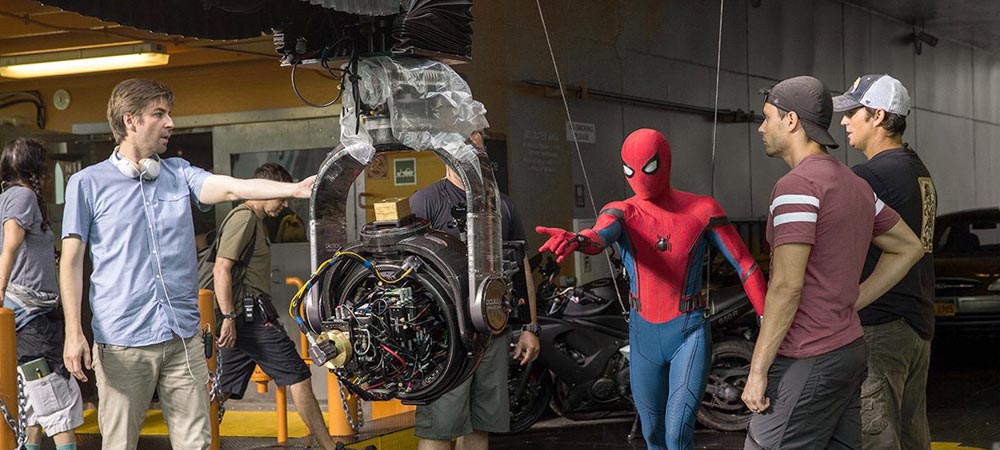
VFX Process Charts: Their Purpose and Importance in Production
VFX process charts are visual tools that systematically display the various stages of visual effects (VFX) production in a step-by-step manner. These charts are commonly used for project management, team coordination, progress tracking, and clarifying production steps.
The primary goal of these charts is to simplify and visualize the complex structure of VFX production, enabling all individuals involved in the process designers, project managers, artists, and other teams to clearly understand the production workflow and perform their tasks efficiently.
Applications and Importance of VFX Process Charts
-
Structure and Clarity:
Process charts clearly illustrate the different stages of a project, helping teams gain an accurate understanding of the workflow. In complex projects, these charts are essential for identifying weak points, bottlenecks, and critical stages. -
Time and Resource Management:
VFX process charts assist in managing time and resources, ensuring that all shots and tasks progress according to schedule. They typically include delivery dates and control points for monitoring project progress. -
Team Coordination:
In large and complex VFX projects, where teams may be geographically distributed, these charts help maintain smooth collaboration without task conflicts. Team members at different locations can use the charts to coordinate efforts and track progress. -
Risk Management and Problem Prediction:
Process charts help identify potential risks and problems throughout production, allowing teams to develop solutions proactively before issues arise. -
Clarification of Production Steps for the Entire Team:
In large-scale projects, different team members may be responsible for specific parts of production. Process charts help clarify responsibilities and scheduling, ensuring that everyone understands their role in the workflow.
Summary:
VFX process charts are essential tools for organizing, visualizing, and managing the production of visual effects. They improve clarity, coordination, and risk management, enabling teams to deliver high-quality VFX efficiently while maintaining alignment with the overall production schedule.
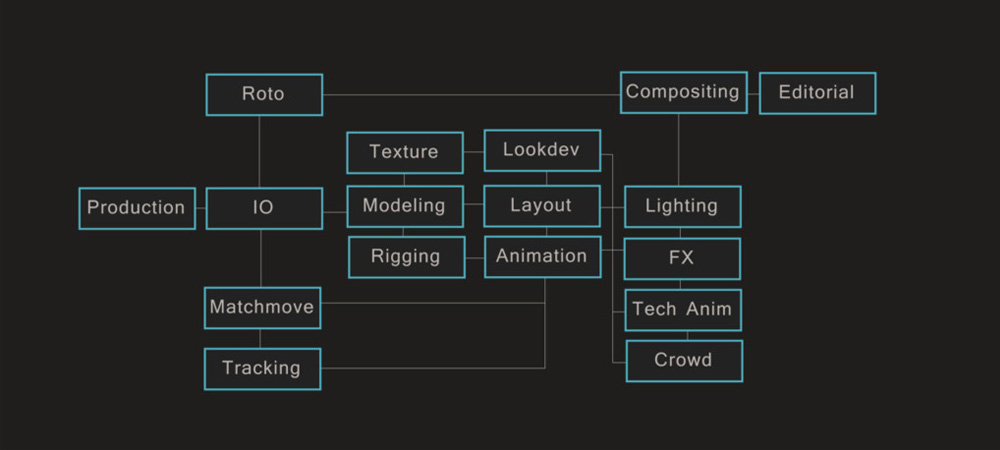
Designers of VFX Process Charts
VFX process charts are typically designed by project managers, VFX supervisors, or VFX coordinators. These individuals collaborate closely with various production teams, art directors, and technical supervisors to accurately map out the stages of a project.
VFX supervisors and post-production managers, who have extensive experience in the visual effects production workflow, are primarily responsible for creating these charts. Technical and artistic teams may also participate in the design process to ensure that all technical and artistic aspects are properly represented.
Are the Charts and Stages Fixed?
While VFX process charts generally follow consistent principles and patterns, they can vary from project to project. These variations depend on factors such as project-specific requirements, production needs, team structures, and available technologies.
Typically, VFX process charts include:
-
Pre-Production
-
Production (Filming)
-
Post-Production
-
Compositing and Final Edit
However, each project may introduce unique stages or modifications:
-
In highly complex VFX projects (e.g., action or fantasy films), multiple rounds of physical simulations, matte painting, or dynamic simulations may be required.
-
In smaller projects, the stages may be simpler and fewer.
-
For projects using special technologies (such as VR films or 360-degree video), process charts may include 360-degree filming, VR simulations, or specialized environment design stages.
Summary
VFX process charts are essential tools that help production teams systematically and efficiently visualize tasks and project stages. They are designed by project managers and VFX supervisors and are adaptable depending on project complexity and specific requirements. While certain principles remain consistent, these charts are optimized for each project, ensuring that all stages of design, management, and editing of VFX shots are clearly represented.
VFX Process Charts Covering Design, Management, and Editing Stages
VFX process charts can generally encompass all stages of designing, managing, and editing VFX shots, although their importance and application vary at different points in the production pipeline.
1. Design Stage Charts (Pre-Production)
These charts are primarily used during pre-production, where concept design, modeling, and overall planning for visual effects take place.
-
Charts in this stage may include initial ideas, visual compositions, and technical methods used for creating the VFX.
-
3D simulation diagrams, concept art graphics, and initial models are generated to predict how shots will be executed.
-
These process charts mainly focus on preparation and overall design, such as workflow for design, simulation steps, and estimated timelines for subsequent stages.
2. Management Stage Charts (Production & Post-Production)
Management charts are used during project management and post-production to coordinate and track the progress of VFX shots.
-
These charts include timelines, milestones, and production monitoring.
-
Tools such as Gantt charts and workflow diagrams help project managers ensure that shots progress according to plan and resources are effectively allocated.
-
Management charts typically cover design, modeling, simulation, rendering, compositing, and final editing, showing which shots need to be reviewed and completed at each stage.
3. Editing Stage Charts (Post-Production)
In the editing stage, VFX charts focus on final compositing and integration with the main film.
-
They detail layer compositing, color correction, combining visual effects, and quality control.
-
Charts may include instructions for synchronizing shots with other parts of the film and final rendering workflows.
-
Review and timeline tracking are also key functions of these charts in this stage.
Summary
VFX process charts can be applied to design, management, and editing stages, but they are most critical for:
-
Management of VFX shots and final compositing in post-production.
-
They help various teams designers, project managers, artists, and editors to monitor progress, track schedules, and maintain coordination across production.
Specifically:
-
Design charts focus on initial planning and visualization of shots and effects.
-
Management charts track progress, schedules, and resource allocation.
-
Editing charts ensure final shot compositing and alignment of visual effects with the main film.
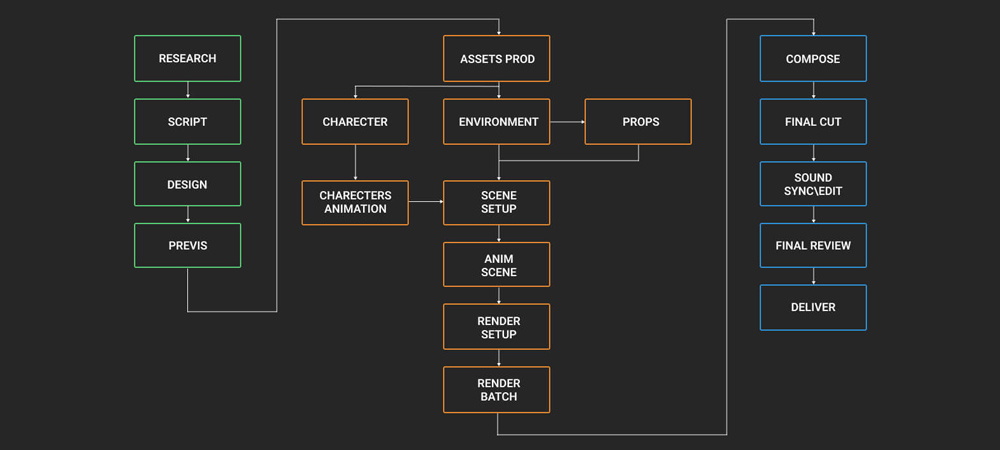
Common Terms Used in VFX Process Charts
VFX process charts are often referred to using various terms in the visual effects and film production industry. Some of the most commonly used terms include:
1. VFX Workflow Diagrams
This term refers to charts that illustrate the overall flow and stages of the VFX production process, including design, modeling, simulation, rendering, compositing, and final editing.
-
These diagrams show the workflow of each shot and the processing steps from start to finish.
2. VFX Pipeline Diagrams
One of the most widely used terms for visualizing the stages of visual effects production.
-
A “pipeline” represents the production line through which VFX shots pass.
-
These diagrams usually include stages such as modeling, simulation, rendering, compositing, and editing.
-
Their main purpose is to display the hierarchy and chronological order of each stage.
3. VFX Shot Breakdown
This term is used for charts that break down each shot into its component elements and show which stages and processes are applied to each shot.
-
In large-scale projects, different shots may undergo different processes.
-
The Shot Breakdown charts detail these differences for each shot individually.
4. VFX Task Flow Diagrams
These charts focus on specific tasks assigned to various VFX teams.
-
Each task is technically or artistically defined.
-
They show how different tasks should be coordinated and executed efficiently.
5. VFX Production Workflow
This term refers to a collection of charts covering all stages of VFX production, from pre-production to post-production.
-
They capture internal workflows of different teams.
-
Useful for project management, enabling teams to track each step of the process and ensure that all components of the project progress simultaneously and in coordination.
Summary
In summary, VFX process charts can be referred to by terms such as:
-
VFX Workflow Diagrams
-
VFX Pipeline Diagrams
-
VFX Shot Breakdown
-
VFX Task Flow Diagrams
All these terms represent visual tools that depict the production process, workflow, and progress of tasks in various stages of visual effects production.
Tools for Designing and Drawing VFX Process Charts
VFX process charts are typically used to visualize and manage complex workflows and the sequence of stages in visual effects production. These charts help VFX artists and teams understand different stages from pre-production to post-production and maintain necessary coordination. There are several tools available for designing and drawing these charts.
Key Tools for Designing VFX Process Charts
-
Adobe Illustrator
-
Used for precise and custom chart design.
-
Allows advanced graphic design features for detailed visualization of VFX workflows.
-
Microsoft Visio
-
A specialized tool for creating process flowcharts.
-
Can be specifically used for VFX workflow diagrams.
-
Includes ready-made templates for flowcharts that can be customized to project needs.
-
Lucidchart
-
An online tool for designing workflows and process charts.
-
Provides collaborative features, making it ideal for large and international teams.
-
Trello / Monday.com / Asana
-
Primarily project management tools.
-
Allow you to create visual charts, timelines, and task flows for VFX processes.
-
Enable task categorization, scheduling, and precise tracking of each stage.
-
Blender
-
Useful if you want 3D visual representation of VFX processes.
-
Can be used to design 3D models, animations, and simulations for visualizing VFX workflows.
Steps for Designing and Drawing VFX Charts
-
Identify Key Stages of the Project
-
Divide the workflow into stages such as pre-production, production, and post-production.
-
Examples: concept design, simulation, layer compositing, rendering, and finalization.
-
Define Inputs and Outputs
-
For each stage, identify inputs (raw materials, data, assets) and outputs (results and final products).
-
Draw the Workflow
-
Use tools like Visio or Lucidchart to create clear workflow diagrams.
-
Show dependencies and relationships between stages.
-
Use Visual Indicators
-
Apply colors, shapes, and icons to categorize different stages, e.g., animation, modeling, simulation, compositing, and rendering.
-
Review and Update
-
Continuously update the chart to reflect any changes in processes or deadlines, ensuring the team can track progress accurately.
Summary
Designing VFX process charts is a critical tool for organizing and tracking tasks in complex visual effects projects. Tools like Visio, Lucidchart, and Adobe Illustrator can be effectively used to create these charts, while project management platforms and 3D visualization tools like Blender can enhance collaboration and clarity.
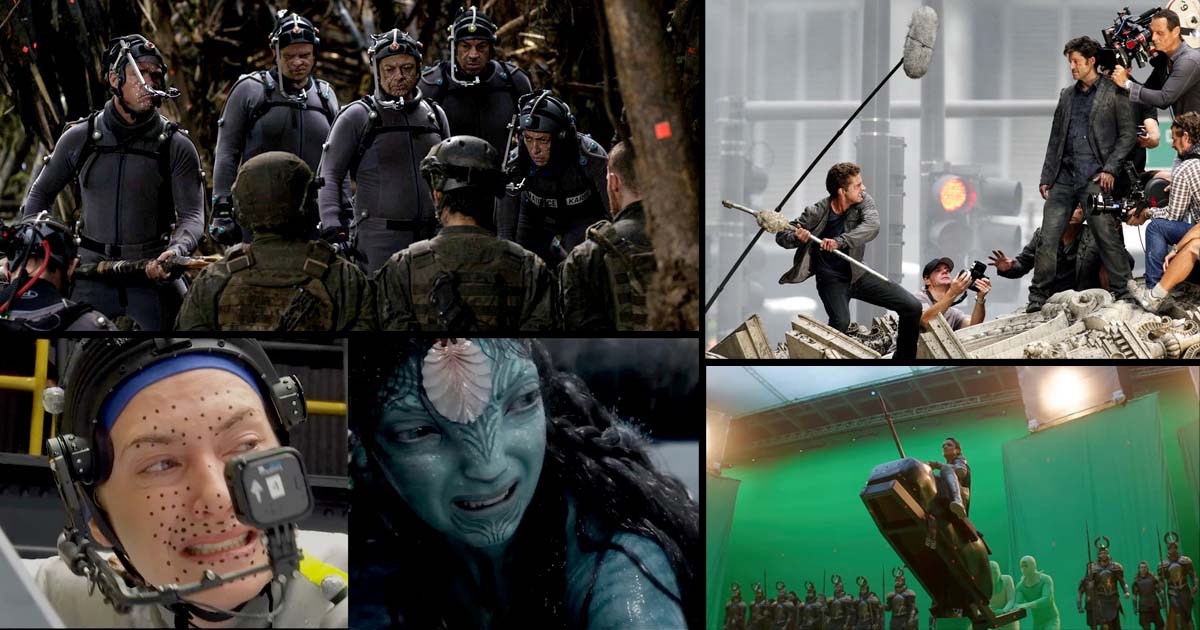
Design, Management, and Editing of VFX Shots Across Different Fields
The concepts of designing, managing, and editing VFX (Visual Effects) shots are not limited to cinema they are applied across various media where digital imagery needs to be combined with live-action footage or digital simulations.
1. Television and Series
VFX shots are essential in TV series, whether in drama, sci-fi, or fantasy genres. While television projects may have smaller budgets than films, they still require the design, management, and editing of VFX shots. Cost-effective software or simplified compositing may be used, but the workflow and shot supervision remain crucial.
2. Video Games
In the video game industry, producing digital visual effects and graphic simulations requires precise design, modeling, and editing of VFX shots to make game worlds appear realistic. VFX in games is interactive, appearing directly within the environment and responding to player actions. Managing VFX workflows in games involves integrating real-world and digital environments and simulating physical interactions.
3. Advertising and Commercials
In advertising, VFX shots are used to create visually compelling and persuasive imagery to showcase products or services. The design, management, and editing of VFX shots are critical, as commercials often require tight schedules and high technical execution.
4. Animation Production
In both 2D and 3D animation, VFX is used to simulate motion, physics, and complex interactions between characters and environments. Animators and designers employ VFX simulations to combine imagery and create a dynamic, realistic animated world.
5. Virtual Reality (VR) and Augmented Reality (AR)
VFX simulations in VR and AR projects are used to integrate digital elements with real-world footage or to create interactive digital environments. These technologies require the precise design, management, and editing of complex VFX shots to ensure seamless integration with real or virtual worlds.
6. Architecture and Urban Design (Visualizations)
In architecture and urban planning, VFX is widely used for 3D modeling and simulation of building designs or urban spaces. Designing and editing these shots is important for virtual presentations and architectural previews.
7. Music Videos
In music videos, VFX is often employed to create visually striking scenes and unique experiences for the audience. Designing, managing, and editing VFX shots is crucial to realize specific and distinctive visual effects.
Summary
The design, management, and editing of VFX shots are not limited to cinema. They are used in video games, advertising, animation, music videos, VR/AR projects, architecture, and even scientific visualizations. Essentially, these processes are applicable wherever there is a need to combine real-world imagery with digital elements or complex simulations.

Sadjad Jahangiri 


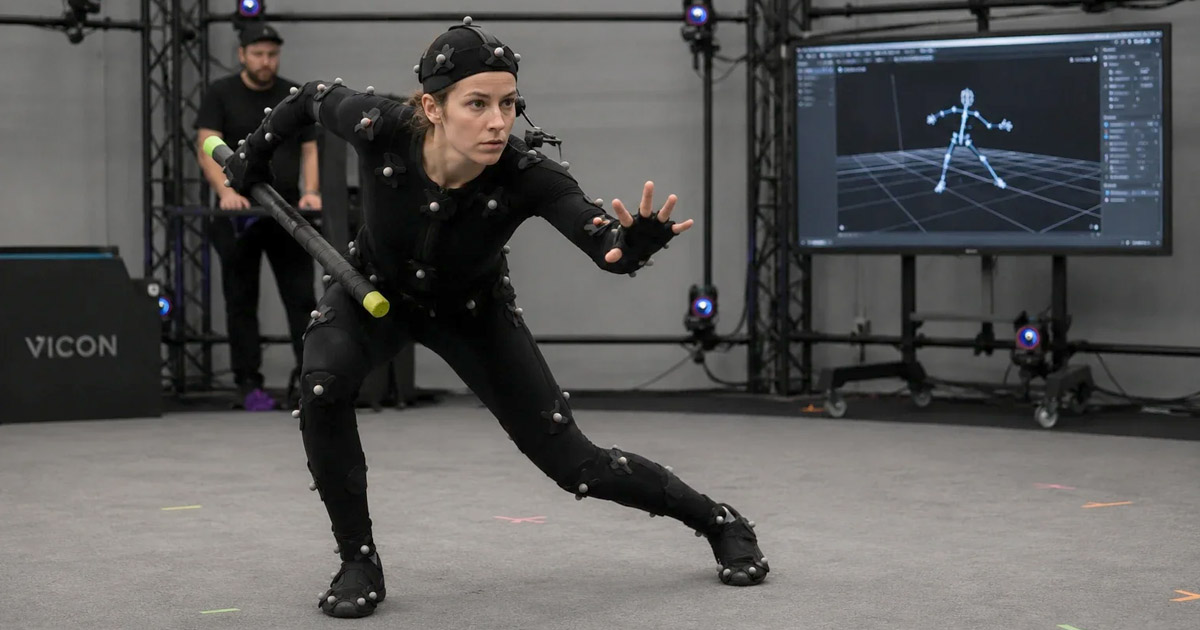
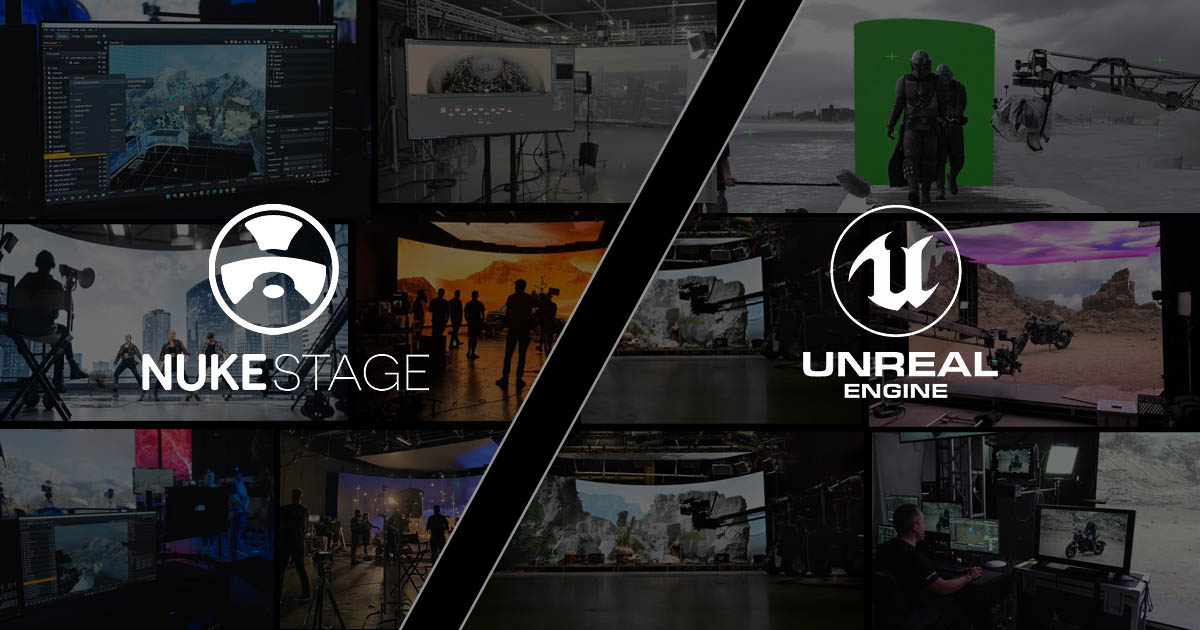
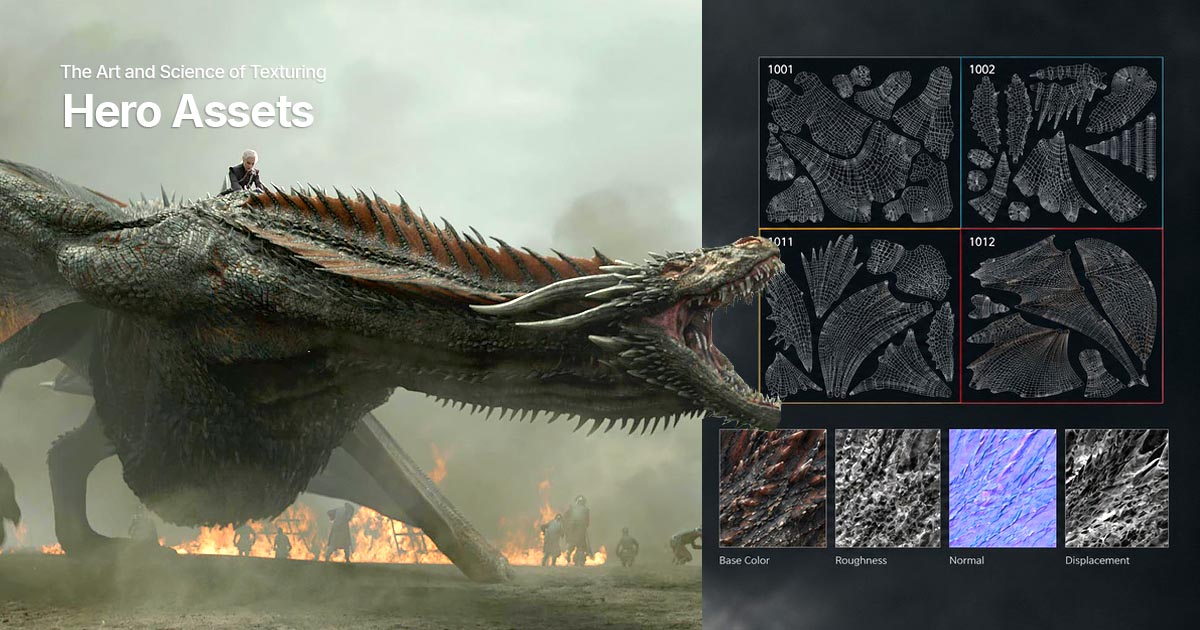


Add comment